Knowledge is one of an organization’s most valuable assets—but its value depends on how effectively it’s captured, organized, shared, and applied.
Every project, meeting, customer interaction, business process, and decision creates knowledge. Without a structured approach to managing it, valuable expertise becomes scattered across documents, emails, chat conversations, disconnected tools, and individual employees, leading to duplicated work, knowledge silos, slower onboarding, and repeated mistakes.
Knowledge management transforms scattered information into a connected knowledge system that preserves expertise, improves collaboration, and supports better decisions. This guide explains the fundamentals of knowledge management, the different types of organizational knowledge, best practices, governance, AI, software, and how to build an effective knowledge management system.
Whether you’re building a knowledge base, creating a company wiki, implementing enterprise search, improving organizational learning, or exploring AI-powered knowledge management, this guide explains everything you need to know about knowledge management.
What Is Knowledge Management?
Knowledge management (KM) is the process of capturing, organizing, connecting, sharing, maintaining, and applying an organization’s collective knowledge so people can easily find information, solve problems, collaborate, and make informed decisions.
Every organization creates valuable knowledge through customer interactions, projects, meetings, research, business processes, and everyday experience. Without a structured approach, that knowledge becomes scattered across documents, emails, chat conversations, shared drives, and individual employees, making it difficult to find, reuse, or improve.
Knowledge management brings these disconnected sources together into a connected knowledge ecosystem where information is organized, searchable, and continuously improved. Instead of remaining isolated within individuals or departments, knowledge becomes a shared organizational asset that supports collaboration, innovation, and better decision-making.
Whether you’re building a knowledge base, developing a company wiki, improving knowledge sharing, implementing enterprise search, or preparing for AI-powered knowledge discovery, knowledge management provides the foundation that keeps organizational knowledge accessible and valuable over time.
Knowledge Is More Than Information
Knowledge management is often confused with storing information or organizing documents, but knowledge is much more than a collection of files.
Information consists of facts, records, documents, and data. Knowledge adds context, experience, and practical understanding, helping people know not only what to do, but also why, when, and how to do it.
For example, a documented process explains the steps required to complete a task. The experience employees gain while performing that task—along with lessons learned, best practices, and practical insights—becomes organizational knowledge. Knowledge management connects both, ensuring information and experience remain accessible together.
Knowledge Management vs. Information Management vs. Documentation
These disciplines are closely related but serve different purposes.
- Knowledge Management focuses on capturing expertise, connecting information, encouraging collaboration, and helping people apply organizational knowledge.
- Information Management focuses on organizing, storing, securing, and governing information throughout its lifecycle.
- Documentation focuses on creating and maintaining documents that capture processes, procedures, policies, technical knowledge, and other organizational information.
Together, they complement one another: documentation captures knowledge, information management organizes it, and knowledge management ensures it can be discovered, shared, improved, and applied across the organization.

If this was useful, read this…

Key Takeaway
Knowledge management isn’t about creating more documents—it’s about helping organizations make better use of what they already know. By transforming individual expertise into shared organizational knowledge, businesses create a connected knowledge ecosystem that improves collaboration, accelerates learning, and supports better decisions.
Understanding Types of Organizational Knowledge
Knowledge management isn’t simply about storing documents—it’s about managing different kinds of organizational knowledge.
Every organization creates thousands of pieces of knowledge every year through customer interactions, projects, meetings, product development, research, operational improvements, and employee experience. Some of this knowledge is carefully documented, while much of it exists only in people’s minds.
Understanding these different forms of knowledge is the foundation of building an effective knowledge management system. Each type requires different methods for capturing, organizing, sharing, and maintaining it.
Below are the major types of organizational knowledge every business should understand.
1. Explicit Knowledge
Explicit knowledge is knowledge that has already been documented and can be easily stored, searched, and shared.
Because it exists in a structured format, explicit knowledge is the easiest type of knowledge to manage.
Examples include:
- Standard operating procedures (SOPs)
- Technical documentation
- Policies
- Reports
- User manuals
- Training materials
- Process documentation
- Knowledge base articles
Most knowledge management initiatives begin by organizing explicit knowledge because it already exists in a reusable format.
2. Tacit Knowledge
Tacit knowledge is personal knowledge gained through experience.
It includes intuition, judgment, problem-solving ability, and practical expertise that people develop over months or years of work.
Examples include:
- Negotiation skills
- Leadership experience
- Troubleshooting techniques
- Customer relationship skills
- Creative decision-making
- Industry expertise
Tacit knowledge is extremely valuable—but also the hardest to preserve because much of it lives only in employees’ minds.
One of the primary goals of knowledge management is helping organizations capture tacit knowledge before it disappears through employee turnover or organizational change.
In addition to explicit and tacit knowledge, organizations also rely on procedural knowledge—the practical know-how employees use to perform tasks, follow workflows, and execute processes consistently.
3. Implicit Knowledge
Implicit knowledge sits between tacit and explicit knowledge.
Employees know how to perform a task, but the knowledge hasn’t yet been documented.
For example, an experienced employee may know the exact steps required to onboard a new customer or resolve a recurring technical issue without ever having written the process down.
Unlike tacit knowledge, implicit knowledge can usually be documented with relatively little effort once subject matter experts are involved.
Many documentation and process improvement projects focus on converting implicit knowledge into explicit organizational knowledge.
4. Institutional Knowledge
Institutional knowledge represents the collective experience an organization has accumulated over time.
It includes:
- historical decisions
- successful strategies
- lessons learned
- company culture
- internal best practices
- organizational memory
Institutional knowledge explains not only what happened but also why certain decisions were made.
Protecting this knowledge helps organizations avoid repeating mistakes and enables new employees to learn from previous experience instead of starting from scratch.
5. Tribal Knowledge
Tribal knowledge refers to important information that is known only by a small group of people—or sometimes just one employee.
Examples include:
- undocumented workflows
- customer preferences
- technical workarounds
- operational shortcuts
- vendor relationships
- historical project context
While tribal knowledge often helps organizations operate efficiently, it also creates significant risk because the knowledge disappears when those individuals leave.
Reducing tribal knowledge is one of the biggest objectives of modern knowledge management.
6. Customer Knowledge
Organizations learn something new about their customers every day.
Customer knowledge includes information gathered through:
- customer support
- client onboarding
- sales conversations
- user research
- feedback surveys
- interviews
- product usage
- account management
When captured and shared effectively, customer knowledge helps teams improve products, marketing, sales, and customer experience while ensuring valuable insights aren’t lost between departments.
7. Product Knowledge
Product knowledge combines everything an organization knows about its products or services.
This includes:
- product features
- release history
- technical specifications
- product requirements
- customer feedback
- implementation guidance
- troubleshooting information
- product documentation
Making product knowledge accessible helps align product managers, engineers, marketers, customer success teams, and support teams around a shared understanding of the product.
8. Operational Knowledge
Operational knowledge explains how work gets done inside an organization.
It includes:
- business process mapping
- workflows
- standard operating procedures
- policies
- internal guidelines
- project methodologies
- operational best practices
Operational knowledge helps organizations deliver consistent results, improve efficiency, reduce errors, and scale operations more effectively.
9. Competitive Knowledge
Competitive knowledge helps organizations understand the external environment in which they operate.
It may include:
- competitor research
- market intelligence
- industry trends
- customer expectations
- regulatory changes
- emerging technologies
Unlike internal knowledge, competitive knowledge constantly changes and requires continuous monitoring to remain valuable.
Organizations that actively manage competitive knowledge are often better prepared to adapt, innovate, and make strategic decisions.
Not all knowledge should be managed in the same way.
Some knowledge should be documented, some should be shared through collaboration, some requires governance, and some benefits from AI-powered discovery. Recognizing the different forms knowledge can take helps organizations choose the right tools, processes, and strategies for preserving and applying it effectively.
The strongest knowledge management systems don’t focus on documents alone—they create an environment where every form of organizational knowledge can be captured, connected, shared, and continuously improved.
Why Organizations Lose Knowledge
Every organization creates valuable knowledge through customer interactions, projects, research, meetings, and everyday work. The challenge isn’t creating knowledge—it’s preserving it.
Without a structured knowledge management strategy, expertise gradually becomes outdated, inaccessible, or lost. Understanding why this happens is the first step toward preventing it.
1. Employee Turnover
Some of the most valuable knowledge exists only in the minds of experienced employees.
When employees leave, retire, or change roles, they take years of expertise, context, and practical insights with them. Even with formal handovers, much of this tacit knowledge is never documented, forcing teams to solve the same problems repeatedly.
2. Knowledge Silos
Knowledge often stays within departments or individual teams.
Customer insights, product feedback, and process improvements fail to reach the people who could benefit from them, limiting collaboration, innovation, and organizational learning.
3. Poor Documentation
Important knowledge often remains in meetings, chat messages, emails, or personal notes instead of being documented.
Without reliable documentation, employees struggle to identify the latest processes, policies, and decisions, leading to confusion and inconsistent work.
4. Scattered Information
Information is spread across shared drives, emails, chat platforms, project tools, cloud storage, and local files.
Employees know the information exists but spend valuable time searching for it instead of using it.
5. Duplicate Work
When knowledge is difficult to find, teams recreate it.
Documents, research, and processes are repeated unnecessarily, wasting time, increasing costs, and preventing organizations from building on existing expertise.
6. Outdated Knowledge
Knowledge loses value when it isn’t reviewed.
As policies, products, processes, and technologies evolve, outdated information can lead to poor decisions and operational mistakes.
7. Disconnected Tools
Information stored across separate systems creates fragmented knowledge.
Without connected tools, employees struggle to see relationships between information or access a complete view of organizational knowledge.
8. Lack of Knowledge Ownership
When no one is responsible for maintaining knowledge, documents become outdated and unreliable.
Clear ownership helps keep information accurate, relevant, and trustworthy.
9. The Cost of Lost Knowledge
Poor knowledge management affects the entire organization, leading to:
- Slower onboarding
- Repeated mistakes and duplicated work
- Lower productivity
- Inconsistent customer experiences
- Poorer decision-making
- Higher operational risk
- Lost institutional knowledge
- Slower innovation
- Increased training costs
While these issues may seem manageable individually, together they reduce efficiency, slow growth, and weaken long-term competitiveness.
The Knowledge Management Lifecycle
Knowledge management is an ongoing lifecycle that transforms scattered information into reliable organizational knowledge. Every piece of knowledge moves through a series of stages—from creation to retirement.
Managing each stage effectively keeps knowledge accurate, searchable, connected, and valuable over time.
1. Capture Knowledge
The lifecycle begins by capturing knowledge before it’s lost.
Knowledge is created through customer interactions, projects, meetings, research, problem-solving, and everyday work. Capturing valuable insights preserves expertise that can benefit the organization in the future.
Common sources include documentation, meeting notes, lessons learned, customer feedback, SOPs, research, and employee expertise.
2. Validate Knowledge
Before information becomes shared knowledge, it should be reviewed for accuracy, completeness, relevance, and consistency.
Validation prevents duplicate content, outdated procedures, conflicting guidance, and unreliable AI responses while building trust in the knowledge base.
3. Organize Knowledge
Knowledge is valuable only if people can find it.
Categories, taxonomies, tags, naming conventions, and logical structures help employees locate information quickly and understand how related knowledge fits together.
4. Connect Knowledge
Related knowledge becomes more valuable when it’s linked together.
Connecting policies, SOPs, project documents, meeting notes, customer feedback, and technical documentation provides context for employees and improves AI-powered retrieval.
5. Share Knowledge
Knowledge creates value when it’s accessible to the right people.
Knowledge bases, company wikis, collaborative workspaces, client portals, onboarding, and training programs make it easier to share and reuse expertise across the organization.
6. Discover Knowledge
Employees should be able to find information without knowing where it’s stored.
Enterprise search, metadata, semantic search, and AI-powered retrieval help users quickly discover trusted knowledge using natural language.
7. Apply Knowledge
Knowledge delivers value only when it’s put into practice.
Applying existing knowledge improves decision-making, onboarding, customer service, product development, and business processes while reducing duplicated effort.
8. Improve Knowledge
Knowledge should evolve as the organization changes.
Regular reviews, employee feedback, updated documentation, and new lessons learned keep information accurate, relevant, and useful.
9. Archive Knowledge
Some knowledge is no longer used daily but still has historical, legal, or reference value.
Archiving completed projects, retired documentation, historical reports, and previous policies keeps repositories organized without losing important records.
10. Retire Knowledge
Outdated procedures, obsolete technologies, expired regulations, and duplicate content should be removed to prevent confusion and maintain trust.
Retiring outdated knowledge keeps the knowledge base accurate and reliable.
Key Takeaway
Knowledge management is a continuous lifecycle—not a one-time documentation project.
Organizations that capture, validate, organize, connect, share, discover, apply, improve, archive, and retire knowledge create systems that grow more valuable over time. Instead of losing expertise, they build lasting organizational intelligence that supports employees, improves decisions, and enables both people and AI to access trusted knowledge when it’s needed.
Knowledge Assets
Knowledge management is about more than organizing information—it’s about managing the assets that capture, preserve, and share organizational knowledge.
A knowledge asset is any resource that helps people perform their work, make better decisions, or retain organizational expertise. Together, these assets form the foundation of an organization’s knowledge ecosystem.
Below are some of the most common knowledge assets used in modern organizations.
📚 Knowledge Bases
A knowledge base is a centralized repository of trusted information, such as articles, FAQs, procedures, troubleshooting guides, and best practices.
It helps employees and customers find answers quickly, reduces repetitive questions, and preserves knowledge over time.
🏢 Company Wikis
Company wikis are collaborative workspaces where teams create, update, and connect knowledge.
Unlike static documents, they evolve with the organization and often become its living source of truth.
If this was useful, read this…
Company Wiki Vs Knowledge Base: What Makes Them Different? →
📄 Documentation
Documentation turns knowledge into structured, reusable information.
From technical documentation and SOPs to user guides and project documents, it makes expertise easier to share, apply, and maintain.
⚙️ Standard Operating Procedures (SOPs)
SOPs document repeatable processes to ensure work is performed consistently.
They reduce errors, simplify training, support compliance, and preserve operational knowledge.
📜 Policies & Guidelines
Policies define organizational rules, expectations, and standards.
They promote consistency, support compliance, and reduce organizational risk.
❓ Frequently Asked Questions (FAQs)
FAQs provide answers to recurring employee or customer questions.
They improve self-service, reduce support requests, and make common knowledge easy to access.
If this was useful, read this…
How to Build an Effective Knowledge Base for Technical Support? →
📘 Playbooks
Playbooks combine processes, best practices, decision frameworks, and real-world guidance for recurring activities.
Common examples include sales, onboarding, marketing, and incident response playbooks.
📝 Decision Logs
Decision logs record key decisions, the reasoning behind them, and the alternatives considered.
They preserve organizational context, reduce repeated debates, and support future decision-making.
📅 Meeting Notes & Minutes
Meeting notes capture discussions, decisions, action items, and follow-ups.
They preserve valuable insights and keep teams aligned, even when not everyone can attend.
📋 Templates
Templates standardize how information is created across the organization.
They improve consistency, reduce repetitive work, and help employees produce better documentation more efficiently.
📖 Business Glossaries
Business glossaries define products, processes, metrics, acronyms, and other key terms.
They reduce confusion and improve communication across teams.
💡 Lessons Learned
Lessons learned capture successes, challenges, mistakes, and recommendations from completed work.
They help teams build on past experience instead of repeating avoidable errors.
🔬 Research & Insights
Research, customer interviews, competitive analysis, and internal studies generate valuable business knowledge.
Preserving these insights ensures they continue supporting future decisions instead of being forgotten after a project ends.
🚀 Project Knowledge
Projects generate valuable knowledge beyond their final deliverables.
Requirements, design decisions, timelines, retrospectives, and implementation records provide context that future teams can reuse.
Why Knowledge Assets Matter
Each knowledge asset serves a different purpose, but together they create a connected knowledge ecosystem that preserves expertise, improves collaboration, reduces duplicated work, and supports better decision-making.
The greatest value comes when these assets are connected through shared context, searchable knowledge bases, collaborative workspaces, and intelligent search.
If this was useful, read this…
Top 15 Knowledge Quotes to Share, Motivate & Empower Your Team! →
Knowledge Discovery: Helping People Find the Right Knowledge at the Right Time
Capturing knowledge is only part of knowledge management. Its real value comes from helping people quickly find and use the information they need.
As organizations grow, knowledge becomes scattered across documents, emails, chat conversations, project files, and multiple applications. Knowledge discovery brings this information together, making it easier to search, connect, and apply.
The goal isn’t to create more knowledge—it’s to make existing knowledge easy to find and use.
Why Knowledge Discovery Matters
Knowledge workers spend a significant amount of time searching across disconnected systems for information they know already exists.
Poor knowledge discovery results in:
- Employees recreating existing work
- Duplicate documents and inconsistent information
- Repeated questions across teams
- Slower decision-making
- Longer onboarding
- Reduced productivity
- Knowledge silos and employee frustration
Effective knowledge discovery removes these barriers by making trusted information easy to access, regardless of where it was created.
The Building Blocks of Knowledge Discovery
1. Enterprise Search
Enterprise search enables employees to search across the organization’s knowledge instead of individual folders or applications.
It should help users quickly locate:
- Documentation
- Knowledge base articles
- Company wiki pages
- Policies
- SOPs
- Meeting notes
- Project documentation
- Research
- Templates
- FAQs
The faster employees find answers, the more time they can spend creating value.
2. Metadata
Metadata is information about information.
Attributes such as the following make knowledge easier to organize, filter, and retrieve:
- Author
- Department
- Project
- Topic
- Date created
- Last updated
- Status
- Document owner
- Keywords
Well-structured metadata significantly improves search accuracy.
3. Taxonomy
A taxonomy is the classification system used to organize organizational knowledge.
Instead of disconnected folders, information is grouped into logical categories, such as:
- Business
- Marketing
- Sales
- HR
- Product
- Engineering
- Operations
- Customer Success
A consistent taxonomy makes navigation more intuitive and reduces confusion.
4. Tags
Tags provide another layer of organization beyond folders and categories.
For example, an onboarding guide might include tags such as:
- HR
- Onboarding
- Remote Work
- Employee Training
- Company Policies
Tags create multiple paths to the same information, making it easier to discover.
5. Connected Knowledge
Knowledge is most valuable when it’s connected.
Policies link to procedures, meeting notes to projects, projects to customers, and products to documentation. These relationships provide context, improve navigation, and reduce duplicate content through linked references.
6. Semantic Search
Traditional search matches keywords, while semantic search understands meaning and context.
For example, a search for “How do I onboard a new employee?” can also return resources such as:
- Employee onboarding
- New hire checklist
- HR onboarding process
- Orientation guide
- Training documentation
This delivers more relevant results even when exact keywords aren’t used.
AI-Powered Knowledge Discovery
AI is transforming how employees access organizational knowledge.
Instead of searching through multiple documents, employees can ask questions in natural language and receive answers based on trusted company information.
AI can help users:
- Find relevant documentation
- Summarize lengthy documents
- Recommend related resources
- Surface similar projects
- Identify subject matter experts
- Explain complex procedures
- Answer repetitive employee questions
Combined with high-quality documentation and a well-maintained knowledge base, AI makes organizational knowledge faster and easier to discover.
Best Practices for Improving Knowledge Discovery
Organizations that excel at knowledge discovery typically follow a few consistent principles.
1. Organize knowledge consistently
Use clear categories, standardized naming conventions, and logical information architecture.
2. Connect related information
Link documents, knowledge base articles, projects, and supporting resources so employees can easily explore connected topics.
3. Keep content current
Outdated information reduces trust and makes search results less reliable.
4. Design around user needs
Organize knowledge based on how employees search for information—not how departments are structured internally.
5. Combine search with navigation
Employees should be able to browse categories, use search, follow links, and discover related content through multiple paths.
6. Continuously improve discoverability
Analyze common searches, unanswered questions, and frequently accessed content to identify gaps and improve the knowledge experience over time.
Knowledge Governance
As organizations create more knowledge, maintaining its quality becomes just as important as capturing it. Without clear governance, knowledge quickly becomes outdated, duplicated, inconsistent, and difficult to trust.
Knowledge governance establishes the policies, processes, and responsibilities that keep information accurate, secure, and useful over time. By defining ownership, quality standards, and review processes, organizations ensure knowledge evolves alongside the business.
The Core Elements of Knowledge Governance
👤 Knowledge Ownership
Every important knowledge asset should have a clearly defined owner.
Owners are responsible for keeping information accurate and up to date by:
- Creating new knowledge when needed
- Reviewing existing content
- Approving major updates
- Archiving obsolete information
- Answering questions within their area of expertise
Clear ownership prevents documentation from becoming neglected over time.
Need to bring structure to your documentation process? Use our Documentation Governance Template to define clear standards, ownership, and review processes →
🔄 Review Cycles
Knowledge changes continuously as products, processes, regulations, and business priorities evolve.
Regular reviews—whether monthly, quarterly, annually, after major projects, product releases, or policy changes—help ensure employees always have access to current information.
⭐ Knowledge Quality Standards
High-quality knowledge should be:
- Accurate
- Complete
- Easy to understand
- Consistently formatted
- Well organized
- Easy to discover
- Relevant to its audience
Editorial guidelines, templates, and documentation standards help maintain consistency across the organization.
🔐 Permissions and Access Control
Knowledge should be easy to share while remaining appropriately protected.
Access is commonly managed based on:
- Department
- Team
- Job role
- Project membership
- Security requirements
- Confidentiality
The goal is to provide the right people with the right information while protecting sensitive content.
📜 Version Control
Version history helps organizations:
- Track changes
- Restore previous versions
- Understand why updates were made
- Improve accountability
- Reduce confusion
Employees can confidently use the latest version while preserving historical records when needed.
📦 Knowledge Retention and Archiving
As projects end, technologies change, and policies evolve, outdated content should be archived rather than left active.
Archiving helps:
- Reduce clutter
- Improve search results
- Preserve historical information
- Meet legal and compliance requirements
- Prevent employees from using obsolete guidance
📊 Measuring Knowledge Health
Governance also requires monitoring the health of the knowledge ecosystem.
Useful metrics include:
- Frequently accessed resources
- Knowledge gaps
- Outdated content
- Failed searches
- Duplicate information
- Content awaiting review
- Employee feedback
- Knowledge contribution rates
These insights help improve both the quality and usability of organizational knowledge.
📊 Governance Enables Trust
Employees rely on knowledge only when they trust it.
Clear ownership, consistent standards, regular reviews, and reliable version history ensure documentation remains accurate and dependable. As organizations grow, governance becomes the foundation for effective knowledge bases, company wikis, enterprise search, and AI-powered knowledge systems.
Key Takeaway
Knowledge governance keeps organizational knowledge accurate, trustworthy, and relevant over time. By establishing ownership, maintaining quality standards, managing permissions, reviewing content regularly, tracking versions, and archiving outdated information, organizations create a knowledge ecosystem that supports better collaboration, smarter decisions, and long-term resilience.
Knowledge Management Across Departments
Knowledge management isn’t owned by a single team. Every department creates valuable knowledge, and every department benefits when that knowledge is easy to capture, discover, and share.
A successful knowledge management strategy connects expertise across the organization, breaking down silos and helping teams learn from one another.
Below are some of the major knowledge domains that contribute to an organization’s collective intelligence.
👥 Human Resources Knowledge
HR teams create knowledge that supports employees throughout their lifecycle—from recruitment and onboarding to learning, compliance, and company culture.
Examples include:
- Employee onboarding knowledge
- HR policies and procedures
- Learning and training resources
- Benefits information
- Performance management guidance
- Company culture and values
📈 Marketing Knowledge
Marketing generates insights about customers, competitors, campaigns, and market trends that help improve future marketing efforts.
Examples include:
- Customer personas
- Brand knowledge
- Campaign insights
- Competitive research
- Content strategy
- Market research
- Performance learnings
- Messaging frameworks
💼 Sales Knowledge
Sales teams develop expertise around customer needs, buying behavior, pricing, and successful sales approaches.
Examples include:
- Sales playbooks
- Discovery questions
- Competitive positioning
- Proposal best practices
- Pricing knowledge
- Customer success stories
- Common objections
- Sales methodologies
🚀 Product Knowledge
Product teams generate knowledge throughout the product lifecycle, from planning and development to releases and customer feedback.
Examples include:
- Product strategy
- Product requirements
- Roadmaps
- Feature documentation
- Customer feedback
- Release knowledge
- Product decisions
- Product vision
💻 Engineering & Technical Knowledge
Engineering teams create technical knowledge that supports development, infrastructure, maintenance, and troubleshooting.
Examples include:
- Technical documentation
- Architecture decisions
- API knowledge
- Development standards
- Troubleshooting guides
- Infrastructure knowledge
- Code standards
- Technical best practices
If this was useful, read this…
Learn The Benefits of Knowledge-Sharing Between Software Teams! →
⚙️ Operations Knowledge
Operations teams document the processes that keep the business running efficiently and consistently.
Examples include:
- Business processes
- Standard operating procedures (SOPs)
- Workflow improvements
- Process optimization
- Operational policies
- Vendor knowledge
- Compliance procedures
- Quality standards
If this was useful, read this…
Leverage the Power of Knowledge Management to Streamline Manufacturing →
🤝 Customer Success & Support Knowledge
Customer interactions generate knowledge that improves support, products, and the overall customer experience.
Examples include:
- Knowledge base articles
- Frequently asked questions (FAQs)
- Troubleshooting knowledge
- Customer onboarding guidance
- Support workflows
- Customer feedback
- Resolution histories
- Best practices
📊 Leadership & Strategic Knowledge
Leadership creates strategic knowledge that guides decision-making and preserves organizational direction.
Examples include:
- Strategic planning
- Business goals
- Decision logs
- Organizational priorities
- Meeting outcomes
- Business metrics
- Governance practices
- Long-term initiatives
💰 Finance Knowledge
Finance teams manage knowledge that supports planning, reporting, compliance, and financial decision-making.
Examples include:
- Budgeting practices
- Financial planning
- Forecasting methods
- Procurement processes
- Financial policies
- Compliance guidance
- Reporting standards
- Risk management knowledge
Why Cross-Department Knowledge Matters
Organizations perform better when knowledge flows across departments instead of remaining in silos.
Marketing benefits from sales insights, product teams learn from customer support, HR improves onboarding with operational best practices, and leadership makes better decisions when knowledge is shared across the business.
Knowledge management connects these individual knowledge domains into a shared organizational intelligence that everyone can contribute to and benefit from.
Knowledge Management Software
A knowledge management strategy is only as effective as the platform behind it. The right software helps organizations capture, organize, search, share, and maintain knowledge as they grow.
Modern knowledge management platforms go beyond document storage by bringing together documentation, knowledge bases, company wikis, project information, discussions, and organizational expertise into a connected workspace where employees can quickly find trusted information.
Whether you’re building an internal knowledge base, a company wiki, or an enterprise-wide knowledge management system, choosing the right platform is essential for long-term success.
What Should You Look for in Knowledge Management Software?
The best platforms make knowledge easy to create, discover, maintain, and apply.
📚 Centralized Knowledge Repository
A centralized repository creates a single source of truth instead of scattering knowledge across emails, shared drives, chat apps, and personal files.
Typical content includes:
- Documentation
- Knowledge base articles
- Company policies
- Standard operating procedures (SOPs)
- Meeting notes
- Project documentation
- Product information
- Research
- Training resources
🔍 Powerful Search & Knowledge Discovery
Modern platforms combine enterprise search, metadata, filters, tags, linked content, and increasingly AI-powered search to help employees quickly find the information they need.
🤝 Collaborative Knowledge Creation
Look for software that enables teams to:
- Create documentation together
- Edit simultaneously
- Review content
- Leave comments
- Suggest improvements
- Collaborate across departments
Collaboration keeps knowledge accurate, complete, and continuously improving.
🔗 Connected Knowledge
The best platforms connect related documents through links, references, and relationships, allowing employees to navigate naturally between policies, SOPs, documentation, FAQs, and other resources.
🔄 Version History & Knowledge Evolution
Knowledge changes constantly.
Version history helps teams track revisions, restore previous versions, and maintain confidence in the accuracy of organizational knowledge.
🔐 Permissions & Knowledge Security
Permission controls should support:
- Viewing permissions
- Editing rights
- Department-specific knowledge
- Confidential information
- External sharing
This balances collaboration with security.
🤖 AI Assistance
Modern platforms increasingly use AI to:
- Draft documentation
- Summarize information
- Answer employee questions
- Recommend related knowledge
- Improve search
- Identify duplicate content
- Organize information automatically
AI enhances knowledge management by making information easier to discover and use.
Types of Knowledge Management Software
Organizations often use multiple tools depending on their needs.
🧠 Knowledge Management Platforms
Comprehensive platforms that combine documentation, collaboration, search, AI, and knowledge bases in one workspace.
📚 Knowledge Base Software
Searchable repositories for employee or customer self-service.
🏢 Company Wiki Software
Collaborative workspaces for creating, organizing, and maintaining organizational knowledge.
📄 Documentation Platforms
Tools focused on creating and maintaining documentation.
📂 Document Management Systems
Platforms for document storage, permissions, workflows, compliance, and version control.
🏢 Intranet Platforms
Internal workplaces that centralize company news, resources, policies, and documentation.
🤖 AI Knowledge Platforms
Platforms that combine AI assistants, enterprise search, and intelligent knowledge retrieval.
If this was useful, read this…
How Bit.ai Supports Knowledge Management
Bit.ai combines collaborative documents, knowledge bases, company wikis, AI-powered writing, document linking, smart workspaces, permissions, version history, and real-time collaboration in a single platform.
Instead of simply storing documents, it helps organizations build a connected, searchable knowledge ecosystem that evolves alongside the business.
Whether you’re documenting processes, building a knowledge base, onboarding employees, managing projects, or creating customer resources, Bit.ai helps turn individual expertise into shared organizational knowledge.
Choosing the Right Solution
Instead of asking “What’s the best knowledge management software?”, ask:
- What knowledge are we trying to preserve?
- Who needs access to it?
- How often does our knowledge change?
- Will multiple departments contribute?
- Do we need an internal knowledge base, external knowledge base, or both?
- How important are search and discoverability?
- Do we need AI-powered knowledge retrieval?
- Can the platform scale as our organization grows?
- Does it integrate with our existing tools?
The answers will help you choose software that fits your workflows today while supporting future growth.
Key Takeaway
Knowledge management software should do more than organize documents. The best platforms help organizations capture expertise, connect information, enable collaboration, improve knowledge discovery, support governance, and make knowledge accessible to both people and AI.
Combined with strong knowledge-sharing practices, the right software becomes the foundation of a connected, intelligent organization.
AI-Powered Knowledge Management
Artificial intelligence is transforming knowledge management from a static repository into an intelligent system that helps employees find answers, connect information, and apply organizational knowledge more effectively.
Instead of searching through documents, emails, and multiple business applications, employees can ask questions in natural language and receive contextual answers based on trusted organizational knowledge.
Rather than replacing knowledge management, AI enhances it by making knowledge easier to discover, understand, and use. The stronger your knowledge ecosystem, the more effective your AI becomes.
How AI Supports the Knowledge Management Lifecycle
AI can enhance every stage of the knowledge management lifecycle—from capturing expertise to helping employees discover and apply knowledge when they need it.
✍️ Capture Knowledge Faster
AI reduces the effort required to document knowledge by helping teams:
- Draft documentation
- Summarize meetings
- Generate SOPs
- Create knowledge base articles
- Document project outcomes
- Capture lessons learned
- Convert conversations into reusable knowledge
Instead of starting from scratch, employees begin with a draft that experts can review and refine.
📚 Organize Knowledge Intelligently
AI helps organize growing knowledge repositories by automatically:
- Suggesting categories
- Recommending tags
- Grouping related content
- Identifying duplicate information
- Connecting similar documents
- Highlighting knowledge gaps
This creates a more structured and searchable knowledge ecosystem.
🔍 Improve Knowledge Discovery
Instead of relying on keyword searches, employees can ask natural language questions such as:
- How do we onboard enterprise customers?
- What’s our vacation policy?
- Where is the latest product roadmap?
- How was this issue solved last year?
- Which team owns this process?
AI understands intent and retrieves relevant information, even when the exact wording differs from the source content.
🧠 Surface Organizational Expertise
AI can help identify:
- Subject matter experts
- Previous project owners
- Related initiatives
- Historical decisions
- Similar customer cases
- Internal best practices
Connecting employees with expertise is often as valuable as connecting documents.
📝 Summarize Complex Knowledge
AI quickly summarizes:
- Lengthy reports
- Meeting notes
- Technical documentation
- Project updates
- Research findings
- Customer feedback
- Policy changes
This helps employees absorb large volumes of information more efficiently.
🔄 Keep Knowledge Current
AI can identify:
- Outdated content
- Duplicate documentation
- Inconsistent terminology
- Broken links
- Missing information
- Content requiring review
It supports knowledge governance by highlighting areas that need attention.
Retrieval-Augmented Generation (RAG)
One of the biggest advances in enterprise AI is Retrieval-Augmented Generation (RAG).
Instead of relying only on its training, RAG retrieves information from trusted organizational knowledge before generating a response. This produces answers that are more accurate, current, relevant, and grounded in company documentation.
High-quality knowledge bases, documentation, and connected content are the foundation of effective AI.
AI Assistants as Organizational Memory
AI assistants are becoming the primary way employees access organizational knowledge.
Rather than navigating multiple systems, users can ask questions and receive answers drawn from:
- Documentation
- Company wikis
- Knowledge bases
- Policies
- Procedures
- Project documentation
- Meeting notes
- Product information
This creates an organizational memory that makes years of accumulated knowledge instantly accessible.
Why AI Depends on Good Knowledge Management
AI is only as effective as the knowledge it can access.
If organizational knowledge is outdated, incomplete, duplicated, inconsistent, poorly organized, or difficult to discover, AI will simply surface poor information faster.
Organizations that invest in documentation, governance, connected knowledge, and well-maintained knowledge bases give AI the reliable foundation it needs to deliver trustworthy answers.
Bit.ai + AI-Powered Knowledge Management
Bit.ai combines collaborative documentation, connected workspaces, knowledge bases, AI writing, intelligent search, and real-time collaboration in a single platform.
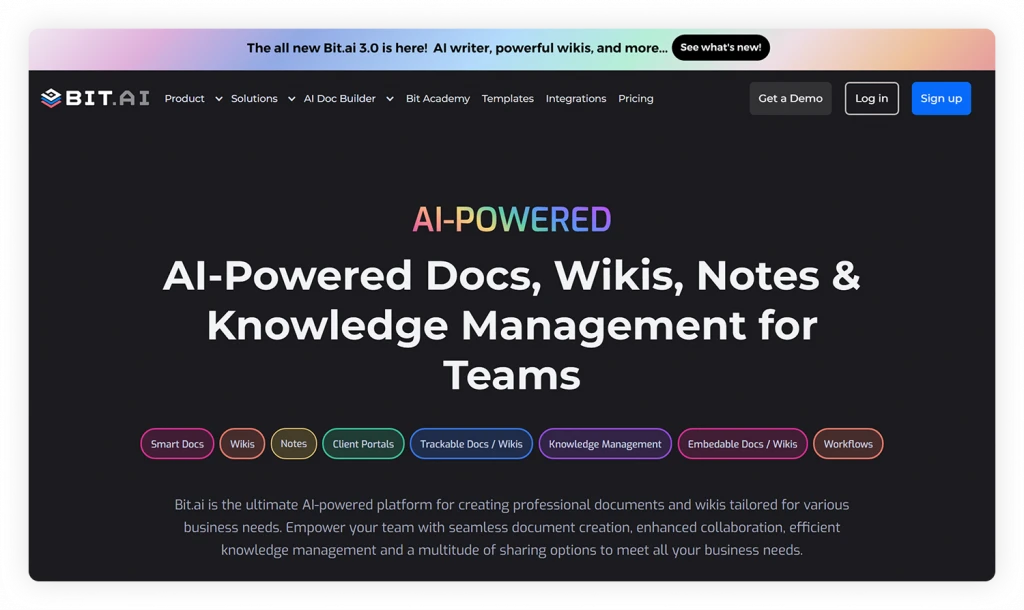
Teams can use Bit.ai AI to:
- Generate first drafts
- Create knowledge base articles
- Summarize meetings and documents
- Improve writing clarity
- Expand outlines into complete resources
- Discover related knowledge
- Answer questions using organizational information
- Organize documentation more efficiently
Combined with version history, permissions, rich media, and connected content, Bit.ai helps organizations build a searchable, continuously evolving knowledge ecosystem.
Building Your Knowledge Management System
Knowledge management doesn’t happen overnight. The most successful initiatives grow from a few well-organized resources into a connected system that supports every department and business process.
Whether you’re starting from scratch or improving an existing system, focus on building a sustainable approach that makes knowledge easy to create, discover, share, and improve.
The roadmap below provides a practical framework.
Step 1: Identify Your Most Valuable Knowledge
Start by identifying the knowledge that employees rely on most or would be difficult to replace if lost.
This often includes:
- Core business processes
- Standard operating procedures (SOPs)
- Customer knowledge
- Product knowledge
- Technical documentation
- Project documentation
- Company policies
- Frequently asked questions
- Training materials
- Lessons learned
- Decision logs
- Best practices
Focus first on the knowledge that has the greatest impact on productivity and decision-making.
Step 2: Create a Centralized Knowledge System
Bring knowledge together instead of leaving it scattered across emails, chat apps, shared drives, and personal files.
Your repository may include:
- Internal knowledge bases
- Company wikis
- Documentation workspaces
- Team portals
- Project knowledge repositories
A centralized system creates a single source of truth and reduces duplicate information.
Step 3: Organize Knowledge Around How People Think
Structure knowledge around how employees search for information, using:
- Categories
- Topics
- Departments
- Business processes
- Tags
- Metadata
- Linked resources
- Consistent naming conventions
Clear organization makes knowledge easier to navigate and reuse.
Step 4: Connect Related Knowledge
Link related resources such as:
- Documentation
- Policies
- Procedures
- Projects
- Meeting notes
- Research
- FAQs
- Templates
- Knowledge base articles
- Subject matter experts
Connected knowledge provides context, reduces duplication, and improves discovery.
Step 5: Encourage Knowledge Sharing
Build a culture where employees regularly:
- Document expertise
- Share lessons learned
- Improve existing resources
- Review knowledge
- Collaborate across departments
- Contribute new ideas
Knowledge management succeeds when sharing becomes part of everyday work.
Step 6: Establish Governance
Define clear ownership and standards for maintaining knowledge, including:
- Knowledge owners
- Review schedules
- Approval workflows
- Version control
- Permissions
- Quality standards
- Retention policies
Governance keeps knowledge accurate, secure, and trustworthy.
Step 7: Make Knowledge Easy to Discover
Improve discoverability with:
- Enterprise search
- Metadata
- Tagging
- Taxonomy
- Connected content
- AI-powered search
- Intuitive navigation
The easier knowledge is to find, the more likely employees are to use it.
Step 8: Use AI to Enhance Knowledge
Once your knowledge foundation is in place, AI can help teams:
- Answer questions
- Summarize documentation
- Recommend related resources
- Draft new knowledge
- Surface hidden connections
- Improve search
- Assist with onboarding
- Support decision-making
AI extends the value of knowledge management by making information easier to access and apply.
Step 9: Measure and Improve Continuously
Regularly evaluate your knowledge system by asking:
- Can employees quickly find information?
- Which knowledge resources are used most?
- Where are the biggest knowledge gaps?
- Which documents are outdated?
- What questions are repeatedly being asked?
- Which teams contribute the most knowledge?
- Is valuable expertise being captured before it’s lost?
Continuous measurement helps your knowledge ecosystem evolve alongside the organization.
Common Mistakes to Avoid
Many knowledge management initiatives struggle because organizations focus on technology instead of people and processes.
Common mistakes include:
- Trying to document everything at once
- Allowing knowledge to remain scattered across multiple systems
- Creating duplicate versions of the same information
- Failing to assign knowledge ownership
- Neglecting regular reviews and updates
- Building repositories that are difficult to search
- Assuming employees will contribute knowledge without encouragement
- Treating knowledge management as a one-time project instead of an ongoing practice
Recognizing these challenges early helps build knowledge systems that remain valuable over time.
Key Takeaway
Successful knowledge management is built on sustainable habits—not just new software. Organizations that consistently capture expertise, encourage collaboration, establish governance, and embrace AI create knowledge systems that become smarter, more trusted, and more valuable over time.
The Future of Knowledge Management
Knowledge management has evolved from document repositories into intelligent knowledge ecosystems that connect people, information, processes, and technology.
As AI advances, organizations need more than document storage—they need systems that help employees discover expertise, connect knowledge, collaborate effectively, and access trusted answers when they need them.
Below are some of the trends shaping the future of knowledge management.
🤖 AI Agents Become Knowledge Partners
AI agents will increasingly help employees:
- Locate relevant knowledge
- Recommend next steps
- Summarize complex information
- Identify knowledge gaps
- Automate repetitive knowledge tasks
- Monitor documentation quality
- Connect related resources
- Assist with decision-making
AI will move beyond retrieving information to actively supporting knowledge work.
🧠 Organizational Memory Becomes a Competitive Advantage
Future knowledge systems will preserve not only documents but also the context, reasoning, and expertise behind important decisions.
This organizational memory helps teams build on previous knowledge instead of repeatedly solving the same problems.
🔗 Connected Knowledge Replaces Isolated Documents
The future belongs to connected knowledge systems where documents, people, projects, processes, meetings, research, and decisions are linked together.
These relationships provide richer context and make information easier to navigate and reuse.
🌐 Knowledge Graphs Improve Discovery
Knowledge graphs map relationships between:
- People
- Projects
- Documents
- Departments
- Customers
- Products
- Business processes
- Organizational concepts
By understanding these connections, future knowledge systems will deliver more accurate search results and recommendations.
🔍 Search Becomes Conversational
Enterprise search is shifting from keyword matching to natural language conversations.
Future platforms will combine:
- Semantic search
- AI-powered retrieval
- Contextual understanding
- Connected knowledge
- Personalized recommendations
Employees will increasingly search for answers rather than documents.
🌍 Knowledge Flows Across the Digital Workplace
Future knowledge management systems will connect documentation platforms, messaging apps, project tools, customer systems, and other workplace applications.
This allows knowledge to move with employees instead of remaining isolated within individual tools.
📊 Knowledge Analytics Drive Continuous Improvement
Organizations will increasingly use analytics to answer questions such as:
- Which knowledge resources create the most value?
- Where are employees struggling to find answers?
- Which knowledge gaps affect productivity?
- What expertise is missing?
- Which resources need updating?
These insights will guide continuous improvement across the knowledge ecosystem.
🤝 People Remain at the Center
Technology can organize, retrieve, and recommend knowledge, but people create the expertise that drives organizations forward.
The most successful organizations will combine intelligent technology with strong knowledge-sharing cultures, effective governance, and continuous learning.
Preparing for the Future
Organizations don’t need to predict every technological change—they need a strong knowledge foundation.
Focus on:
- Capturing expertise consistently
- Maintaining high-quality documentation
- Connecting related knowledge
- Encouraging collaboration
- Investing in governance
- Adopting AI responsibly
- Continuously improving knowledge systems
Organizations that invest in knowledge today will be better prepared for tomorrow’s innovations.
Frequently Asked Questions About Knowledge Management
What is knowledge management?
Knowledge management (KM) is the process of capturing, organizing, sharing, maintaining, and applying an organization’s collective knowledge so employees can easily find information, collaborate effectively, and make better decisions.
Why is knowledge management important?
Knowledge management helps organizations preserve expertise, reduce duplicated work, improve collaboration, accelerate employee onboarding, strengthen business continuity, and ensure valuable knowledge isn’t lost when employees leave or projects end.
What are the different types of organizational knowledge?
Organizations typically manage several types of knowledge, including:
- Explicit knowledge – documented information such as policies, manuals, reports, and procedures.
- Tacit knowledge – personal experience, skills, and expertise developed through practice.
- Implicit knowledge – practical know-how that can be documented and shared once it’s captured.
- Institutional knowledge – historical knowledge built over years of organizational experience.
- Customer knowledge – insights gained from customer interactions and feedback.
- Product knowledge – information about products, services, and their development.
What’s the difference between knowledge management and documentation?
Documentation focuses on creating and maintaining documents that record information.
Knowledge management is a broader discipline that includes capturing expertise, organizing knowledge, encouraging collaboration, enabling discovery, establishing governance, and ensuring organizational knowledge can be reused over time.
Documentation is one of the most important knowledge assets within a knowledge management system.
What’s the difference between a knowledge base and knowledge management?
A knowledge base is a repository where information is stored and organized.
Knowledge management is the overall strategy that governs how knowledge is created, captured, organized, shared, maintained, and applied across an organization.
A knowledge base is one component of a larger knowledge management system.
What are the key components of a knowledge management system?
Most knowledge management systems include:
- Knowledge capture
- Knowledge organization
- Knowledge bases
- Company wikis
- Documentation
- Enterprise search
- Knowledge sharing
- Collaboration
- Governance
- AI-powered discovery
- Continuous improvement
Together, these components create a connected knowledge ecosystem.
Which departments benefit from knowledge management?
Knowledge management benefits every department, including:
- Human Resources
- Marketing
- Sales
- Product
- Engineering
- Operations
- Customer Success
- Finance
- Leadership
Because knowledge is shared across the organization, improvements in one department often benefit many others.
How does AI improve knowledge management?
AI helps organizations create, organize, search, summarize, connect, and retrieve knowledge more efficiently.
It can assist with drafting documentation, answering employee questions, recommending related resources, improving enterprise search, identifying knowledge gaps, and helping employees quickly find trusted information.
AI works best when it’s supported by accurate, well-organized organizational knowledge.
What are the biggest challenges in knowledge management?
Some of the most common challenges include:
- Knowledge silos
- Poor knowledge sharing
- Employee turnover
- Outdated information
- Duplicate content
- Poor searchability
- Lack of ownership
- Inconsistent documentation
- Disconnected tools
Addressing these challenges helps organizations build knowledge systems that remain accurate, trustworthy, and easy to maintain.
How do you build a successful knowledge management strategy?
A successful strategy typically involves:
- Identifying valuable organizational knowledge
- Creating a centralized knowledge hub
- Organizing knowledge logically
- Encouraging knowledge sharing
- Establishing governance
- Maintaining content regularly
- Using AI to improve discovery and productivity
- Continuously measuring and improving the system
Knowledge management should be treated as an ongoing business capability rather than a one-time project.
What software is used for knowledge management?
Organizations commonly use:
- Knowledge management platforms
- Knowledge base software
- Company wiki software
- Documentation platforms
- Document management systems
- Enterprise search tools
- AI-powered knowledge management solutions
The best solution depends on your organization’s size, workflows, collaboration needs, governance requirements, and long-term knowledge strategy.
How often should a knowledge management system be reviewed?
Knowledge management should be continuously maintained rather than reviewed only occasionally.
Organizations should regularly update documentation, verify knowledge accuracy, archive outdated information, review governance policies, and improve knowledge organization as business processes, technologies, and employee needs evolve.
Can small businesses benefit from knowledge management?
Absolutely. While knowledge management is often associated with large enterprises, small businesses benefit just as much from documenting processes, preserving expertise, improving collaboration, and creating a centralized knowledge base. Establishing good knowledge management practices early makes it much easier to scale as the business grows.
Final Thoughts
Knowledge is one of the few business assets that becomes more valuable when it’s shared.
Every project, customer interaction, and lesson learned creates knowledge that can help others work more efficiently and make better decisions. Without knowledge management, that expertise becomes scattered, difficult to find, and easy to lose.
Knowledge management transforms information into a shared organizational asset that improves collaboration, productivity, innovation, and continuous learning. As AI and enterprise search become increasingly important, organizations with well-managed knowledge will have a clear advantage, since AI is only as effective as the knowledge it can access.
Building an effective knowledge management system takes time, but every documented process, shared lesson, and connected resource strengthens your organization. Whether you’re just getting started or improving an existing system, the principles in this guide can help you preserve knowledge, improve collaboration, and prepare your business for the future.
About Our Editorial Team
Our Editorial Team researches, writes, and reviews every article to help ensure it is accurate, practical, and up to date. To learn more about our editorial standards, content review process, and official social media profiles, visit our Editorial Team page.
Why Trust This Article?
The information in this article is based on reputable and authoritative sources. We review our content periodically to keep it accurate and up to date.