Most teams use “knowledge base” and “company wiki” as if they mean the same thing. But a knowledge base is a curated library of verified information, built to answer questions. While a company wiki is an editable workspace where many people create and update pages together. The core difference between a knowledge base and a wiki is control versus collaboration over the data.
Well, in general, both play an important role in knowledge management. Or you can say that a company wiki and a knowledge base are like two members within a single team named “knowledge management” – each with their specific characteristics and strengths.
Now, to solve every query related to wiki vs. knowledge base, we came up with this blog, where you will learn what each tool is, how they differ, when to use each one, and how to use both together. So, let’s dive in and learn about these useful tools without wasting a minute.
What Is a Knowledge Base?
A knowledge base is a centralized, organized library of information, such as FAQs, how-to guides, policies, and troubleshooting steps, so that people can find accurate answers quickly and without asking anyone for help.
Each article in a knowledge base serves a specific purpose, it can be anything like explaining a process, answering a common question, or helping someone resolve an issue. Plus, content is organized nicely for the easy access and regularly reviewed to keep information accurate and up to date.
As an example, someone searching for “How do I reset my password?” or “What is our refund policy?” can quickly find the relevant instructions or policy in one place.
Key Characteristics of a Knowledge Base
Here are the key characteristics that make a knowledge base effective:
- Curated and reviewed: Content goes through an owner or editor before it is published. Not everyone can change an article, and that restriction is what keeps the information reliable.
- Structured organization: Articles sit inside categories, carry tags, and follow a consistent pattern of writing. A reader can predict just by looking at it like where an answer lives and what it will look like.
- Search functionality: Most visitors arrive at a knowledge base with a question in mind and type it into a search bar. A knowledge base is designed around that behavior, with clear titles, keywords, and metadata that help the right article appear first.
- A single source of truth: Each topic has one official article. This prevents two people from giving two different answers to the same question.
- Self-service support: Enables people to solve common problems and answer routine questions independently.

Want to create a knowledge base that helps people find reliable answers quickly?
Explore this knowledge base guide to learn how to organize information effectively. →
Types of Knowledge Bases
Knowledge bases serve different audiences and purposes depending on the information an organization needs to manage. Some help customers resolve common issues, while others give employees quick access to internal processes, policies, and expertise. Here are the main types of knowledge bases according to audience and access level:
1. Internal Knowledge Base
An internal knowledge base is created for the company’s employees. This is where HR policies, IT troubleshooting information, onboarding details, and process instructions are stored. Its goal is to cut down repeat questions to managers and support teams.
2. External Knowledge Base
External knowledge base is created for customers. It is referred to as either a help center or support portal and contains product manuals, how-to guides, and solutions to frequently faced problems. Its goal is to let customers solve issues on their own, which reduces support tickets.
Common Examples and Use Cases of Knowledge Base
A knowledge base can be used anywhere there is a need for fast and easy access to accurate, well-organized information. Businesses use them to support customers, help employees follow consistent processes, and reduce time spent answering the same questions repeatedly.
Here are some common examples of how knowledge bases are used:
- Customer help center: A software company publishes step-by-step guides so users can fix common issues without contacting the support team.
- IT helpdesk articles: An IT team documents fixes for various issues such as setting up devices, changing passwords, and fixing VPN issues.
- Product documentation: A product team maintains accurate guides on features, settings, and limits.
- Employee policy portal: HR maintains information on all leave policies, expense policies, and benefits information.
- Compliance and Operations: Organizations store approved procedures, compliance guidelines, safety protocols, and standard operating procedures (SOPs) so employees can follow established processes.
Now that we’ve covered knowledge bases and how they help people find reliable answers, let’s look at the other side of knowledge management: company wikis.
What Is a Company Wiki?
A company wiki, also known as a corporate or enterprise wiki, is a collaborative internal workspace where employees create, edit, and link pages together. It holds shared knowledge such as processes, project notes, and team decisions, and it grows and changes as the team learns.
Anyone with access to the company wiki can add a page, fix an error, or link one idea to another. Nobody has to wait for approval from a central editor. This is why a wiki captures information faster than any other knowledge tool.

💡 Did You Know? The Origins of Wikis
The wiki concept comes from Wikipedia-style collaborative editing, where many contributors build and refine content together. Companies adopted the same model for internal use.
Key Characteristics of a Company Wiki
A company wiki is designed to make knowledge a shared, evolving resource rather than a collection of static documents. The employees are able to add content to the wiki, edit the existing pages, and link related ideas as the process and projects evolve. Here are all the key characteristics of a company wiki:
- Collaborative editing: Allows multiple team members to create, edit, and improve pages as they contribute their knowledge and expertise.
- Interlinked: Pages connect to each other through links. A project page can link to a process page, which links to a tool guide. Readers move from one topic to the next the way they move through Wikipedia.
- Tracked with version history: All the changes are recorded. In case there was a mistake made, one will be able to find out who made what change and restore previous versions.
- Informal and evolving: Pages start as rough drafts and improve over time. A wiki values speed and shared contribution over polish.
- Access permissions: Lets administrators control who can view, edit, or manage specific pages and sections, depending on the platform.
Common Examples and Use Cases of Company Wiki
Company wikis are especially useful when knowledge comes from multiple people and needs to evolve as teams work, collaborate, and learn. Instead of relying on one person to maintain every document, employees can contribute their expertise and keep shared information up to date.
Here are some common examples of how companies use wikis:
- Team handbooks and process documents: A marketing team writes down how it plans campaigns, so new hires learn the process without a long handover.
- Meeting notes and project records: Decisions and action items are documented in one location, ensuring that the reasoning is accessible even several months later.
- Engineering runbooks: Developers document system configurations, deployments, and resolutions to issue fixes as they work.
- Cross-team collaboration spaces: Sales, product, and support teams share updates and keep each other informed.
- Company Knowledge Sharing: Employees capture lessons learned, research findings, useful resources, and specialized expertise so colleagues across departments can benefit from them.
Now that we’ve explored what knowledge bases and company wikis are, along with their common uses, let’s compare them side by side.
Want to put these wiki principles into practice?
Knowledge Base vs. Wiki: Key Differences
A knowledge base and a wiki differ in six main ways: purpose, authorship, structure, accuracy, audience, and findability. The table below shows the differences at a glance.
| Factor | Knowledge Base | Company Wiki |
| Primary purpose | Answer specific questions | Capture and share team knowledge |
| Content ownership | Named owners and editors | Shared across many contributors |
| Editing permissions | Restricted, with review before publishing | Open to most employees |
| Structure | Categories, tags, and templates | Linked pages with organic structure |
| Content quality control | Verified and approved before publishing | Depends on team upkeep |
| Typical audience | Customers and employees | Mostly internal teams |
| Content lifespan | Maintained on a review schedule | Changes constantly, and can go stale |
| Best for | Support, policies, product help | Processes, projects, working notes |
| Main risk | Slow updates | Outdated or conflicting pages |
Let’s now cover the differences in detail.
1. Purpose: Answering Questions vs. Sharing Knowledge
A knowledge base exists to resolve a question. Someone has a problem; they search the knowledge base and get a clear answer. Every article is written to solve a particular query.
The purpose of company wikis is to capture context. It will help you to understand how your team operates, why your team made certain decisions, and what it learned while making the decisions. A wiki page rarely answers one question. It explains a topic and links to related ones.
Is valuable team knowledge still trapped in individual employees’ heads?
Explore these knowledge-sharing strategies to help information flow across your organization. →
2. Content Ownership and Collaboration
In the knowledge base, a smaller number of individuals decide on the content that will be published. Writers submit articles, an editor reviews them, and an owner is responsible for keeping them current. This process is slower, may take longer time to publish information, but it guarantees its accuracy.
In a wiki, anyone can add or change a page. This removes delays in tasks and encourages people to document what they know. It also means no one person is responsible for checking every page.
3. Structure and Navigation
The knowledge base is organized in a proper hierarchical manner. There are articles placed in categories and subcategories. There is a template that is used to ensure that every article is similar in format. This helps in ensuring that the reader knows where to look for a specific query.
A company wiki grows without a fixed plan. Pages connect through links and as a result the structure sometimes changes as people add more content. This works well for exploring related topics. But at the same time, it works poorly when a new employee needs to find one specific answer.
4. Content Accuracy and Trust
A knowledge base earns trust through review. Each article is checked before publishing and rechecked on a schedule. Readers can rely on what they find.
A wiki earns trust only through regular upkeep. If you do not update the content regularly, old pages stay live next to newer ones, and readers cannot tell which one is correct. So, it’s a must to add owners and “last reviewed” dates in your company wikis to fix this.
5. Audience
A knowledge base serves two groups. Internal versions help employees, and external versions help customers. Because customers read it, the writing must be clear and consistent.
A wiki serves internal teams. The readers already know the company, so the writing can be shorter and more informal.
6. Searchability and Findability
A knowledge base is built around search. Clear titles, tags, and metadata help the right article appear first. Many platforms also show which searches return no results, so teams can fill gaps.
A wiki depends on links and naming habits. Search works, but results can include drafts, old versions, and duplicates. A reader may find five pages on one topic and not know which to trust.
Now that we’ve covered the key differences between a company wiki and a knowledge base, you might wonder if one can serve the purpose of the other. Let’s find out together!

Looking to simplify how your team creates and shares information? These AI prompts can help:
Can a Wiki Be a Knowledge Base? (And Vice Versa)
Yes, it is possible to use a wiki as a knowledge base; however, you need to impose governance on the content. A wiki, whose content has known owners, specified review dates, and approval status, can serve as a reliable source of answers.
What a Wiki Needs to Act Like a Knowledge Base
To turn a wiki into a trusted source of answers, add these four things:
- Content owners: Assign one named person or team to each page or section. That person is responsible for keeping it correct.
- Review cycles: Set a schedule, such as every three or six months, to check each page and update or remove it.
- Templates and categories: Give every page of the same content type the same format, and place it in a clear category. This helps readers find answers fast.
- Verification labels and dates: Show a “last reviewed” date or a “verified” tag on each page. Readers can then see which pages they can rely on.
Without these four, readers may struggle to distinguish reliable, up-to-date information from outdated or unverified content.
Need a consistent way to create, organize, and maintain company documentation?
Explore Bit.ai’s documentation hub for practical guides and best practices. →
Let’s now see whether a knowledge base can become a wiki or not.
Can a Knowledge Base Be a Company Wiki?
The reverse does not work as well. A knowledge base is built for control over the content, and that makes it a weak tool for everyday team collaboration.
- Publishing is slower: Every article goes through review, so a quick note or a half-finished idea can take days to appear in a knowledge base.
- There is less room for drafts and brainstorming: Teams use a wiki to think out loud, test ideas, and improve pages over time. A knowledge base expects finished, approved content.
- Contribution drops: When employees must wait for approval, many stop sharing what they know. Knowledge stays in people’s heads instead of on the page.
This is why many companies do not pick one tool over the other. They use the wiki as the working space and the knowledge base as the published, verified space. The next section shows how to decide which one fits your team.
When to Use a Knowledge Base vs. a Company Wiki
Use a knowledge base when people need one approved answer. Use a company wiki when your team needs to document and update knowledge as it works. Use both when you require speed and precision altogether. But the right choice always depends on the audience that reads the material and the degree of control that you require over it.
Choose a Knowledge Base When…
- You need consistent, approved answers: Every person who asks the same question should get the same reply. A knowledge base makes that possible.
- You want fewer support tickets and repeat questions: Clear, searchable articles let people solve problems without contacting your team.
- You serve customers as well as employees: Customers expect accurate, well-written help. A reviewed knowledge base meets that standard.
- Accuracy and compliance matter: Policies, safety steps, and legal information must be correct. Review and approval workflows protect you from errors.
Choose a Company Wiki When…
- Teams need to document as they work: The people doing the work write the page, so the content stays close to real practice.
- Knowledge is still changing: Processes, tools, and project plans shift often. A wiki lets you update a page in minutes.
- Your culture favors openness: If you want every employee to share what they know, open editing in company wikis removes the barrier.
- You are a small or fast-moving team: A small team gains more from quick documentation than from a formal review process.
Comparing ways to build a company wiki?
Choose Both ‘Company Wiki & Knowledge Base’ When…
Many companies reach a point where one tool is not enough. Teams still need a place to write, test, and revise. The company also needs a place where final answers are verified and published.
Using a company wiki alongside a knowledge base helps meet both needs:
- Use the wiki for collaborative work: Let teams draft documentation, record project decisions, share ideas, and update processes as work evolves.
- Use the knowledge base for verified information: Review and approve important content before making it available as a trusted resource for employees or customers.
It also gives every page a clear path: draft in the wiki, verify, publish in the knowledge base.
But if you’re looking for one platform (rather than two separate tools) to create, organize, collaborate on, and share team knowledge, Bit.ai brings these capabilities together in one place.
How Bit.ai Brings Company Wikis and Knowledge Management Together
Managing knowledge, whether through a company wiki or knowledge base, poses a common challenge – disorganization. Without a centralized, intuitive platform, information becomes scattered, leading to difficulties in retrieval and updates.
This disarray negatively impacts productivity, decision-making, and collaborative efforts. Team members waste valuable time searching for information, causing delays and potential errors. This further leads to misunderstandings, hindering overall efficiency and innovation.
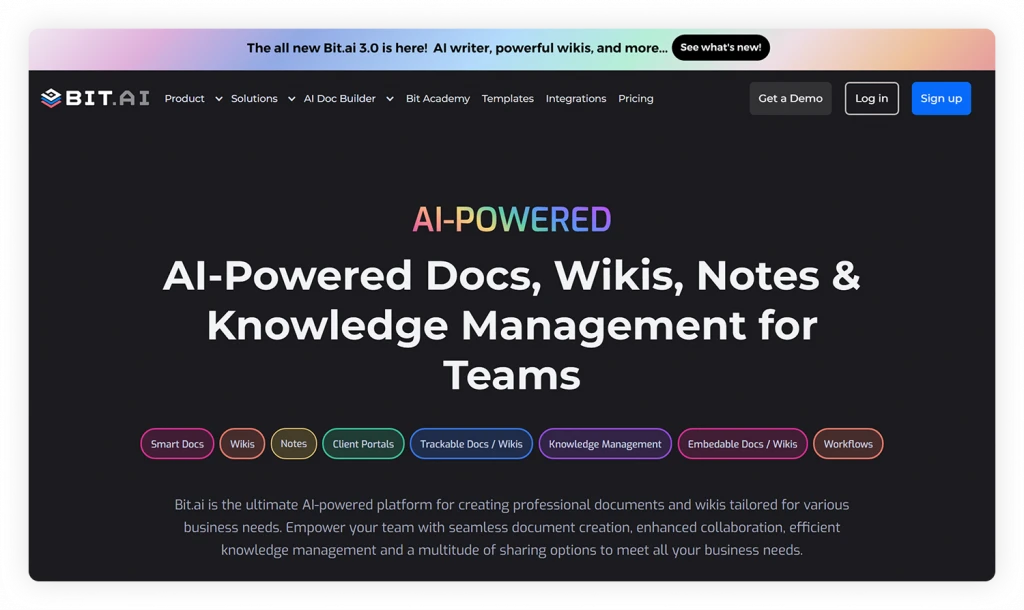
That’s where Bit.ai steps in as the AI-powered document and wiki collaboration platform, addressing the chaos in knowledge management.
It acts as a central hub, allowing teams to create, collaborate, share, track, and manage knowledge all in one place. So, no matter what your knowledge management need is, you can create both stellar company wikis and knowledge bases with Bit.ai.
The following are the amazing features offered by Bit.ai to help teams organize company knowledge and make it easier to find and share.
1. Smart Wikis for Organized Knowledge
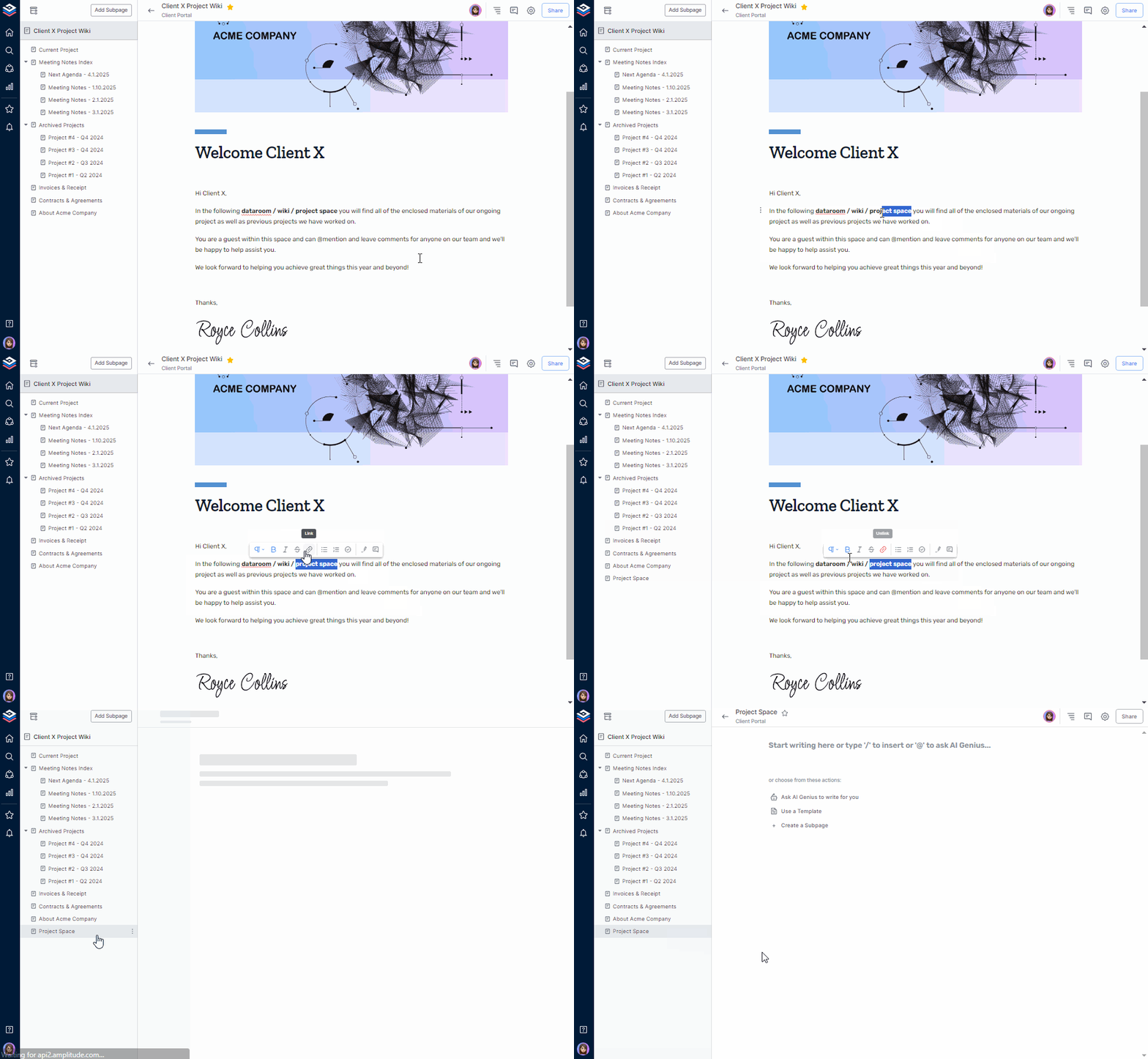
With Bit’s smart wikis with unlimited subpages, you’re not just organizing; you’re creating a hub of information. Create a wiki for all your company needs, such as adding subpages for project updates, team collaborations, resource libraries, and company policies, all in a hierarchical structure.
2. Smart Content Embedding for Integrated Knowledge
Bit.ai goes beyond just organizing information – it infuses intelligence into your documents with rich media, allowing you to embed diverse, rich digital elements like images, files, links, tables, code blocks, and more.
Whether it’s incorporating images for visual appeal, attaching cloud files from Google Drive for reference, or using Airtables to organize data, smart widgets can make your knowledge dynamic and engaging.
Imagine embedding a live spreadsheet directly into your project update page. As the data changes in the original spreadsheet, it automatically updates in your Bit’s smart document. This interconnected knowledge keeps your team on the same page, eliminating the need for constant manual updates.
3. Real-Time Collaboration for Teamwork
Effective workplace collaboration is also pivotal in knowledge management, yet many platforms struggle to facilitate it. Disconnected tools, access control issues, and lack of real-time collaboration often hinder seamless teamwork.
Without a centralized system, team members face challenges in co-authoring, providing feedback, and maintaining document integrity.
This fragmentation results in miscommunication, project delays, and an overall decrease in productivity. But, with Bit.ai, you can engage and team up with colleagues using @mentions, inline comments, and real-time updates.
4. Advanced Sharing for Knowledge Distribution
Finally, share your work through various options like live sharing, website embeds, trackable links, or guest access. Live sharing facilitates real-time teamwork, making edits and updates visible instantly. Embed Bit documents and wikis on any website to share living content that can be updated in real time.
Trackable links provide insights into document engagement, empowering you to monitor the impact of your shared content. Additionally, an authenticated guest login lets you invite external contributors, granting them read-only or comment-only access to collaborate securely without full document access.

These sharing options come with features like password protection and document expiration. Password protection allows only authorized individuals access, while document expiration adds an extra layer by limiting access duration.
In short, Bit.ai is an overall solution for your knowledge management needs, turning your information into interactive adventures. Your knowledge journey is about to get a serious upgrade. Sign up now!
Ready to organize your team’s knowledge? Use these customizable templates to structure shared information and make internal resources easier to maintain:
Final Thoughts: Company Wiki vs. Knowledge Base
In this blog, we’ve looked at company wikis and knowledge bases, figuring out how they work and what sets them apart. Now that you know the ins and outs, it’s time to start using these tools to manage information better.
Keep it simple – organize things in a way that makes sense, encourage teamwork, and make sure it’s easily accessible.
If you need to further simplify this process, use a robust platform like Bit.ai where you can easily organize, collaborate, and share knowledge. Now, go on, create a company wiki and knowledge base, and witness the transformation!
FAQs
1. Is a company wiki the same as a knowledge base?
No. A company wiki involves collaborative knowledge creation and sharing, whereas a knowledge base refers to the organization of valid information for the purpose of helping people to find valid answers on their own.
2. What is the main difference between a wiki and a knowledge base?
The fundamental difference between wiki and knowledge base is the role they perform. A wiki helps in collaborative document creation, the knowledge base aims at providing detailed and accurate information to solve a particular query.
3. Can a company wiki be used as a knowledge base?
Yes. A wiki can act as a knowledge base, provided there is ownership of information, reviews, organization, and verification labeling.
4. Is a knowledge base internal or external?
A knowledge base can be either internal or external. Internal knowledge bases support employees, while external ones help customers find answers, guides, and troubleshooting information.
5. Can a knowledge base replace a company wiki?
Not always. A knowledge base works well for verified information, but a company wiki is often better for collaborative documentation, brainstorming, and recording evolving team knowledge.
6. Should a company use both a wiki and a knowledge base?
Certainly, a business can utilize a wiki as well as a knowledge base together, in case the firm wants to benefit from collaborative documentation and self-help in answering common questions. The use of both can enable businesses to share information freely within the team while maintaining accuracy and accessibility of essential information.