Modern teams move fast. In Slack, there are decisions, in docs, there are processes, in emails, there are updates, and knowledge is all over tools. With the expansion of companies, such disjointed information becomes lost context, duplicated questions, and delayed onboarding.
That’s where a corporate wiki comes in.
A corporate wiki is your one convenient, organized, source of truth in your organization, where all processes, policies, guides, and team knowledge stay in one place that is easy to access. It helps new hires get up to speed faster, keeps teams aligned, and ensures important information doesn’t disappear when people or priorities change.
A corporate wiki is often referred to as an internal wiki, company wiki, enterprise wiki, or workplace wiki because it serves as a centralized source of organizational knowledge.
So what exactly is a corporate wiki, and how can you create one that actually works for your team? Let’s break it down.
What is a Corporate Wiki? Definition and Purpose
Wiki? Wikipedia? We know that’s the first thing that came to your mind. Well, you’re not entirely wrong in making that connection!
The word “wiki” comes from the Hawaiian word for “quick”. Wikipedia defines a wiki as “A website on which users collaboratively modify content and structure directly from the web browser. In a typical wiki, the text is written using a simplified markup language and often edited with the help of a rich-text editor.” (Source)
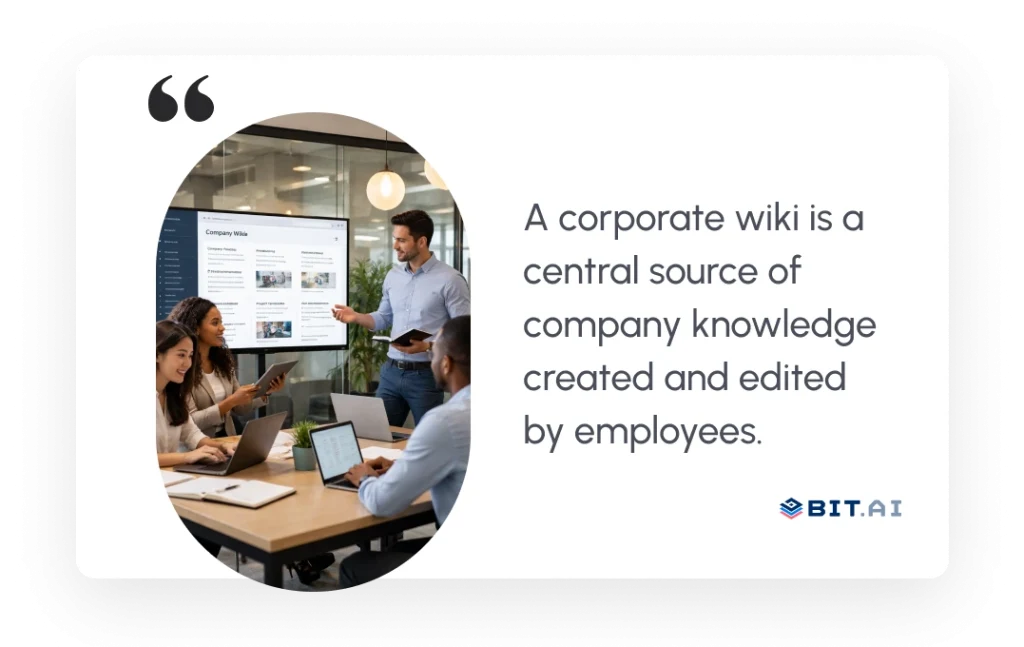
As Wikipedia acts as the singular source of all knowledge on the internet, created collaboratively by users from all over the world, a wiki acts as a central source of all knowledge for a company, which, like Wikipedia, can be created, edited, and altered by any employee of the company.
A corporate wiki, also known as an internal or private wiki, operates as a central repository for maintaining and sharing all company knowledge and information. It’s a point where all your co-workers can store company documentation like processes, how-to guides, company policies, common workflows, shared logins, project info, checklists, etc. Think of a workplace wiki as a Wikipedia made particularly for your business.
While having all your company data centrally located is amazing in its way, the best feature of having a wiki is its search capabilities. Anyone in your company can quickly find answers to their queries without disturbing fellow co-workers. This makes employees proactive and reduces the shoulder-tapping that results in a wastage of time.
How Does a Corporate Wiki Work?
A corporate wiki acts as a centralized knowledge repository where employees can create, organize, update, and access company information. Instead of storing knowledge across emails, chat messages, and personal documents, teams keep everything in one searchable location.
A typical corporate wiki allows employees to:
- Create documentation pages
- Organize content into categories
- Search information instantly
- Collaborate on documents
- Track version history
- Control permissions and access
- Share knowledge across departments
As employees contribute new information, the wiki grows into a living knowledge hub that captures organizational knowledge and makes it accessible to everyone.
Benefits of a Corporate Wiki for Teams and Organizations
A great corporate wiki boosts employee productivity by providing everything they need to do their jobs well. Here are a few great reasons to deploy a corporate wiki for your business today:
1. Faster onboarding
The biggest challenge with hiring new employees is the training that follows. Getting them up to speed with all company norms, procedures, policies, etc., can be time-consuming. If you don’t do it right, it’s going to cost you in the future. In fact, a massive 40% of employees with poor training leave their jobs within the first year. A workplace wiki is a great way to overcome this hurdle.

Corporate wikis are a great place to store company guidelines, how-to guides, training material, customer support documents, checklists, design material, best practices docs, and more. Essentially, all the crucial knowledge you and your team have acquired over time.
Without a corporate wiki, training a new employee becomes a hassle. It’s impossible to remember everything and teach a new employee everything that is in your brain. The best way is to provide them access to all company knowledge in one place and let them only come to you in case they have any further questions.
2. Improved collaboration and communication
A corporate wiki promotes the culture of transparent communication and effective collaboration in the organization.
When the entire team creates and edits information together, shares their experiences and insights, and helps everyone grow, it builds a culture of teamwork all around the workplace. This, in turn, breaks down all departmental silos in the organization and allows your employees to work as a cohesive unit.
3. Support Multiple Teams and Use Cases
A corporate wiki has a ton of use cases. Managers use it to share standard operating procedures, HR teams use it to share guidelines and policies, developers use it to collaborate on code, and design teams use wikis to update brand style guides. The use cases are countless!
4. Preserving Organizational Knowledge
Another great benefit of a corporate wiki is its ability to preserve the knowledge of past employees. In case your most experienced employee leaves the company or goes on a vacation, a corporate wiki ensures that their knowledge doesn’t leave the organization with them.
A corporate wiki allows companies to capture and preserve the vital knowledge of their employees and keep it in a safe repository for anyone to access. This way, when an employee leaves, their knowledge is still there to train current and future hires. In short, a corporate wiki is beneficial for new, old, transitioning, and remote employees.
Now, to truly unlock these benefits, it’s important to understand what actually goes into a well-built corporate wiki. So, let’s break down the essential elements every corporate wiki should include.

If this was useful, read this…
What Should a Corporate Wiki Include? Essential Components and Features
A good corporate wiki should answer one simple question for employees: “Where can I find this information?”
To do that, it needs to be clear, useful, and easy to navigate. Use this checklist to make sure your corporate wiki covers everything your team needs:
- Company overview (mission, vision, values)
- HR policies and workplace guidelines
- Employee onboarding documents
- Training materials and learning resources
- Standard operating procedures (SOPs)
- Process workflows and task checklists
- Team- or role-specific documentation
- Guides to the use of tools and software.
- Templates for reports, emails, proposals, and meetings
- Best practices and internal knowledge articles
- FAQs and common troubleshooting guides
- Important company updates and announcements
- Contact information and escalation paths
A well-maintained corporate wiki acts as a daily work companion that helps employees find answers faster and work with confidence.
Once you know what your corporate wiki should include, let’s walk through how to create a robust corporate wiki that stays useful, organized, and easy to maintain over time.

Looking for a smarter way to build your corporate wiki?
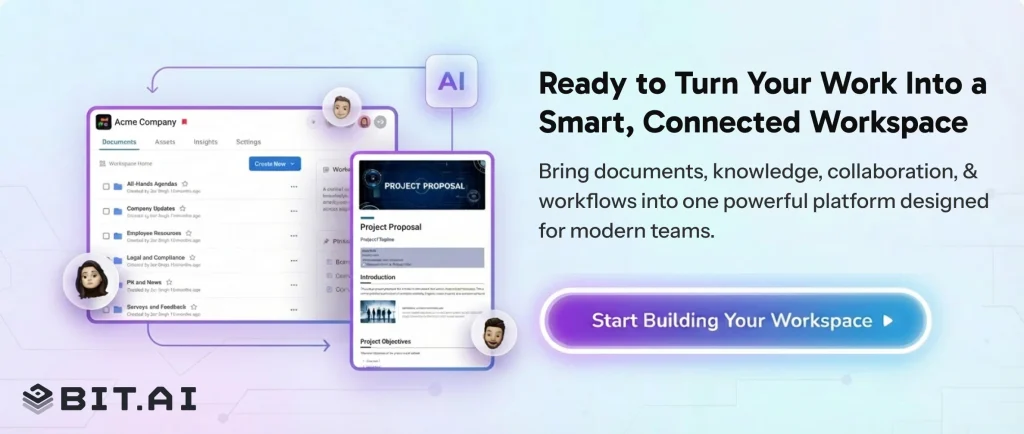
Bit.ai helps teams create collaborative documents, knowledge hubs, and internal wikis in minutes.
Free to start • Set up in minutes
How to Create a Corporate Wiki in 6 Simple Steps
Now that you know what a corporate wiki is all about and why it is important for companies to have a corporate wiki, it’s time to build one from scratch.
A great corporate wiki should have the following features for it to be successful:
Step 1. Define the Purpose of Your Wiki
A corporate wiki should begin with a clearly defined purpose. Organizations must determine what the wiki is meant to achieve—whether it is supporting onboarding, documenting processes, enabling collaboration, or serving as a central knowledge base.
This prevents clutter and helps employees rely on the wiki as a trusted source of information.
Step 2. Focus on Clarity, not Perfection
A corporate wiki does not need perfect writing. What matters is that people can understand the information quickly and easily. Use simple words, short sentences, and clear steps to explain things.
Avoid long paragraphs or complex explanations. If an employee can read a page once and know what to do next, the content is doing its job. Clear and simple content is always more useful than content that sounds impressive but is hard to follow.
Step 3. Make it Easy to Search
Employees must not have to scroll through several pages to find the answers. The title should be clear, keywords should be simple and correct headings, to ensure that the content is easily seen whenever being searched.
People make more use of the wiki when the information is easily discovered. An effective search experience saves time and eliminates frustration in daily work.
If this was useful, read this…
Company Wiki vs. Knowledge Base: What Makes Them Different? →
Step 4. Encourage Team Contributions
The corporate wiki is most efficient when it is not controlled by an individual. Promote updates and documentation of wikis and useful notes within teams as part of their daily work. When employees are engaged in the construction of the wiki, information remains up-to-date and more precise. It also gives the feeling of ownership, and the wiki becomes a resource that everyone believes in and utilizes.
Step 5. Keep Information Up to Date
Outdated information can create confusion and slow people down. Make it a habit to check wiki pages on a regular basis and update them as the processes or policies change. Important pages should have definite owners, so that no page would be left out. The wiki is trusted when the employees are aware that the information is up-to-date.
Step 6. Select the Right Platform for Collaboration and Growth
Select a platform that will be simple for everyone to use. Your team should be able to create, edit, and share content without the need of any technical difficulty.
Choose a tool that supports real-time collaboration, easy editing, version control, and quick search. The right platform should scale as your team grows and make knowledge sharing effortless. A well-chosen tool turns your corporate wiki into a living knowledge hub rather than a static document repository.
Tools like Bit.ai are built for this purpose, helping teams create, manage, and organize knowledge in one place. With the right platform, your corporate wiki becomes a living knowledge hub rather than a static document repository.
Examples of Information Stored in a Corporate Wiki
A corporate wiki can store a wide range of organizational knowledge, including:
HR Documentation
- Leave policies
- Benefits information
- Employee handbook
Operations Documentation
- Standard operating procedures (SOPs)
- Checklists
- Process documentation
IT Documentation
- System access guides
- Security policies
- Technical documentation
Team Knowledge
- Meeting notes
- Project documentation
- Best practices
10 Corporate Wiki Best Practices for Long-Term Success
1. Use a Modern and Intuitive Wiki Tool
This is a no-brainer – a modern and intuitive corporate wiki tool will be everyone’s favorite. So choose a wiki tool with a user-friendly interface and a modern design, as this will make it easier to implement and onboard employees onto the platform.
By selecting a tool with an intuitive design, you can minimize confusion and potential issues that often arise when introducing new software in the workplace. Additionally, it is important to ensure that the wiki tool aligns with your company’s web browser and organizational standards, guaranteeing a seamless experience for users.
2. Divide Content by Hierarchy
Since a company wiki will have a huge amount of content, it becomes paramount to have a content hierarchy. This means dividing the information from broader topics and then breaking it into more specific subtopics.
When deciding how to structure your content, consider your company’s organization and consider whether it would be more effective to divide the content into broader categories related to the topic or focus on departmental divisions. Some organizations choose to organize their content by departments, creating dedicated spaces for areas such as HR, management, etc.
By implementing a content hierarchy, you ensure that information is structured in a logical and easy-to-navigate manner within your wiki. Employees can quickly locate the relevant content by following the hierarchy from broader categories to specific subtopics or phases.
3. Use Categorization, Tags, and Keywords
One of the key best corporate wiki practices that make a difference involves categorizing, tagging, and specific keywords. By organizing content into relevant categories and assigning descriptive tags, anyone accessing the wiki, even if they’re not regular employees, can quickly find what they’re looking for.
Both folders and tags help with organizing content. So, by utilizing tags and keywords, you can create a wiki that grows and adapts alongside your organization. Just remember to use clear and specific tags that accurately reflect the content, allowing users to easily find the information they need. With these strategies in place, your corporate wiki will become an engaging and valuable resource for everyone involved.
4. Make Use of Visuals
When creating a company wiki, your primary objective should be to enable users to learn and understand the information provided. By conveying information through visual media, you can help users retain knowledge more effectively and make learning enjoyable.
\When explaining complex processes that are better understood verbally, opt for images, videos, screenshots, and gifs. Keep these visuals concise, clear, and visually appealing, allowing viewers to focus on the key message without overwhelming them with excessive information.
Ensure that all videos are organized alphabetically in your wiki section for easy navigation. Additionally, provide filters to help users quickly locate the specific video they need.
5. Integrate Other Tools with Company Wiki
Integrating your company wiki with other tools your team utilises can greatly enhance workflow efficiency and productivity. After all, a versatile knowledge database that serves multiple functions or seamlessly integrates with other software tools is only going to offer several different advantages.
One significant benefit is the time-saving aspect. By integrating the wiki with other software, all the content remains synchronized, ensuring the information is up-to-date and easily accessible. Moreover, the integration allows for convenient linking between different resources and enables users to navigate smoothly between related content. This cohesive approach streamlines work processes, fosters collaboration, and enables teams to work more efficiently.
6. Ensure Content is Up-to-Date
A common challenge when working in separate silos is the risk of team members simultaneously working on different versions of the same document. This can lead to confusion, inconsistencies, and wasted effort. So ensure that your corporate wiki provides a solution by offering a secure platform for real-time updates and modifications.
Using the wiki allows team members to collaborate on documents simultaneously, ensuring that everyone is working on the latest version. This eliminates the need for manual file transfers or back-and-forth communication to stay up-to-date. With a corporate wiki, teams can confidently work together, knowing that the content they are accessing and editing is always current and synchronized.
7. Implement the Right Permissions and Access Rights
Ensure you set the appropriate permissions and access rights for your company’s information. This means determining who can see certain information and who cannot. Ask yourself important questions, such as what information should be accessible to all employees and what should be kept private.
Consider how much access should be granted – should team members have editing capabilities or just viewing rights? Identifying any sensitive information, like performance reviews or invoices, is also essential that should only be visible to specific employees. By implementing the right permissions and access rights management, you can protect sensitive data, maintain confidentiality, and ensure that information is only displayed to the right individuals.
8. Follow a Thorough Review Process
It’s crucial to have a thorough review process in place for your corporate wiki, as it serves as a vital document for your team. Before anything is published on the wiki, it should undergo careful scrutiny by different individuals at various levels.
This rigorous review ensures that mistakes such as incorrect information, grammar, spelling, and punctuation are minimized or eliminated entirely. To ensure that content is not published until it has been reviewed, you can implement different statuses for each article. This provides transparency regarding the stage of each article and allows for easy tracking until they are reviewed and approved.
9. Monitor by Measuring KPIs
To ensure your corporate wiki remains valuable and relevant for your employees, it’s crucial to monitor its effectiveness by measuring key performance indicators (KPIs). A wiki cannot be a stagnant source of information, and it needs to evolve over time.
You gain insights into your employees’ behavior and usage patterns by measuring KPIs. You can identify which articles they refer to frequently, the keywords they use for searches, and the pages they spend the most time on. This information is valuable for making informed decisions that enhance the wiki’s performance.
10. Reward Contribution to the Wiki Team
This may be one of the most highly underrated Wiki practices. Companies can foster employee growth and development by implementing a rewards system that recognizes contributions to the team wiki. Such a system motivates employees to actively collaborate and contribute to the wiki, ultimately contributing to the business’s success.
By offering rewards, like an acknowledgement badge for the highest participation, you can encourage and inspire your employees to engage in this behavior. This recognition helps create a positive and supportive environment, motivating individuals to participate and share their knowledge on the team wiki actively. This benefits both the employees and the organization as a whole.
Why Bit.ai is a Powerful Corporate Wiki Solution?
Bit.ai is an AI-powered docs, wikis, and knowledge management platform that helps teams to collaborate, share, track, and manage all company knowledge in one place.
Bit.ai is a powerful corporate wiki software solution that helps teams create, organize, and share knowledge in one place. Collaborate with your team in real-time, store documents in workspaces and folders, search for anything quickly, and bring all your media files under one roof with this awesome platform.
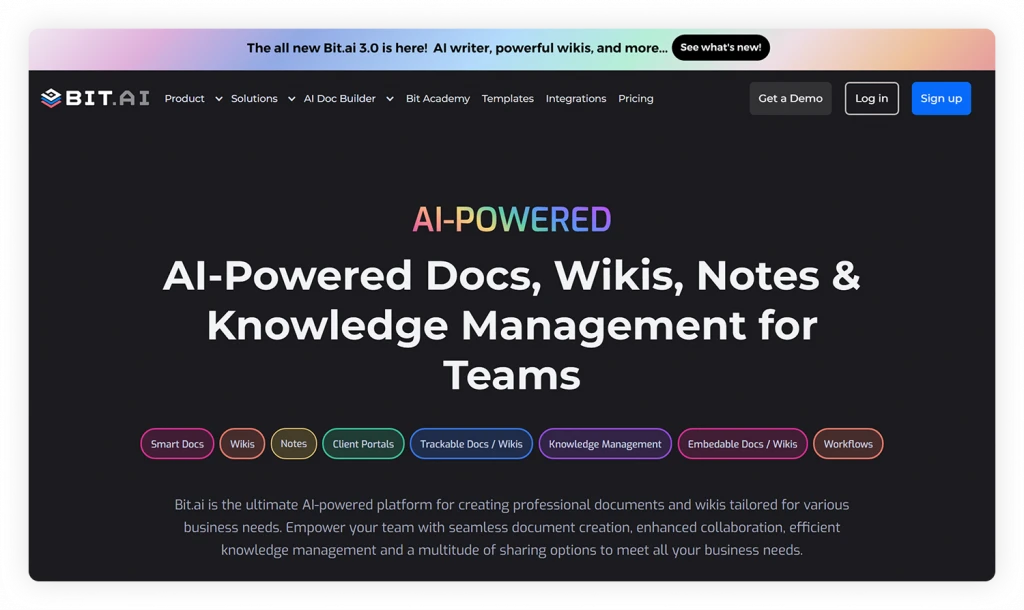
With Bit’s interactive living documents, you can weave all kinds of digital content together with your text to make your content truly come alive across your wiki.
Let’s take a look at how you can enhance your document creation process with Bit.ai:
Media Integration: Easily integrate over 100 different types of digital media into your documents, including videos, spreadsheets, databases, and more from various third-party websites. Additionally, add digital content from files, cloud files, web links, and rich embeds.
AI Genius Writer: Bit.ai AI Writer is an AI-powered writing assistant that helps you create, edit, and refine documents instantly within Bit.ai docs. You don’t even need to spend time creating the prompts for your doc. The AI Doc Builder comes with advanced, ready-to-use prompts for multiple use cases. Just fill out a quick form by answering 2-3 questions. And boom! You get a fully structured, polished doc ready in minutes.
Cloud File Systems Integration: Seamlessly incorporate content from your cloud file systems like Google Drive, OneDrive, SharePoint, Box, or Dropbox. This feature allows you to search across your cloud storage systems and quickly locate and insert files into your Bit documents.
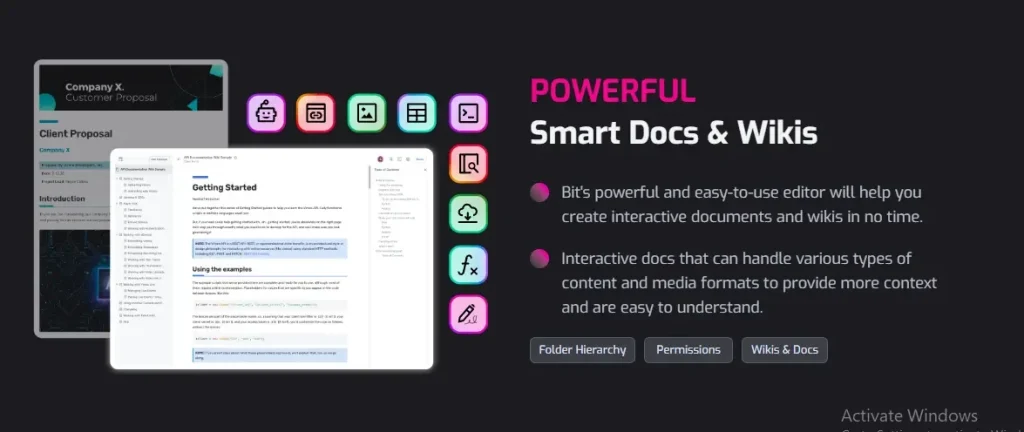
File Attachments: Easily attach different types of files to your documents, including PDFs, PowerPoints, Word documents, Excel spreadsheets, and multimedia files. Attachments are viewable directly within your documents for convenient access.
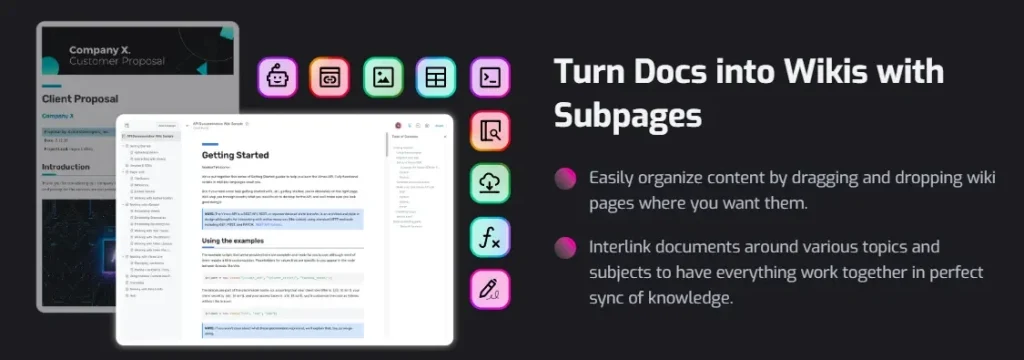
Turn Docs into Wikis: Turn your document into a wiki by adding subpages, creating a hierarchy, and structuring content for collaboration. This feature can be used internally or shared externally, making it versatile for team collaboration.
Smart Document Editing: Simplify design decisions and adjust text formatting effortlessly with Bit’s smart document editor. Customize headings, create lists, emphasize points, and hyperlink text with ease.
Inline Comments: Discuss specific areas of the document by highlighting text, adding comments, and tagging team members directly within the document.
Themes: Refresh the appearance of your document instantly with Bit’s collection of themes. Change primary theme colors and font styles to transform the document’s vibe.
Code Blocks: Elevate technical documents with syntax-highlighted code blocks, bringing clarity and style to technical content such as reference guides.
Share and Collaborate: One of the great features of Bit.ai is its ability to share live wikis with external stakeholders. This means you can give them access to the latest information without needing direct access to your internal systems.
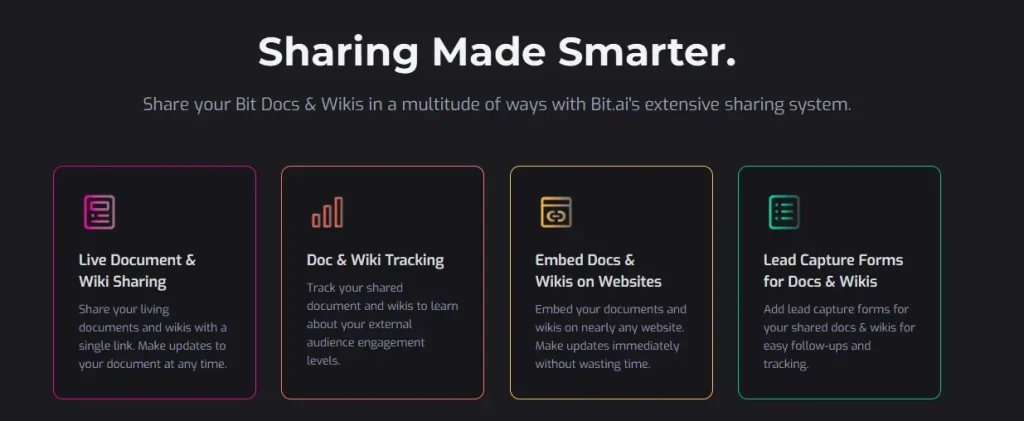
You can simply enable sharing and generate a secure link that grants read-only access to your wiki. You can also track page views, collect feedback, and even customize the sharing settings by adding password protection or setting an expiration date for the link.
Whether you are a fast-growing startup or an established organization, Bit.ai helps you create an enterprise wiki that grows alongside your team and keeps knowledge accessible at all times.
Now, to give you a clearer idea, here’s what a corporate wiki created with Bit.ai can look like in practice.
Corporate Wiki Example: What a Well-Structured Wiki Looks Like
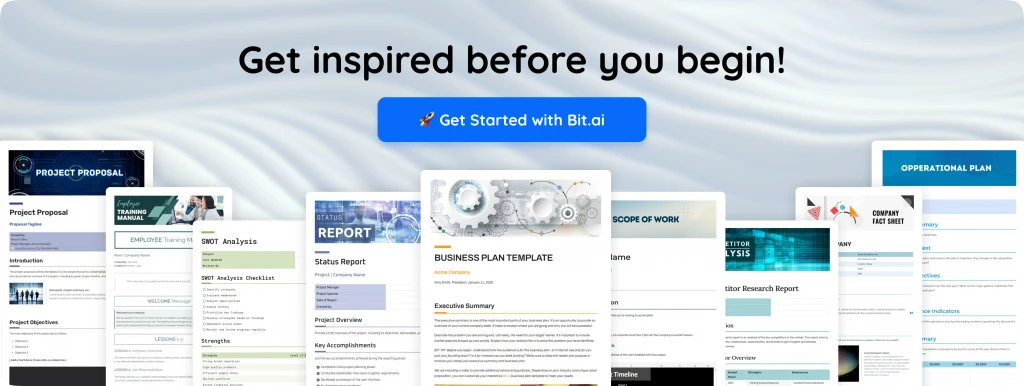
Here’s an example of how a well-structured corporate wiki page can look when built with Bit.ai. This sample shows how teams can organize company knowledge, processes, and resources in a structured and easy-to-navigate format so employees can quickly find the information they need.
Summing it up…
Corporate wikis are great for storing and sharing company knowledge and promoting knowledge transfer throughout the organization. With tools like Bit.ai, creating and maintaining corporate wikis becomes 10 times easier, all the while being easy on the pocket! If your company doesn’t have a corporate wiki yet, we’d encourage you to give it a try.
All Your Work, One Workspace
From documents and wikis to resources and links, keep everything in one place so your team always knows where to find things.
Free to start • Set up in minutes
FAQs
1. What is the main purpose of a corporate wiki?
A corporate wiki serves as a team knowledge hub where teams store their work processes, SOPs, policies, best practices, training materials, and daily work information in one neatly organized place. It makes employees’ lives easier by answering their questions quickly, reducing confusion, and ensuring everyone is on the same page.
2. How is a corporate wiki different from a knowledge base or shared drive?
Unlike static folders and scattered documents, a corporate wiki is not only dynamic but also collaborative and simple to update. Teams can build, revise, and enhance content themselves, which keeps the information reliable and up to date at all times. It also offers better search capabilities, structure, and ease of navigation compared to basic file storage systems.
3. What is the difference between a corporate wiki and an intranet?
A corporate wiki focuses on documenting and sharing organizational knowledge, while an intranet serves as a broader internal communication platform that may include announcements, directories, and company-wide resources.
4. What should a corporate wiki contain?
A corporate wiki should contain SOPs, onboarding materials, company policies, process documentation, team resources, training guides, FAQs, and organizational knowledge that employees need for daily work.
5. What are the benefits of a corporate wiki?
The main benefits of a corporate wiki include faster onboarding, improved knowledge sharing, better collaboration, reduced information silos, and easier access to organizational knowledge.
6. Is a corporate wiki useful only for big organizations?
No, it is a good practice that benefits companies of any size. Startups use corporate wikis to accelerate onboarding and reduce the risk of knowledge being held by only a few individuals. Scaling companies rely on them to manage growing knowledge as their teams expand.
7. How do we ensure security and confidentiality while using a corporate wiki?
Modern corporate wiki platforms offer a wide range of security features, including password protection, role-based permissions, document tracking, and restricted viewing options. These measures help prevent sensitive data from being accessed by unauthorized users while still allowing employees to access the information they need to work efficiently.