Working with external parties, clients, and customers is never easy. No matter how hard you try, presumptions, miscommunication, and confusion can always creep in.
When working with high-profile clients or high-budget projects, even the slightest error could lead to disastrous results. This is why, in order to successfully finish projects on time and deliver what is required, smart project managers rely on a scope of work (SOW) document to make sense of the turmoil and bring a methodical approach to project execution.
The scope of work document lays the grounds of a project, defines exactly what needs to be done, by whom, and by when. This ensures that everyone who is part of that project is on the same page with what is expected and on board with all its details.
Given the significance, a scope of work document is carefully written by project managers and includes every little detail of the upcoming project. Since creating such a document can be daunting, we decided to help you by creating a free, plug-and-play scope of work template.
But, before we jump into our awesome template, let us first understand what exactly a scope of work document is and what to include in such documents. Read on…
What is the Scope of Work (SOW)? (Definition)
The scope of work is an agreement between two parties on what needs to be done in a project. It brings everyone onto the same page by defining expectations before the work begins.
It is like a 360-degree view of the project. It includes the background, statement of work, requirements, deliverables, timelines, budget, and more. Since the SOW is used when working with outside clients, it’s imperative to make it as clear as possible, using easy-to-understand language and detailed information regarding deliverables.
And this clarity leads to an important question: why does a Scope of Work document matter so much in the first place?
Why is the Scope of Work (SOW) Document Important?
The scope of work document is an important method of making sure the team on the project and the stakeholders of the project are all on the same page.
All the parties involved (clients, vendors, contractors, agencies, etc.) should have the same vision regarding the project so that there’s no confusion and no costly redo at the end.
It provides timelines, deliverables, task allocations, terms & conditions, budgets, etc., to help everyone know what needs to be done, why it’s important, and when to get it completed.
For project managers, especially, a scope of work acts as a safety net. It forces every detail to be thought through in advance, making sure nothing slips through the cracks and that all moving parts of the project work together smoothly.
How to Create a Scope of Work Document (Step by Step)
Let’s walk through the process of creating a scope of work document, one step at a time.
Step 1: Start With the Problem, Not the Deliverables
Before you list what you’ll create, pause and ask why this project exists in the first place.
What problem are you trying to solve?
What’s not working right now?
Write this in a very easy language, the way you’d explain it to a colleague over coffee. When the problem is clearly defined, every decision that follows deliverables, timelines, and budget starts to make more sense.
Step 2: Define the Project Objectives
Now that the problem is clear, determine your definition of project success. What are you trying to achieve at the completion of the project? What are the expected results? You should describe these goals in a clear and direct manner.
Avoid vague goals like “improve performance” or “increase engagement.” The reader must have a clear understanding of what the project aims to achieve and how it relates to the larger organization.
Step 3: Clearly List the Scope of Work (SOW)
This is the heart of the document.
Create a clear Project Outline with exactly what work will be done: no assumptions, no gray areas. Break it down into clear tasks, phases, or services. If something is not included, say that too. This one step alone can prevent most scope creep issues later.
Clarity here protects everyone involved.

Check This:
Step 4: Define Deliverables in Detail
For each part of the work, explain what will be delivered.
What will the final output look like?
In what format will it be shared? How many revisions are included?
The more specific you are, the fewer misunderstandings you’ll face down the line. This is where vague promises turn into concrete expectations.
Step 5: Set Timelines and Milestones
Breaking a project down into ‘time-bound’ checkpoints makes a big project feel much more manageable.
Your timeline should include the start date, end date, project milestones, and all project & deliverable deadlines. If timelines depend on approvals or inputs from the client, note that clearly. This will reduce the likelihood of having delays due to a lack of clarity about where responsibility lies.
Step 6: Assign Roles and Responsibilities
Make it obvious who is responsible for what.
Who’s doing the work?
Who provides feedback? Who signs off on deliverables?
When ownership is clear, things move faster, and accountability becomes natural instead of awkward.
Step 7: Outline Budget, Payment Terms, and Conditions
While writing your contract terms, it is important to create a clear outline of the payment expectations associated with your contract.
Include pricing, payment schedules, accepted payment methods, and any additional costs that may apply. Also, add basic terms and conditions, like what happens if the scope changes or the project is paused.
This section protects both sides and keeps the relationship professional.
Wondering how to write a Statement of Work without overthinking it?
Step 8: Review, Refine, and Get Approval
It is good practice for all parties involved to periodically review and make revisions to the Scope of Work. Check if anything is unclear? Could something be misinterpreted?
Make revisions where needed, then get formal approval from all stakeholders. Once signed off, the scope of work becomes your shared reference point throughout the project.
When done right, a scope of work isn’t just paperwork; it’s a roadmap. One that keeps projects focused, teams aligned, and expectations crystal clear from day one.
But here’s the catch: creating that kind of clarity in scope-of-work docs often gets buried under long documents, endless formatting, and back-and-forth edits. The process can feel heavier than the project itself.
That’s exactly why we suggest you use the smartest AI-powered documentation tool, Bit.ai, to build your scope of work. Let’s explore together more about Bit.ai.
Create Scope of Work Faster with Bit.ai (Ditch the Old Documents)
For creating a scope of work document, you need a proficient tool that can help you create, share, and collaborate with stakeholders and get work done efficiently. This is where Bit.ai comes in!

Bit.ai is an AI-powered docs, wikis, and knowledge management platform that helps teams to collaborate, share, track, and manage all company knowledge in one place. Project managers can use Bit.ai to create a scope of work document, collaborate with the team in real-time, and store all project assets in one place for easy and fast access.
Whether your team is creating the scope of work documents, project documentation, operational plan, release notes, roadmap, project charter, product requirements, API documentation, product launch marketing documents, pitch decks, business plan, SWOT analysis, competitive research, project management plan, etc. they can easily add spreadsheets, Slideshares, Google Slides, YouTube videos, PDFs, maps, charts, graphs, and more to your documents and make them visually stunning.
Here are a few key features that make Bit.ai especially easy to work with:
Simple, Clean UI: Bit has a very minimal design aesthetic to it, allowing a newbie to quickly get on board with the platform. Even though the platform is feature-rich, it does a great job of not overwhelming a new user and provides a systematic approach to work.
Organization of information: Organizational information is often scattered in cloud storage apps, emails, chat channels, and more. Bit brings all your information in one place by allowing you to organize information in workspaces and folders. Bring all your documents, media files, and other important information in one place.
Smart search: Bit has very robust search functionality that allows anyone to search documents quickly and easily across all of their workspaces. Users can search using keywords, titles, phrases, etc.
Media Integrations: No wonder most of our time is spent hopping from one app to the next, looking for information. This is why Bit.ai integrates with over 100+ popular applications (YouTube, Typeform, LucidChart, Google Drive, etc) to help teams weave information in their documents beyond just text and images.
Bit.ai Genius Writer: Write, edit, and improve your content more quickly than ever before by using the AI Genius Writer of Bit.ai. Write business proposals, scope of work, and quickly summarize complex project information into simple, easy-to-understand text. It keeps content clear, professional, and persuasive, and saves you time and ensures document continuity.
Multiple Sharing Methods: Bit documents can be shared in a live state, meaning that all changes that you make to the document will update in real-time. If you are sharing your documents with clients, they will always get your most up-to-date changes. You can even embed Bit documents on any website or blog. Bit has a plethora of amazing features like document tracking, cloud-upload, templates, and themes, document locking, document expiration, and much more, making it a well-rounded documentation tool.
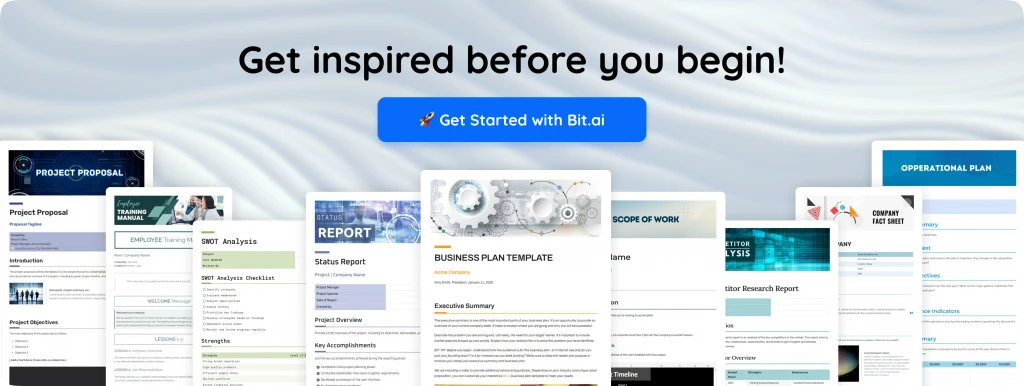
Bit.ai provides a common workplace for project members to collaborate, document, share their knowledge, brainstorm ideas, store digital assets, and innovate together. The best part is that this knowledge is safely secured in your workspaces and can be shared (or kept private) with anyone in your organization or the public!
Here are some of the main benefits of using Bit.ai:
- Collaborate in real-time
- Interlink the scope of work documents and other documents
- Create fully responsive documents
- Create a private scope of work documents only visible to yourself or your team
- Track engagement on the scope of work documents shared with consultants, partners, etc.
To make things even easier, Bit.ai offers ready-made Scope of Work templates that let you get started in minutes.
Scope of Work Template
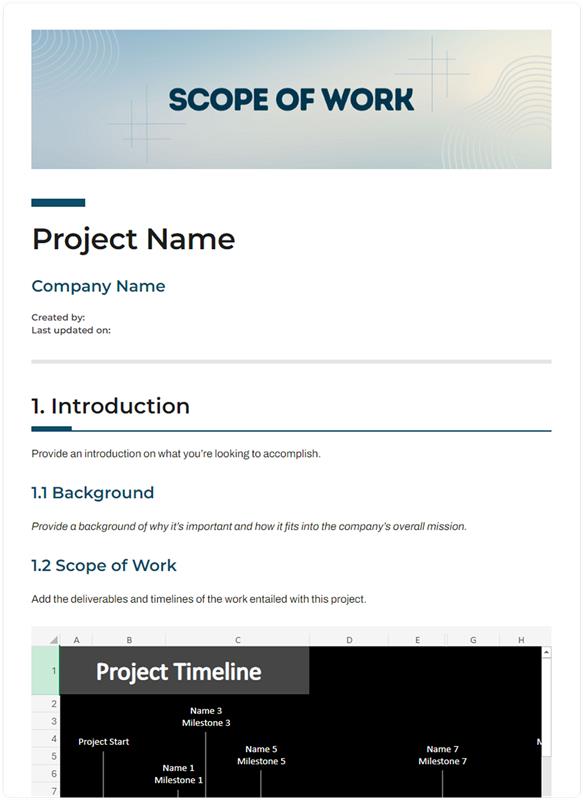
To make the process of creating your scope of work documentation easier, we have created a ready-made scope of work template for you! Check it out below:
FREE TEMPLATE
The Scope of Work (SOW) Template Professionals Rely On
Includes scope, deliverables, project timelines, responsibilities, & approval workflows.
✔ Ready-to-use format
✔ Customize in minutes
✔ Ideal for PMs, Agencies, Consultants & Clients
Takes under 1 minute • Trusted by teams at startups & enterprises
How to Use the Scope of Work Template with Bit.ai
The process of creating a scope of work document on Bit.ai is insanely easy! Just follow these four simple steps to create your document quickly:
Step 1: Create a Bit.ai Account
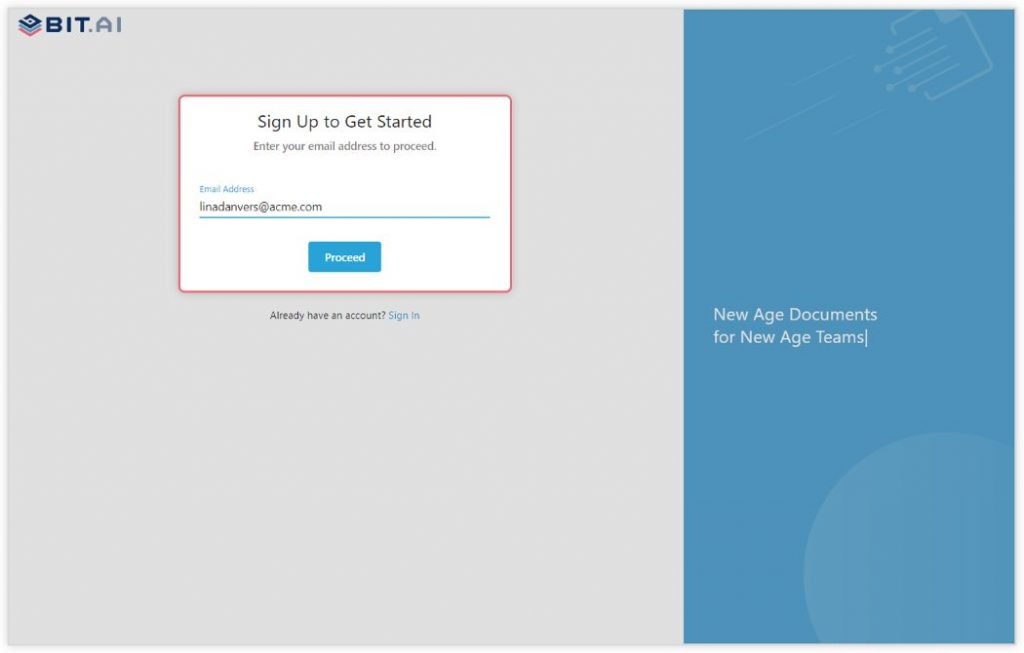
Go to the home page of Bit.ai and click on Get Started for Free or Sign Up to get started. Enter your email address to sign up. Once in, you can create your personal profile.
Step 2: Create a Workspace
Workspaces are where the work gets done. Click on the ‘Create Workspace’ button on the right. A pop-up will show up prompting you to add a name for your new workspace.
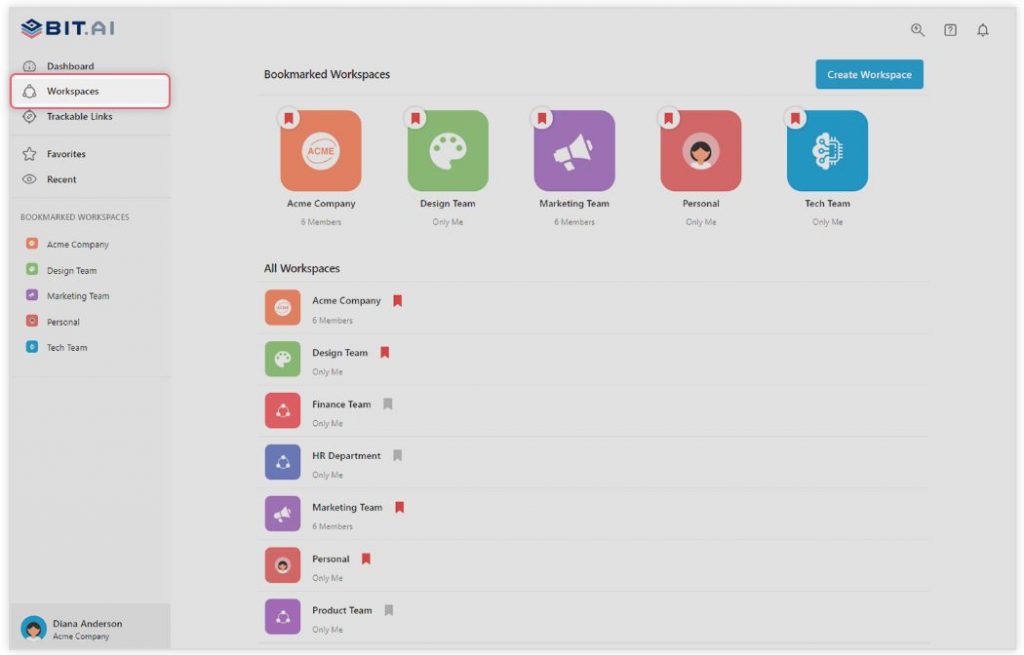
You can create a workspace around a team, department, large project, client, partner, etc. Inside each workspace, you can create an unlimited number of Bit documents.
Step 3: Add Team Members
Bit.ai allows your team members to collaborate in real-time and get work done. Collaboration starts at the workspace level.
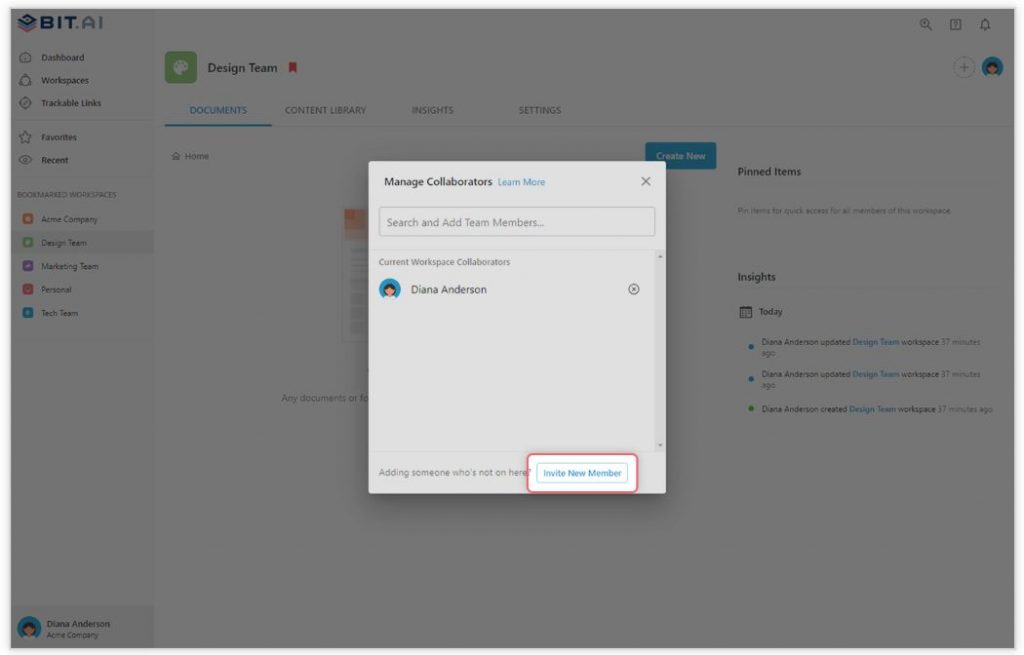
You create private workspaces by default. However, you can invite others to join you inside a workspace and collaborate with the knowledge, projects, documents, and content inside the workspace.
Step 4: Create Your Desired Document
Once you are in the workspace, click on the ‘Create New’ button. Select ‘From Template’ in the dropdown. A pop-up will display, allowing you to select a template from the gallery.
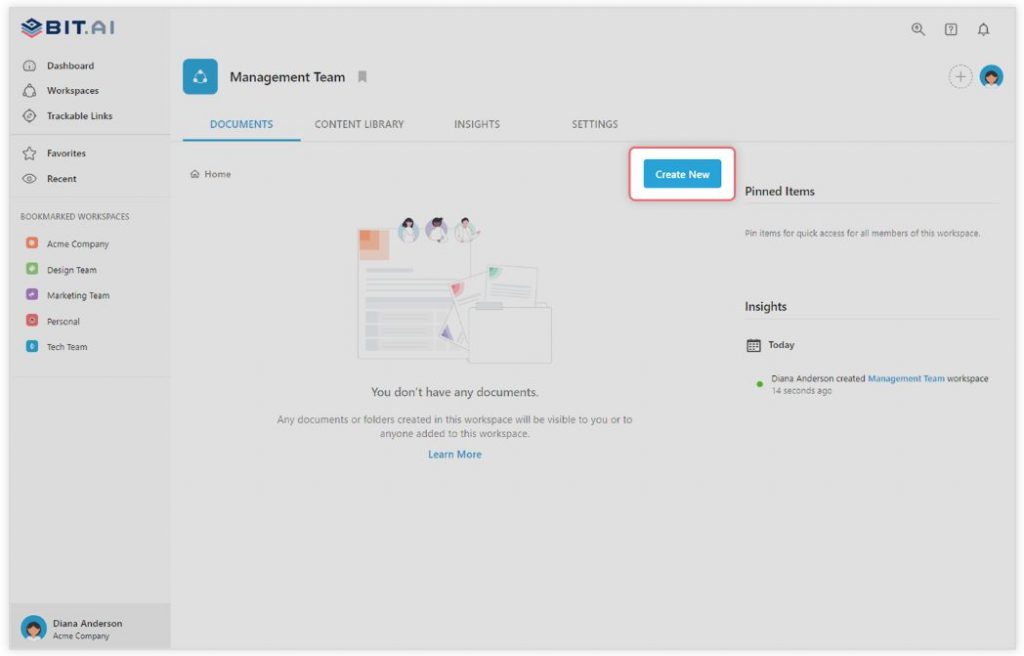
In the search box on the top left corner, you can search for a “scope of work template”. Once your desired template pops up, click on it and click on the “Use Template” button in the bottom right corner.
That’s it! Your scope of work document is ready for use!
Ready to turn your project scope into a well-structured SOW?
Watch this video to learn more:
Over to you!
The scope of work is an important document to ensure the successful execution of the project and, at the same time, maintain a harmonious relationship with the client. When both parties are clear on what a successful project looks like, it removes all ambiguity, miscommunication, and confusion around it.
This is why project managers turn to documentation tools like Bit.ai to manage all critical resources associated with a project and bring all stakeholders under a single roof for smooth execution. If you need any help with the scope of work template or want to know how Bit.ai can help your business, let us know by tweeting us @bit_docs. Cheers!
FAQs
Q1. What is the format of a scope of work statement?
Begin with the purpose of the project, describe goals and deliverables, state constraints and exclusions, and get the approval of stakeholders.
Q2. Why is the Scope of Work document significant in construction contracts?
It gives a clear expectation, minimizes the claims, lawsuits, and misunderstandings between the contractor and the client.
Q3. What must a Scope of Work (SOW) have as an IT project?
Project goals, technical specifications, deliverables, schedule, budget, what the contract is not, and sign off.
Q4. What is the scope of work, and who creates it?
A scope of work is usually created by a project manager, team lead with the assistance of stakeholders.
Q5. What is the distinction between the scope of work and the statement of work?
The Scope of Work gives details of special jobs and deliverables, whereas the Statement of Work is a comprehensive report that might comprise legal terminologies, payment terms, and contract documentation.
Bonus: Get this ready-to-use Statement of Work Template to clearly define project scope, deliverables, timelines, and expectations — so you eliminate confusion and keep every project on track.