When a product, software, or system is created, a lot of knowledge goes into building it: how it works, how to use it, and what to do when something doesn’t work as expected. If this knowledge stays only with developers or creators, users and teams are left guessing. This is where technical documentation exists to record and share this knowledge clearly.
It includes details such as how a system is built, how different parts work together, how it should be used, and how common issues can be handled. When written well, it helps users, developers, and teams work with confidence instead of confusion.
So, in this blog, we’ll walk through technical documentation in detail, starting with the different types you’ll encounter, the real benefits it brings to teams and organizations, and finally, how to write it effectively without overwhelming your readers.
What is Technical Documentation? (Definition)
Technical documentation is a set of written documents that record, explain, and organize technical information related to a product, system, software, or process. The documentation helps people like users, developers, support teams, and stakeholders in understanding how a product is designed, how it works, and how it should be used or maintained.
Instead of relying on memory or verbal explanations, technical documentation puts this information in a clear, structured form so it can be accessed, updated, and reused whenever needed. The primary function of technical documentation is to reduce confusion, promote consistent work practices, and simplify and clarify technical issues to a level where they may be easily understood and followed.
Now that we understand what technical documentation is, it’s important to know that it doesn’t come in just one form. Different teams create different kinds of technical documentation based on who needs the information and how it will be used. Some documents are written for end users, while others are meant for developers, internal teams, or system administrators.
Let’s take a closer look at the different types of technical documentation and where each one is commonly used.
Types of Technical Documentation (With Examples)
Technical documentation is created for different people, and each group needs information in a different way. A user wants simple steps to get started, while a developer may need detailed technical details. Because of this, technical documentation is usually divided into several types, based on its purpose and audience.
Technical Documentation Types at a Glance
| Documentation Type | Purpose | Common Examples |
|---|---|---|
| User Documentation | Helps users understand, install, and use a product or system | User manuals, installation guides, tutorials, FAQs, troubleshooting guides |
| Developer Documentation | Explains how software works and how developers can build, modify, or integrate with it | API documentation, SDK documentation, code references, architecture overviews |
| System Documentation | Describes system setup, configuration, maintenance, and infrastructure | System architecture diagrams, deployment guides, configuration documentation, infrastructure documentation |
| Process Documentation | Documents workflows, procedures, and operational processes | Standard Operating Procedures (SOPs), workflow documents, operational guidelines, process checklists |
| Technical Reference Documentation | Provides detailed technical information for quick reference and troubleshooting | Command references, configuration settings, error code documentation, parameter definitions |
| Knowledge Base Documentation | Centralizes information and self-service resources for common questions and issues | Help center articles, troubleshooting guides, FAQs, release notes, support articles |
Below are the most common types of technical documentation and how they are used.
1. User Documentation
User documentation focuses on helping people use a product confidently in their day-to-day work. It does not require a technical background to understand and focuses on what the user needs to do, rather than how the product is built.
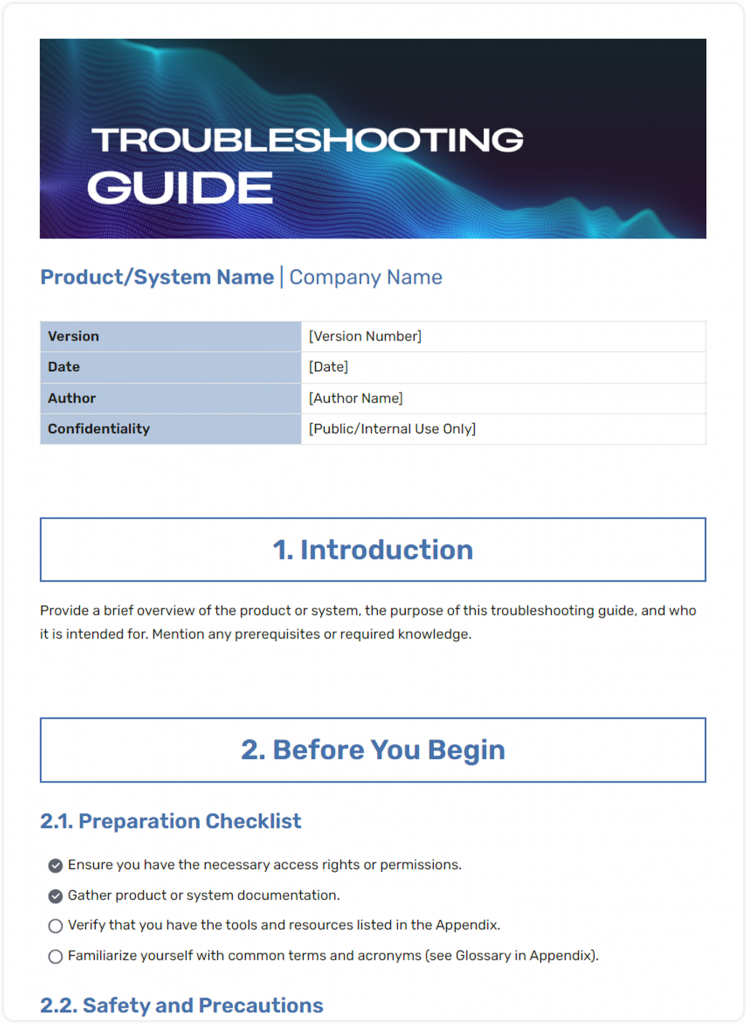
FREE TEMPLATE
The Troubleshooting Guide Template Your Team Needs
Document common issues and step-by-step solutions in one easy-to-use guide.
✔ Pre-filled sections
✔ Edit once. Reuse forever.
✔ Ideal for support & IT teams
Takes under 1 minute • Trusted by teams at startups & enterprises
Good user documentation answers common questions, guides users step by step, and makes it easy to complete tasks without needing help from support teams. It is written in clear language, follows a logical flow, and often uses examples or visuals to explain steps.
Common examples for technical user documentation include:
- User manuals
- Installation and setup guides
- Step-by-step tutorials
- FAQs and basic troubleshooting guides
2. Developer Documentation
Developer documentation is intended for engineers and technical professionals who work directly with the code or technical structure of a product. Its purpose is to explain how the system works, how different components interact, and how developers can safely extend, modify, or integrate it with other tools.
This documentation is detailed and requires accuracy and precision because developers rely on it to understand system behavior, dependencies, and technical constraints.
Common examples of developer documentation include:
- API documentation
- Code references and comments
- SDK documentation
- Architecture overviews
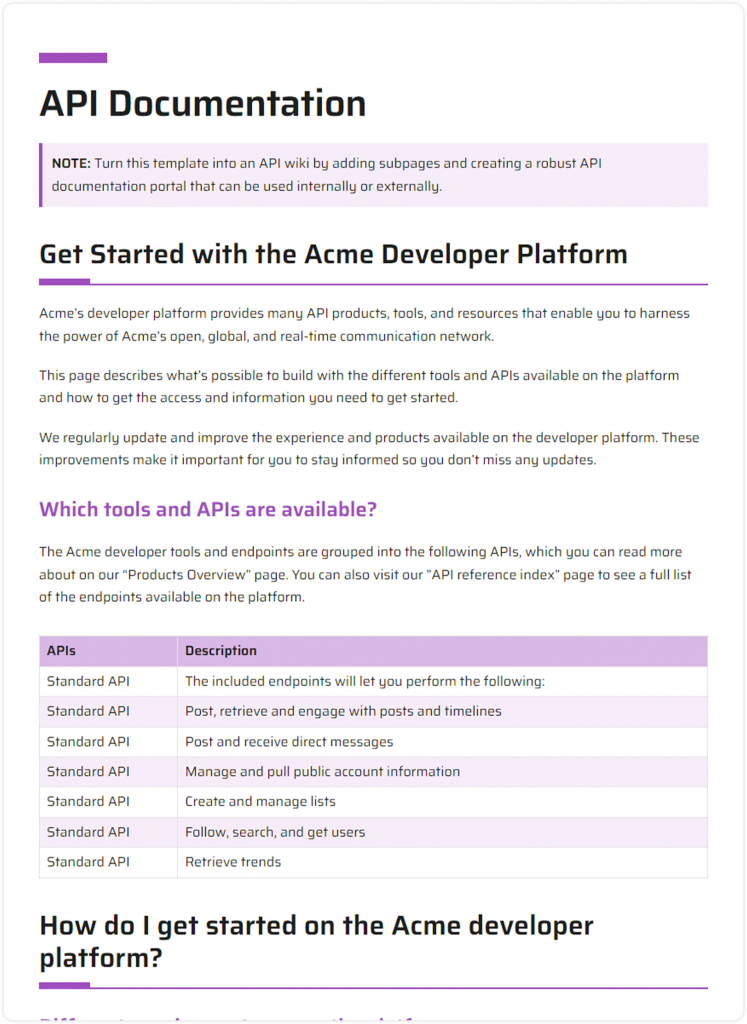
FREE TEMPLATE
The API Documentation Template Developers Can Use
Document endpoints, parameters, authentication, and responses clearly for faster API integration.
✔ Pre-filled sections
✔ Edit once. Reuse for every API
✔ Ideal for developers & technical teams
Takes under 1 minute • Trusted by teams at startups & enterprises

If this was useful, read this…
Technical Manual: What, it’s Types & How to Create One? (Steps Included)
3. System Documentation
System documentation explains how the entire system is set up, configured, and maintained. It is mainly used by IT teams, system administrators, and support engineers who are responsible for keeping systems stable, secure, and operational.
It covers technical aspects such as setup on infrastructure, system environments, configurations, and operational procedures. System documentation becomes very valuable during maintenance, software updates, troubleshooting, or when new IT team members need to understand the system quickly.
Common examples of system documentation include:
- System architecture diagrams
- Configuration and deployment guides
- Infrastructure documentation
- Data flow and integration details
4. Process Documentation
Process documentation is very helpful in explaining how a particular task is performed within an organization, instead of telling every member manually. It lays out the steps, responsibilities, and order of tasks so everyone knows exactly what to do.
It outlines each step clearly and specifies responsibilities, which helps in reducing reliance on individual knowledge, prevents errors, and makes it easier for new team members to get up to speed quickly. It serves as a practical guide for everyone to follow standard procedures without confusion.
Common examples of process documentation include:
- Standard Operating Procedures (SOPs)
- Internal workflows
- Operational guidelines
- Team policies and checklists
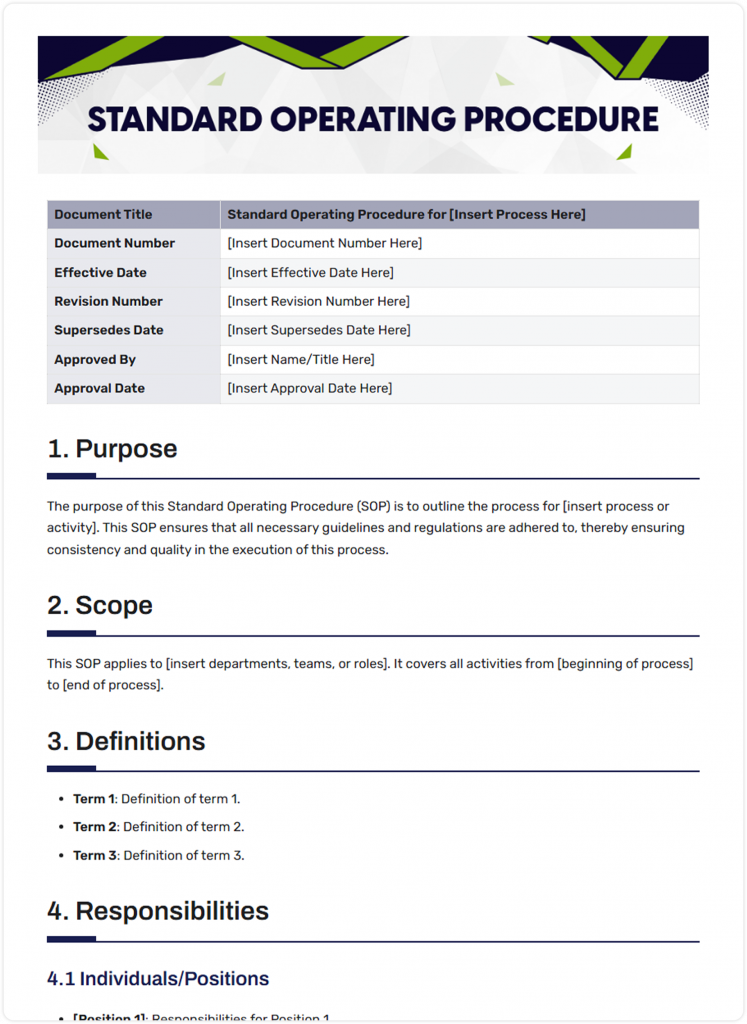
FREE TEMPLATE
The SOP Template Your Team Can Actually Use
Create clear, repeatable processes with a ready-to-use template that keeps every procedure organized and easy to follow.
✔ Pre-filled sections
✔ Edit once. Reuse forever
✔ Ideal for operations, HR and other teams
Takes under 1 minute • Trusted by teams at startups & enterprises
If this was useful, read this…
Technical Report: What is it & How to Write it? (Steps & Structure Included)
5. Technical Reference Documentation
Technical reference documentation is meant to give people quick, precise answers. It is not like guides or tutorials that will walk someone through a process. Instead, it focuses on facts, details, and specifications that people can look up when needed in an emergency.
This type of documentation is used for troubleshooting, configuring systems, or checking exact information. It’s important that it is accurate and complete, so anyone relying on it can trust the information without having to guess or ask for help.
Common examples of technical reference documentation include:
- Command and syntax references
- Configuration options
- Error codes and descriptions
- Parameter and field definitions
6. Knowledge Base Documentation
A knowledge base is a central hub where all important information related to a product or system is collected and organized. This allows both end users and support teams access to the resolution of frequently encountered issues without having to wait for assistance.
Not like manuals or guides, a knowledge base is meant to be searchable, easy to navigate, and constantly updated. It can include step-by-step solutions, troubleshooting tips, best practices, FAQs, and notes about known issues.
It reduces repetitive support requests, helps users solve problems immediately, and ensures that everyone is working from the same reliable information. A well-maintained knowledge base is basically a go-to resource that is useful for both customers and internal teams, saving time and preventing frustration.
Common examples of knowledge base documentation include:
- Help articles
- Troubleshooting guides
- Product updates and release notes
- Common issues and solutions
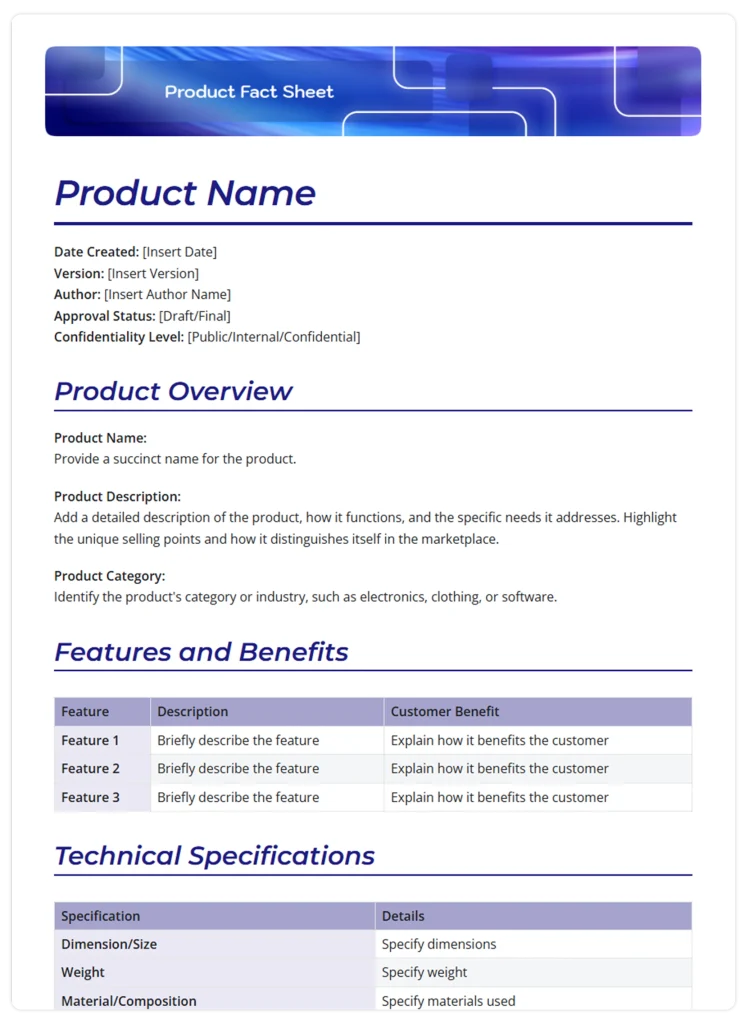
FREE TEMPLATE
The Product Fact Sheet Template for Clear Product Information
Keep key product details, features, and specifications organized in one easy-to-scan document.
✔ Pre-filled sections
✔ Edit once. Reuse forever.
✔ Ideal for product & marketing teams
Takes under 1 minute • Trusted by teams at startups & enterprises
Each type of technical documentation serves a distinct purpose. When created and maintained properly, they work together to support users, teams, and systems throughout a product’s lifecycle.

Now that we’ve looked at the different types, let’s understand how technical documentation actually benefits a business, beyond just keeping information organized.
If this was useful, read this…
Business Documents: Meaning, Types & How to Use Them Effectively →
Benefits of Technical Documentation for Businesses
Great technical documentation guides your audience and empowers them to use your product without frustration and difficulties! Whether that audience is end-users, managers, administrators, employees, or technicians doesn’t really matter. What matters is that the documentation is clear, searchable, and helpful for them.
Along with that, technical documentation is not only important for customer support but also plays an integral part in building your brand and trust. Users seek out technical documentation when they’re most in need! It helps the intended audience understand the processes and solve difficulties when using your product.
Furthermore, well-defined technical documentation also helps in:
1. Improves Customer Retention
Well-written technical documentation is worth the effort because it refines the user experience and resolves possible issues when using the product. If customers feel good about your product, they might want it again when the need arises in the future!
A recent survey by SDL on technical documentation shows the increasing significance of documentation in the global markets-
- 53%of customers tend to use technical documentation to understand the product before making a purchase.
- 94%of customers believe that it’s important and useful to have product information in one single place.
Hence, nowadays every company is equally focusing on the documentation along with the development or testing of a product!
2. Saves Time and Reduces Support Effort
With the absence of well-defined and clear documentation, you might end up spending extra hours dealing with the technical difficulties of your product. Eventually, wastes time & energy for both you and the user.
Whether the organizations are small, medium, or large, a structured technical document can do wonders in terms of saving time and boosting productivity. Thus, most product-based organizations are investing a good amount in recruiting technical writers and technical documentation.
If this was useful, read this…
3. Reduces Confusion and Repeated Questions
When information is not written down, teams rely on memory or constant explanations. This leads to repeated questions, inconsistent answers, and wasted time. Technical documentation provides a single, trusted source of information that people can refer to whenever needed.
As a result, teams spend less time answering the same questions and more time focusing on meaningful work.
4. Improves Team Productivity
Clear documentation helps people complete tasks faster and with fewer errors. When accurate documentation is provided to developers working on new features, support teams working on resolving customer issues, and any internal departmental teams that are following processes, the need for additional discussion is removed.
Work moves faster when people don’t need to pause and ask for clarification at every step.
5. Helps Increase Product Adoption and Sales
You probably think that documentation needs just a token of importance, but believe it or not, it’s one of the best ways to let the product talk to your users and solve all queries at their convenience.
Creating technical documents that are attractive, interesting, and easy to navigate will help users understand the product better in less time, helping them to set up the product faster and use it with optimization. This, in turn, results in higher ratings, more positive reviews, and increased sales!
Now, in the next section, we’ll look at how to write technical documentation in a way that is practical, clear, and useful for the people who rely on it.

Write Technical Docs That Actually Make Sense
Turn messy ideas into clear, structured documentation with AI. Collaborate, organize, and build docs your team will actually use.
Free to start • Set up in minutes
How to Write Technical Documentation in 6 Steps?
Technical documentation can get quite high-tech, dry, and boring! So, the key point is to make sure you keep it relevant, accurate, and engaging for your audience by following these 6 simple steps :
Step 1: Identify Your Audience
Before you start writing, be clear about who the documentation is meant for. Is it written for developers, internal teams, or end users? Each audience has a different level of technical knowledge and different expectations.
Understanding your target audience helps you decide how much detail to include, what terminology to use, and what context needs to be explained. When documentation is written with a specific reader in mind, it becomes easier to follow and more effective.
Step 2: Define the Purpose of the Documentation
Before writing a single line, be clear about why this document exists. Ask yourself one simple question: what should the reader be able to do after reading this?
Technical documentation works best when it leads to a clear outcome, whether that’s setting up a tool, fixing an issue, or understanding how something functions. If the purpose isn’t clear to you as the writer, it won’t be clear to the reader either.
Need to turn technical information into clear, structured documentation?
Use Bit.ai’s AI generators to organize product details, requirements, instructions, and technical content into useful documents.
Step 3: Create a Clear Documentation Structure
Writing technical documentation without a structured outline can be tricky to follow. Therefore, having a structure around which your documentation grows is highly recommended. You can use headings, categories, sub-categories, and topics to organize and cluster your documents logically.
Step 4: Use Visuals, Screenshots, and Diagrams
Visuals such as diagrams, screenshots, or illustrations can make technical concepts easier to understand. They are especially useful when explaining workflows, interfaces, or configurations.
However, visuals should always include clear captions. Without context, images lose their value. Captions help explain what the reader is looking at and how it relates to the task or concept being discussed.
Step 5: Review, Test, and Update Content
Re-read and revise your technical documentation again & again to ensure you have got everything right! You can also ask a colleague or a superior to proofread your work to make sure that you haven’t missed out on anything. A review and revision process would guarantee the accuracy of the material being published.
Step 6: Choose the Right Technical Documentation Tool
Even the best writing can fall short if the tool you’re using makes documentation hard to manage, update, or share. That’s why choosing the right documentation platform matters just as much as how you write. So, investing in a robust solution like Bit.ai for technical documentation is a great way to save time, minimize efforts, and empower users’ understanding of the products!
Bit.ai is an AI-powered docs, wikis, and knowledge management platform that provides a common workplace for technical writers, managers, and developers to collaborate, document, track, and share their knowledge, brainstorm ideas, store digital assets, and innovate together.

Unlike your boring static documents, Bit documents are interactive. This means that whether your team is creating technical documentation, training manuals, technical specs sheets, best practices, product catalogs, etc., they can easily add code blocks, training videos, presentations, etc., directly into a Bit document within seconds.
Once you are done documenting, you can simply export them as PDFs, Markdown, Word files, and much more. Bit’s sleek, minimal, and distraction-free editor makes it the perfect tool for technical documentation.
Below are some of the standout features that make Bit.ai especially useful for technical documentation:
- Interactive Documents (Not Static Files): Bit documents are interactive, meaning you can embed code blocks, videos, presentations, spreadsheets, forms, and more directly inside a document. This is especially useful for technical guides, APIs, training manuals, and product launching documentation.
- Real-Time Collaboration: Multiple team members can work on the same document at the same time. Comments, mentions, and shared editing make it easy for writers, developers, and reviewers to collaborate without long email threads.
- AI Assistance for Faster Documentation: ai’s AI Genius features help speed up writing, improve clarity, and structure content more efficiently, while still allowing teams full control over accuracy and tone. Additionally, you can use Doc Builder to create an outstanding document in minutes. You just have to answer 2-3 questions, and a fully structured doc is ready.
- Built-In Wiki and Knowledge Base Creation: You can organize documents into folders, workspaces, and wikis with Bit.ai. This makes it very simple to build internal knowledge bases or customer-facing help centers.
- Flexible Sharing with Strong Access Control: You can share documents using live links that update automatically when content changes. For added security, links can be protected with passwords or set to expire after a specific time. You can also control who can view, comment, or edit a document, making it easy to share information with clients, users, or internal teams without worrying about unauthorized access.
Below are a few ready-made technical documentation templates from Bit.ai that you can use as a starting point to create clear, practical, and well-organized technical documentation without building everything from scratch.
Now, writing technical documentation effectively is just the first step. Even the best-written content can fall short if common mistakes creep in or if best practices are ignored. Following some simple do’s and don’ts ensures your documentation is clear, accurate, and truly helpful for anyone who reads it.
Technical Documentation Best Practices: Do’s and Don’ts
Follow these key dos and don’ts to make your technical documentation clear, useful, and easy to follow.
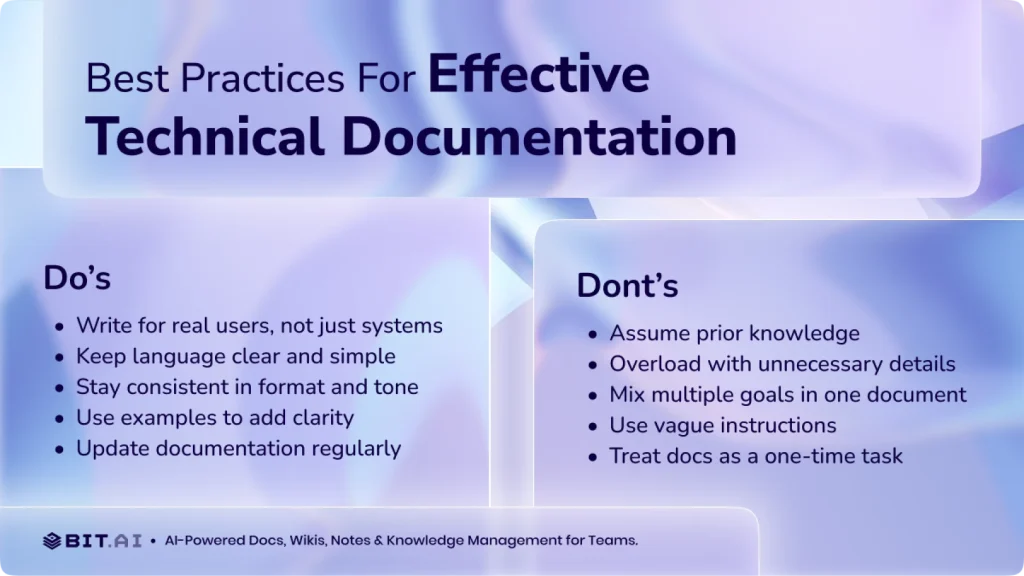
Do’s of Technical Documentation
- Focus on real people, not just systems.
- Keep the sentences in your documents clear and easy to follow.
- Stick to a consistent format and tone throughout.
- Add examples or real-life scenarios to make it practical.
- Review and update your documentation regularly.
Don’ts of Technical Documentation
- Don’t assume readers already know the topic.
- Don’t overload documents with unnecessary details.
- Don’t mix multiple purposes in a single document.
- Don’t use vague or unclear instructions.
- Don’t treat documentation as a one-time task.
While following best practices ensures your documentation is clear and effective, it’s equally important to measure whether it’s actually working. Knowing what to track helps you understand if your users can find the information they need, if your teams are efficient, and whether your documentation truly supports your business goals.
Technical Documentation KPIs: How to Measure Documentation Success
Creating technical documentation is one thing; making sure it actually helps people is another. Even the most carefully written guides or manuals won’t provide value if users can’t find what they need, teams ignore it, or outdated information causes mistakes.
That’s where KPIs (Key Performance Indicators) come in. They give you a way to measure the effectiveness of your documentation and identify areas for improvement. The goal is simple: know whether your documentation is actually doing its job.
Here are some of the most useful KPIs for technical documentation.
| KPI | What It Measures | Why It Matters |
| Document Usage / Views | How often do people access your documentation | Shows whether users are finding and relying on your content |
| Task Completion Rate | How many users complete tasks using your documentation | Indicates whether the documentation helps people achieve their goals |
| Search Success Rate | How often users find what they’re looking for on the first try | Helps identify gaps or unclear content |
| Time to Resolution | How long does it take users to solve a problem using your documentation | Shorter times mean more effective documentation |
| Feedback & Ratings | User feedback, comments, or ratings on clarity and usefulness | Direct insight into what’s working and what needs improvement |
| Update Frequency | How often is it revised or updated | Ensures content stays accurate and relevant as products evolve |
| Internal Team Adoption | How often do internal teams use documentation for training, troubleshooting, or process guidance | Shows whether documentation is integrated into workflows and reduces dependency on individuals |
| Support Request Reduction | Decrease in repetitive questions to support teams | Demonstrates real-world impact on efficiency and workload |
By tracking these KPIs and continuously improving your documentation, you can ensure that your document remains accurate, useful, and truly supports both your users and your team.

Create Clear, Collaborative Technical Docs
Write, manage, and scale technical documentation in one organized workspace your entire team can rely on.
Free to start • Set up in minutes
Wrapping Up!
Technical documentation is more than just a task that is to be ticked off from your checklist. It plays a crucial role in supporting the people who support you! Well-crafted technical documentation is a big chance for you to present your product in front of others in a good light. It makes everything user-specific and insightful so that readers gain value while reading through it.
Also, beautifully engineered and carefully designed technical documentation is your go-to strategy for increased sales figures, customer satisfaction, and enhanced productivity. So, what are you waiting for? Follow this guide, create an accurate structure, use our tool, and write awesome technical documentation that turns your users into tech superheroes!
FAQs
Q1. What is technical documentation?
Technical documentation is written information that explains how a product, system, software, or process works.
Q2. What are the main types of technical documentation?
The main types of technical documentation include user documentation, developer documentation, system documentation, process documentation, technical reference documentation, and knowledge base documentation.
Q3. What is the purpose of technical documentation?
Technical documentation helps users and teams understand, use, maintain, and troubleshoot a product, system, or process more effectively.
Q4. What Should Technical Documentation Include?
Most technical documentation contains:
- Clear objectives and scope
- Step-by-step instructions
- Technical specifications
- Screenshots or diagrams
- Troubleshooting information
- Reference materials and resources
- Version and update information
The exact content depends on the type of documentation, but the goal is always to provide accurate and easy-to-follow information.
Q5. What makes good technical documentation?
Good technical documentation is clear, accurate, organized, easy to navigate, and written for the intended audience.
Q6. What is an example of technical documentation?
Examples of technical documentation include user manuals, API documentation, installation guides, SOPs, troubleshooting guides, and knowledge base articles.
Q7: Who creates technical documentation?
Technical writers, product managers, developers, or subject matter experts who understand both the system and the needs of the audience.
Q8: Which software is best for writing technical documents?
There are many tools available, but Bit.ai stands out for technical documentation because it allows teams to collaborate in real time, embed rich content (like code blocks and videos), organize knowledge into wikis, and share secure, updatable documents easily.
Q9: How often should technical documentation be updated?
Documentation should be reviewed and updated whenever there are changes to the product, features, processes, or workflows. Regular updates ensure accuracy and prevent confusion.
Q10: How do I know if my technical documentation is working?
You can measure its effectiveness with simple indicators such as how often it’s used, how quickly users complete tasks, search success rates, user feedback, and whether it reduces repetitive support requests.
About Our Editorial Team
Our Editorial Team researches, writes, and reviews every article to help ensure it is accurate, practical, and up to date. To learn more about our editorial standards, content review process, and official social media profiles, visit our Editorial Team page.
Why Trust This Article?
The information in this article is based on reputable and authoritative sources. We review our content periodically to keep it accurate and up to date.