Picture this — it’s 9 a.m., you have an overflowing to-do list and an ever-growing set of meetings scheduled. You feel spread thin across a dozen tabs on your screen. You take a sip of coffee, look at your screen and think to yourself, “There has to be a better way to manage all this.” ☕
Well, there is. Meet the AI task manager — your digital assistant that doesn’t just track tasks but thinks with you. It learns your priorities, predicts bottlenecks, and automates the boring stuff so you can finally focus on the work that actually matters.
Traditional to-do lists can no longer keep up with the situation as the companies move towards hybrid work and digital stress becomes the new normal. The future of productivity lies in AI task management, where algorithms help you stay on top of projects, meetings, and decisions — all without breaking a sweat.
Ready to see how AI can turn chaos into clarity? Let’s explore what makes AI task managers the next big leap in workplace efficiency. ⚡
What is an AI Task Manager, and Why You Need One
Let’s face it, traditional task managers are great at one thing: listing what needs to be done. But today, listing just isn’t enough-you need a tool that thinks with you, learns from your habits, and adapts to your workflow. Here’s where the AI task manager comes in.
Unlike old-school productivity apps, AI task managers go way beyond check-boxes. Utilizing machine learning, they can prioritize tasks, offer a recommendation as to when to address the task, and automate repetitious tasks. Picture an application that helps you schedule work at more productive times. It sounds somewhat like a fantasy, but it is happening. ?
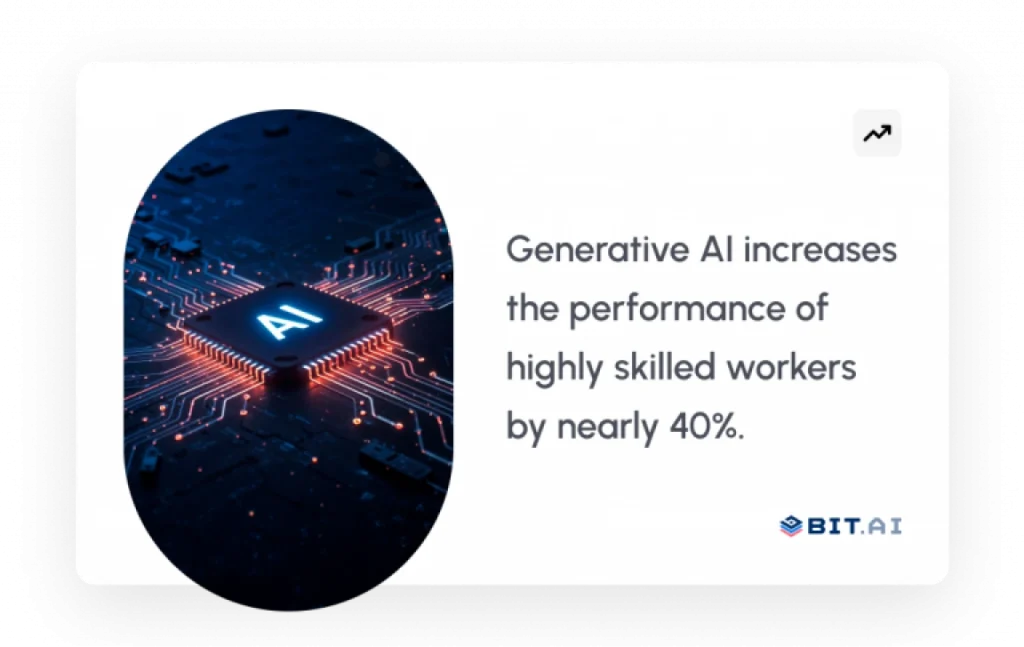
But here is the thing: with the explosion of hybrid teams, the proliferation of tools, and constant notifications, your single most valuable asset is your focus. In fact, according to a study from MIT Sloan School of Management, generative AI increases the performance of a highly skilled worker by almost 40% compared to workers not using it.
In the future, the smartest teams will not just manage time but optimize it with AI. After all, the future of work is not about doing more but doing what truly matters-faster and smarter.
And if you’re wondering what makes AI task managers such game-changers, then let’s break down the key benefits of them next.

Check this:
Why AI Task Managers Are the Secret to Effortless Productivity
Imagine waking up each morning to a day already scheduled perfectly, including all of your meetings balanced, your tasks prioritized, and your focus hours protected. AI task managers can accomplish this by providing clarity and flow to the way you do your work, as well as providing organization.
1. Smarter Prioritization That Thinks for You
You open up your task board, and it’s already reorganized. All the urgent things are on top, while the trifling ones have been moved to tomorrow – without your intervention. AI task managers are not merely listing the tasks, but rather they are getting the whole picture behind them. They learn which projects you tend to delay, which deadlines move fastest, and when your energy peaks. The result? You work with intention, not reaction.
2. Automated Scheduling That Saves Hours
Often, it appears that scheduling has taken on the character of an additional job. With the help of artificial intelligence, your daily routine is auto-optimized, so you don’t have to deal with all that mental confusion. A new meeting invitation? Your calendar is rearranged in a matter of seconds by the system. Are there too many appointments? It recommends that you push your deep work periods to the time when your concentration is at its best. Stop managing your time; take control of it.
3. Effortless Collaboration
Forget about trying to chase status updates or keep track of completed work. Most popular AI task managers integrate with your project and communication tools to pull every status update into one location. A single click provides you with a quick team summary of everyone’s status, dependencies, and blockers. No micromanaging — just seamless collaboration that allows your team to enjoy working together.
? Pro Tip: Pair your AI task manager with Bit.ai — a space where all your ideas, docs, and project notes live together. When tasks meet context, productivity becomes frictionless.
4. Automating Tasks to Remove the Boring Stuff
All of that repetition-follow-ups, reminders, logging updates-eats up hours you will never get back. AI does them silently in the background, while your time shifts to the creative, strategic, and human areas of work that really matter most.
5. Personalized Productivity Insights
This AI task manager spots when you’re losing focus or juggling too many things. It learns how you work and gives you helpful tips, like Take a break or You do your best work at 10 a.m., plan important stuff then. It uses your own data to help you be more productive.
Now, let’s meet the tools that are making that vision a reality — the best AI task managers that are redefining productivity in today.
Top AI Task Manager Tools to Try Right Away
The AI revolution in task management is not about doing more, but doing better. Today, the best AI task manager tools think with you, learn your patterns, and return to you that one thing you cannot automate: focus.
Following are five AI-driven task management tools setting new standards for productivity, creativity, and clarity.
1. Motion — The AI That Plans Your Day Like Magic
If you’ve ever wanted a personal AI assistant that designs your perfect day for you, then it’s Motion. Its AI engine rebuilds your calendar every few minutes, auto-scheduling meetings, deep work, and even rest time so that your day remains balanced and distraction-free.
What really sets Motion apart, however, is the predictive intelligence behind it: when deadlines shift or priorities change, it reorganizes your tasks in real time-no manual input needed.
You can finally quit your concern regarding the time to work and instead direct your attention to the type of work to be done.
Key Features:
- Auto-scheduling based on urgency and focus hours
- Real-time task reshuffling when plans change
- Built-in time-blocking and progress visualization.
- Integrations with Google Calendar, Slack, and Zoom
Pricing: $29 per month (billed annually), per user; team plans available.
Best for professionals who need an AI-powered planner that actually will plan for them.
Check this:
2.Sunsama — The AI That Protects Your Focus and Builds Balanced Workdays

If productivity had a calm, thoughtful side, it would feel like Sunsama. Instead of flooding your screen with endless tasks, Sunsama’s AI helps you slow down, think clearly, and build a realistic workday that you can actually finish.
It pulls tasks automatically from tools like Gmail, Slack, Asana, and more, then helps you decide when you should actually do them.
Overcommitting? Its daily planning assistant gently nudges you to reduce workload so you do not burn out. Busy schedule? It reorganizes tasks to future days without stress.
Sunsama does not mean that you have to put in more effort. It is all about taking care of your health, and doing things with intelligence and purpose.
Key Features:
- AI-assisted daily planning to build achievable schedules
- Automatically imports tasks from your favorite tools
- Focus-first timeboxing to reduce overwhelm
- Gentle workload balancing to prevent burnout
- Real-time tracking for reflection and improvement
Pricing: Starts at $16/month when billed annually.
Best for: People working in the office who intend to use AI-based planning but do not want to experience any disturbance.
3. Akiflow — Turn Chaos Into a Well-Planned, AI-Structured Day
Akiflow feels like a command center for your life. It gathers everything scattered across emails, calendars, Slack, Jira, and dozens of other tools, then its AI helps you plan when to actually do every task.
Instead of juggling everything manually, Akiflow prioritizes tasks, blocks focus time, and builds a structured schedule that respects your time and energy.
It has intelligent rescheduling capabilities that allow you to manage your schedule based on changes that occur throughout the day. With the help of Akiflow, you can make a drastic change from a chaotic workday to an organized and systematic workday.
Key Features:
- AI-powered prioritization and task organization
- Universal inbox that pulls tasks from multiple tools
- Smart time blocking and schedule automation
- Reminders and focus alerts to prevent forgotten work
- Sleek interface designed for deep work productivity
Pricing: Starts at $19/month when billed annually.
Best for: People who want total control, clarity, and AI-powered planning.
4. Asana Intelligence: The AI That Keeps Teams Aligned

Clarity has always been the focal point of Asana, but Asana Intelligence increases that clarity exponentially. Automatic project planning, risk detection, and progress summarizing are only a few of the ways teams can utilize the AI to make more informed decisions.
The fact that it links daily operations to corporate objectives is what distinguishes it from the rest; every single task, comment, and milestone is linked to some overarching objective.
In the case of the heads managing hybrid or global teams, Asana turns uncoordinated grinds into unified results.
Key Features:
- Task creation and summarization of progress powered by
- AI Goal alignment and risk detection
- Workload redistribution automatically
- Deep integration with Slack, Teams, Zoom, and Jira
Pricing: $10.99/user/mo (billed annually) for a Starter plan; Advanced tiers up to $24.99/user/mo.
Best for Large Enterprises that want clarity and alignment
5. Taskade: Real-time Collaboration with a Creative Edge

Collaboration feels effortless with Taskade-and actually fun. It melds together task lists, mind maps, chat, and AI in one lively interface. You can brainstorm, assign, and automate in seconds without leaving your app and with no workflow drag.
Where Taskade really shines, though, is creative flow. It takes the messy ideas and turns them into structured action plans via its AI; it lets your team visualize goals in real time with mind maps.
Be it maintaining a content calendar or launching a product sprint, Taskade makes this process collaborative and quick.
Key Features:
- AI-powered brainstorming and meeting summaries
- Realtime multi-user collaboration
- Visual project planning with lists, boards, or maps
- Smart Task Prioritization and Automation
Pricing: There is a free plan available. Paid plans for advanced AI features start at $19/month, billed annually.
Best for startups and creative teams that want collaboration with personality.
These are tools that will not only help you manage time in a world where time is the most valuable asset but multiply it. They automate the noise, put the spotlight on what matters, and bring your team’s focus back to where it should be: doing great work.
Now, let’s see how Bit.ai converts dispersed workflows into intelligent and interlinked systems.
Bonus Tool: Bit.ai — Where Task Managers Meet Smart Documentation
Okay, so check this out: your team’s got tasks sorted and tools working together, right? But all the important stuff—you know, the actual knowledge about what you’re doing—is all over the place in emails, chats, and random documents. That’s where Bit.ai steps in. This platform uses AI features to support productivity and keep all your team’s ideas, notes, and project info in one organized spot.

Bit.ai is not a traditional task manager. Instead, it works alongside your task tools by giving your team a central place to capture knowledge, meeting notes, decisions, and context. Instead of information getting scattered across chats and files, Bit.ai helps you organize it in one structured, collaborative workspace so everyone always knows the background, purpose, and details behind the work they are doing.
With Bit.ai’s AI Genius Writer, it can summarize your meetings, draft reports, or create task briefs from your notes in an instant. You can organize documents, wikis, and projects neatly through the Smart Workspaces within the platform, so that everybody knows exactly where to find the information they need. Add real-time collaboration, slick document design, and secure sharing, and you will get a digital ecosystem built for focus and flow.
Key Features:
AI Genius Writer
Your built-in AI assistant to write, summarize, even paraphrase content intelligently. Genius Writer will tailor tone, purpose, and audience for you whether it’s a project brief or summarizing feedback.
Smart Workspaces
Organize everything, from project documentation to client wikis, in categorized, searchable spaces. More than just storage, this is your living, dynamic library that evolves as your team grows.
Real-Time Collaboration
Work together like you’re in one room. Co-edit documents, leave in-line comments, mention teammates, and track changes in real time.
Integrations & Embeds
Bit.ai supports rich embeds of over 100+ different applications such as Google Drive, OneDrive, and YouTube. You can bring files, media, and resources directly into your documents so everything stays connected in one place.
Smart Sharing & Access Control
Control who can view, comment, or edit your documents with flexible permissions. You can also share documents using trackable links to see engagement, while Version History ensures you can review past document changes whenever needed.
Multiple ways of sharing
Bit.ai enables sharing in an easy and flexible way, regardless of your team’s working style. You can share your documents as live links, export them as PDFs or web pages, or invite others to participate in editing. All these options are interactive, which implies that whichever changes you make are immediately visible to your audience.
Pricing: Bit.ai has a free plan to help you get started with the platform. Prices begin at $8 per user on the Pro plan, for more advanced features and AI tools, while it is $15 on the Business plan billed annually for growing organizations.
Wrapping Up: The Future of Work Is Smart, Connected, and AI-Powered
The workplace of 2026 isn’t about juggling dozens of tools — it’s about connecting the right ones. AI task managers have set out to allow us to accomplish more than just check boxes; they are helping us think more clearly, work more quickly, and collaborate more intelligently.
AI isn’t just making us more productive—it’s becoming how teams work today. It helps anticipate what you may need next, helps you focus on what matters, and gets rid of distractions before they bother you. But, productivity isn’t everything. To really be efficient, you need a system that links your tasks, files, and choices together.
That is where Bit.ai comes in: the bridge between your to-do lists and your knowledge; it supplements your favorite AI task manager by giving your team a single, intelligent space to create, document, and collaborate with ease. Because the future of work isn’t just about working faster, it’s about working in sync.
FAQs
- How can AI help increase efficiency at work?
AI helps you reclaim your most valuable asset: time. By automating repetitive tasks, intelligently scheduling, and offering actionable insight, AI makes sure your focus remains on high-value work. After all, studies have shown that AI-assisted professionals can improve performance by almost 40% (MIT Sloan).
- What tool would be best for task management in this year?
It relies on your requirements completely. Motion is the best for automation of scheduling, Sunsama is the best for daily planning balance, Akiflow works the best in the case of a structured time blocking, Asana is most conducive for team alignment, and Taskade is the best option for co-planning. Bit.ai integrates tasks with documents and context and works as an excellent supportive platform.
- Do AI task management tools work for teams and remote collaboration?
Absolutely, because the majority of modern AI task managers have been considered for hybrid and remote teams. They include real-time progress tracking, collaborative dashboards, and smart notifications to ensure alignment without considering the physical location of the workers.
- Can AI task managers reduce meeting overload and chaos in communication?
Absolutely, and in a really big way. AI-powered task management tools never miss the main ideas of a conversation, produce concise versions of discussions, and communicate the action plans all at once without the need for back-and-forth chats.