Have you ever been in a team meeting where one person said, “We need to improve our KPIs,” another person said, “But what about our KPAs?” and then everyone in the room had a different answer without realizing it?
You are definitely not alone.
Most people mix up these two terms. But they are quite different. And mixing them up can mislead your team in such a way that they end up working hard but not necessarily working smart.
Here, we will use the simplest example. A Key Performance Area (KPA) indicates where to put your effort. A Key Performance Indicator (KPI) shows how well you are performing in that area. One points the way; the other tracks the journey.
In this article, you will get a detailed explanation of what KPAs and KPIs are, how they differ, and how you can employ both together to make your team work more effectively and confidently.
Before we get into the details, let’s start by breaking down the absolute basics.
What are Key Performance Indicators?
A key performance indicator, or KPI, is a quantifiable metric that shows how effectively a person, team, or entire company is trending toward accomplishing a certain goal.
To put it simply, think of a KPI as a scoreboard. Like a baseball scoreboard tells you the exact number of runs scored and the strikes a team has, a KPI can tell you the exact position you are in relation to your target.
Essentially, KPIs solve one very basic problem: Are we making progress or not?
They are very specific, measurable, and tied to a certain time frame. So, instead of “we want more sales,” a KPI would be “we want to increase sales by 20% this quarter.” Likewise, instead of “we want better customer service,” a KPI might be “we want to resolve 95% of customer complaints within 24 hours.”

Below are some simple performance indicator examples for different departments:
- Sales Team: Number of deals closed per month
- Marketing Team: Number of leads generated per week
- Customer Support: Average response time per ticket
- HR Team: Employee retention rate per quarter
However, one important thing to note is that a KPI should always be connected to a goal. A number without a goal is merely a number; it only becomes a meaningful KPI when it is linked to something your team is working toward.
Now that we understand the basics, let’s see how these indicators actually look in the real world.

If this was useful, read this…
Top 10 Key Performance Indicators (KPI) You Need To Measure →
Key Performance Indicator Examples
Now that we know what these indicators are, let’s look at how they work in the real world. Here are a few key performance indicators examples for different departments so you can see exactly how they turn broad goals into solid, trackable numbers.
Sales Team KPIs
- Number of new deals closed per month
- Monthly revenue generated against the target
- Lead-to-conversion rate- the percentage of leads that become paying customers
- Average deal size- the mean value of each closed deal
HR Team KPIs
- Time to hire- how many days pass between an opening and the hiring of a new employee
- Employee attrition rate- the portion of employees quitting within a quarter
- Training completion rate- the share of employees finishing the training they have been given
- Employee satisfaction score- gathered through regular surveys
Marketing Team KPIs
- Number of qualified leads generated per week
- Website traffic growth- by what percentage are visitors to the site increasing
- Email open rate- the percentage of recipients who open marketing emails
- Cost per lead- the average amount spent to get a new lead
When someone asks what the 5 key performance indicators every team should track, a truthful answer that might surprise many is that it entirely depends on the team’s KPAs and strategic goals. There is no one-fits-all list. Appropriate KPIs are those that directly relate to what your team is trying to accomplish.
It is critical that each KPI is perfectly clear, quantifiable, and linked to a well-identified KPA; that is how your team will always know what they are doing and where they are going.
Having grasped what KPIs are, we can now focus on their next-door neighbor, Key Performance Areas.
What are Key Performance Areas?
Key Performance Area (KPA) means the main element of your job that requires your focus. It shows a person or a team where they should direct their time and efforts. If you think of success tracking as a sport, KPIs are the scoreboards showing points, and KPAs are the fields where the game happens.
Unlike KPIs, a KPA doesn’t quantify your work. It only highlights the critical areas that you need to give your attention to in order to be successful.
You can think of KPAs as the broad categories or “buckets” in which you put your tasks. For instance, the KPAs for a marketing manager might be:
- Brand Awareness, making sure the right people know about your company
- Lead Generation, bringing in potential customers
- Content Strategy planning and publishing valuable content
- Customer Engagement: Keeping Your Existing Audience Connected
These four KPAs are broad focus areas. They don’t include any numbers yet. They are simply a clear list of the main parts of the job description.
For what purpose are key performance areas implemented?
Initially, KPAs are a great tool for managers and employees to identify their main tasks before thinking of hitting actual numbers and targets. Once every individual agrees on the major focus areas (KPAs) first, the process of choosing the exact metrics (KPIs) becomes a lot simpler.
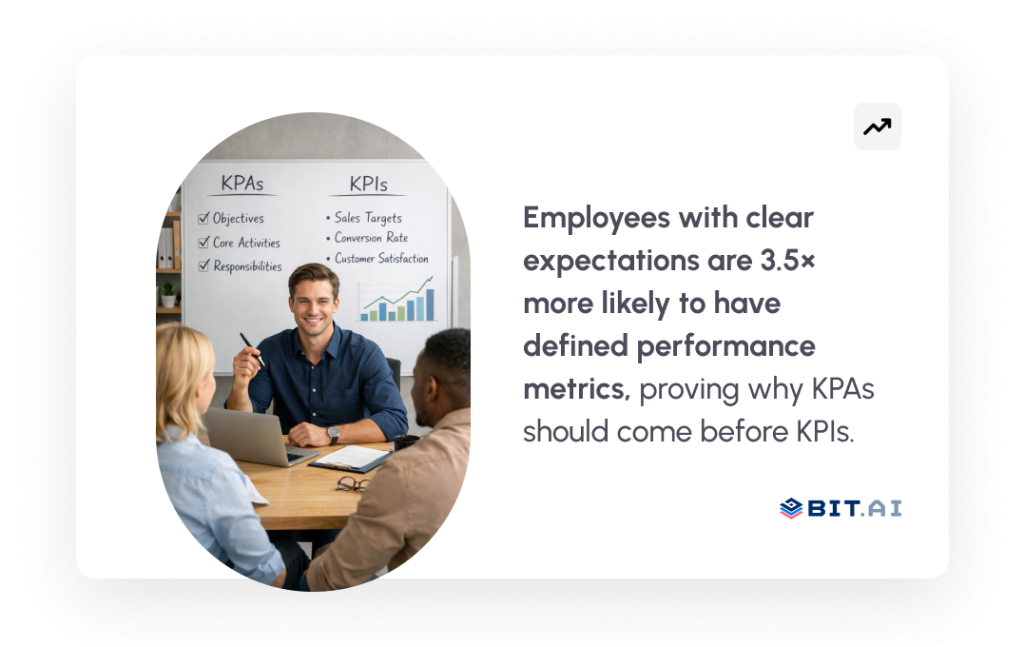
Apart from being quite inconvenient and confusing, the lack of clear KPAs could lead to team members spreading themselves thin by trying to do a bit of everything, without really excelling at anything. KPAs give you clarity, and staying focused brings success.
To get a better picture of these broad focus areas, let’s see how they are relevant to the roles in the business world.
Key Performance Areas Examples
It’s much simpler to grasp what KPAs are when you look at them in the context of roles and teams that actually exist.
Here are some pretty straightforward key performance area examples from various departments within a company.
Sales Team KPAs
Keeping a sales team energized is important, but even more important is focusing that energy on the right areas if the team is to bring in revenue on a regular basis. Some of the common KPAs for a sales team are:
- Revenue Generation, making sales and meeting monthly or quarterly targets
- Client Acquisition is hunting for new customers and converting them
- Client Retention: pleasing existing customers so that they renew contracts
Pipeline Management has a steady flow of leads at different stages of the sales funnel
Track the KPIs that actually drive revenue
HR Team KPAs
The HR team deals with the human aspect of the company. The KPAs for them generally are:
- Talent Acquisition- recruiting the right people at the right moment
- Employee Engagement- making the workforce enthusiastic and content
- Learning and Development- helping employees advance in their jobs
- Retention- minimizing turnover and keeping top talent
Learn the KPIs Hr rely on:
Marketing Team KPAs
A marketing team carries out a variety of roles. They generally have the following key performance areas:
- Brand Awareness- producing the company’s visibility among the right group of people
- Lead Generation- inviting potential customers to the funnel
- Content Performance- making sure content reaches and resonates with the target audience
- Campaign Effectiveness- determining if marketing campaigns are yielding results
With these examples, you can see that KPAs are not goals, they’re areas. They outline the territory your team is working in. When these areas are clearly sorted out, it’ll be a lot easier and more meaningful to set the right KPIs.
Understanding the first two terms separately gives you the ability to grasp the third one together, and at the same time, the difference between the first two, too.
If you care about real marketing results, don’t skip this:
Key Difference Between KPA and KPI
Since you’ve figured out the meaning of the two terms individually, let’s arrange them side by side so that the difference will be quite obvious to you.
The easiest way to grasp the connection between key performance areas and key performance indicators is this:
KPA is the “what.” KPI is the “how much.”
A KPA is an area, a focus point in your work. A KPI is the measurement, the result of how well you have been performing in the area or KPA. In fact, the formulation of a KPA is the prerequisite for the KPIs that will be relevant within it.
To clarify it even more, here is a simple example:
Suppose you’re a sales manager. One of the major aspects of your job is increasing sales. That is your KPA, Revenue Growth. Now, to see how well you are doing in that area, you look at specific numbers, such as how many new clients you have acquired this month, or how much revenue your sales have generated so far this quarter. These figures are your KPIs.
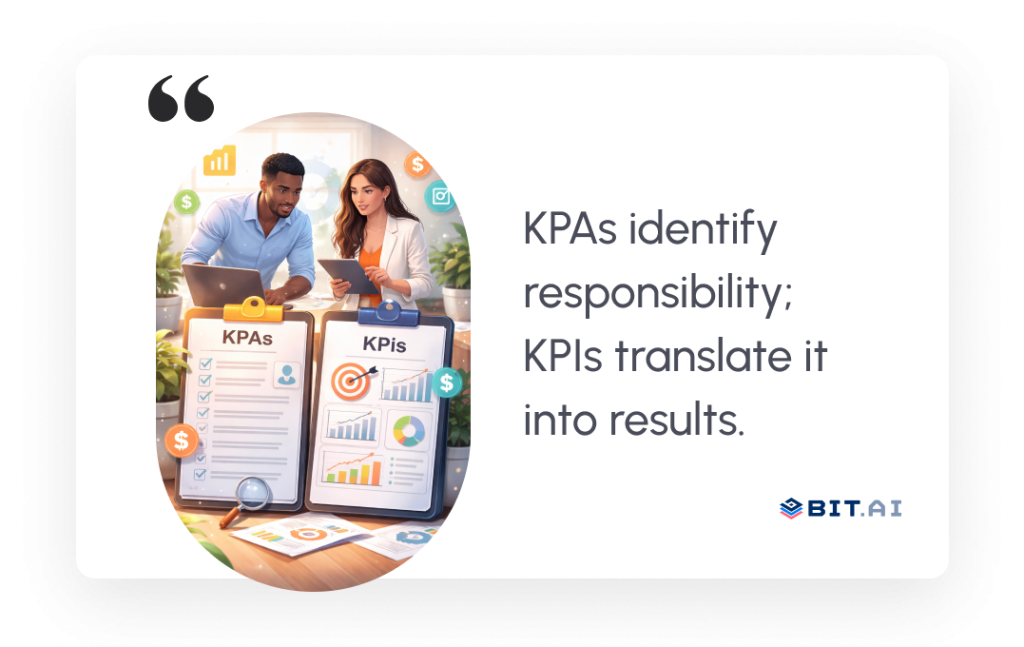
Here is an illustration of this for different positions:
| Role | KPA | KPI |
| Sales Manager | Revenue Growth | Number of deals closed per month |
| HR Manager | Employee Retention | Attrition rate per quarter |
| Marketing Manager | Lead Generation | Number of qualified leads per week |
| Customer Support | Service Quality | Average ticket resolution time |
The key thing to notice is that every KPI sits inside a KPA. A KPA without KPIs is just a vague intention. A KPI without a KPA is just a random number. Together, they create a clear, focused performance management system that actually helps teams move forward.
Understanding the difference is great, but figuring out which exact metrics your team should track is where the real magic happens.

How to Set Meaningful KPIs for Your Team
Understanding KPIs is one thing, but figuring out which ones are right for your team is where the real challenge lies.
One mistake that a lot of teams make is tracking too many different numbers at one time. This leads to long lists of all sorts of metrics that, in reality, no one is using to make decisions. It isn’t about collecting data on everything; it’s about collecting data on the right things.
Setting meaningful KPIs that your team not only understands but also uses is a simple and practical process.
Step 1: Begin with Your KPAs
You should be clear about your Key Performance Areas before you start thinking of any KPIs.
Consider what the major areas of responsibility for this role or team are. Once you have determined your KPAs, your KPIs will be more of a natural by-product. Any KPI you decide should be a part of one of your KPAs. If not, then the question is, why are you measuring it in the first place?
Step 2: Link Each KPI to a Strategic Goal
A KPI matures to a point where it’s useful only when it’s tied to a larger goal.
As an illustration, if your company’s objective is to increase customers, then your marketing department’s KPI should represent that, such as the number of new leads generated each month. When the goal is to get customer satisfaction to a higher level, the KPI of your support team should focus on that, e.g., the average time for problem resolution.
Be sure to always ask yourself, ” Will this KPI really take us one step closer to our goal? If the answer is no, then get rid of it.

PRO TIP
Stick to 3 to 5 KPIs per team. A great number of KPIs leads to scattered focus. Too few, and there are blind spots. The ideal situation is a small number of high-impact metrics that everybody understands and tracks regularly.
Step 3: Turn Every KPI into a Specific, Quantifiable Target
General KPIs will only get you general results.
Don’t say “improve customer satisfaction.” Say “achieve a customer satisfaction score of 85% or above by the end of this quarter.” Don’t say “increase website traffic.” Say “grow monthly website visitors by 30% over the next three months.”
The clearer your KPI, the more your team will understand exactly what they are aiming for, and if they are on track.
Step 4: Regularly Check and Change Your KPIs
Creating KPIs is not a one-off job.
Business targets change. Work focus changes. A KPI that was perfect three months ago may be totally off today. Don’t just wait until you are frustrated by a change of circumstances or goals to update your KPIs. Make a practice of reviewing your KPIs monthly or quarterly and changing them if your goals and situations require.
If no one ever looks at a KPI, then it’s just a number in a spreadsheet. A KPI that is kept up-to-date, talked about, and altered as necessary is a great growth aid.
Step 5: Turn It into a Team Dialogue
The best KPIs come not from the top but through collaboration.
People whose job it is to meet certain KPIs and who actually help in figuring those out tend to take it more personally. Also, such people have a better sense of the importance of each metric and are more enthusiastic about reaching their targets. Get your team involved in this and be amazed at how much more committed the entire crew is.
You know how to set strong KPIs. The Next challenge is keeping them organized, visible and easy to track- and that is exactly where Bit.ai comes in.
How Bit.ai Helps You Track KPAs and KPIs
Only setting KPIs is the beginning of your job. The other side of the coin is to keep everything organized, visible, and easy to update, so that your team can really use them day to day.
Most teams struggle at that point. KPIs become like a patchwork of spreadsheets, emails, and chat messages. Everyone is uncertain about which document is the latest. Updates are missed. And slowly, the whole system gives up.
Bit.ai combines all your documents in one smart, collaborative workspace, so you can easily document, track, and improve your KPAs and KPIs without the disruptive experience.

Here’s how Bit.ai makes the whole process a piece of cake for you.
Generate KPIs Instantly With Bit.ai AI Tool
No idea how to begin working on your KPIs? Bit.ai is here to help you.
Bit.ai Key Performance Indicators AI Generator is a state-of-the-art AI-based idea-generating tool that helps you come up with the best, smart, measurable KPIs in moments. Just type in your role, department, or business objective, and Bit.ai will immediately create a set of relevant, tailor-made KPIs aligned with your specific goals.
You won’t have to waste your time staring at the blank page, wondering what to measure. The AI Generator will take care of the hard work while you concentrate on the implementation.
This is what it gives you:
- Pre-Built KPI Templates — pick one from a collection of industry-specific and role-based KPI ideas
- Smart Suggestions — allow Bit.ai AI writer to suggest KPIs that are relevant to your objectives and team inputs
- Full Customization — adjust each KPI so that it fits your organization’s language, targets, and tools
- Collaborative Editing — share the document with your team so that you can jointly finalize KPIs during live work sessions
Keep Everything in One Organized Workspace
Having a well-organized central location to store, track, and update your KPIs is essential once you’ve set them.
Bit.ai workspace organization feature allows you to split spaces for various teams or departments, HR, Sales, Marketing, Operations, with all their KPA documentation, KPI monitoring sheets, and performance-related notes being in one structured and searchable place.
There will be no need to waste time looking for files. You won’t have to ask “which version is the correct one?”. Your team will always have its resources easily accessible and up-to-date.
Collaborate and Update in Real Time
Performance tracking can never be a lone endeavor.
Using Bit.ai, your whole team will be able to work on KPI documents simultaneously, commenting, editing, and updating progress, within the very same document. Besides, managers can still make performance evaluations, write notes, and give feedback all without one single email chain.
This comes in handy especially for team meetings that happen monthly or quarterly, where people have to sit down and work out what has been done, what can be improved, and what will be the next plan.
Use Ready-Made Templates to Get Started Faster
Starting over each time is inefficient.
Bit.ai provides the document template library that makes it fast and simple to establish your KPI tracking process without quality loss. Whether you are making the performance appraisal document, quarterly goal tracker, or team KPI dashboard, there is a ready-to-use template for you.
Also Read:
Want to go deeper on KPAs? Check out Bit.ai detailed guide — Key Performance Areas (KPA) Simplified: Types, Benefits & More — for everything you need to know about identifying and using KPAs effectively in your organization.
Once documentation, collaboration, and AI-driven tools are consolidated, KPA and KPI tracking becomes less daunting. It naturally and seamlessly integrates into your team’s daily workflow.
Conclusion
It’s not ambition that is lacking in teams, but clarity.
People without clearly defined Key Performance Areas often end up drowning in work; they are doing a lot of things without really progressing in any of them. Lack of the right Key Performance Indicators simply means that there is no way to evaluate whether the work is yielding the desired results.
On the other hand, when KPAs and KPIs are aligned, your team suddenly knows exactly what to concentrate on. Everyone can visualize what the road to success looks like. In fact, progress or improvement turns into a source of motivation as it becomes visible, quantifiable, and accountable.
In fact, a simple system is all you really need to work this out.
Bit.ai equips your team with a clever, cooperative platform to set KPAs, create KPIs-driven by AI, monitor progress continuously, and store everything in an orderly manner. From the KPI Generator AI tool to pre-made templates and live collaborative work, Bit.ai transforms team performance management into something you actually look forward to.
Further Reading: If you want to go even deeper, check out these helpful resources from the Bit.ai blog:
Start with your KPAs. Build your KPIs around them. And use the right tools to keep your team aligned and moving forward, every single day.
FAQs
Q1. What is the difference between key performance areas and KPIs?
Key Performance Area describes the general area where a person or team has to give their attention, for example, Revenue Growth or Employee Retention. A key performance indicator is a precise, measurable figure that monitors the progress in that area, like the number of deals closed per month or the employee turnover rate per quarter. KPAs tell you where to concentrate your efforts, while KPIs tell you how well you are doing in that area.
Q2. What are some common KPIs for sales and marketing teams?
For sales reps, common KPIs are the number of new deals closed every month, lead conversion rate, and average size of a deal. For marketers, common KPIs include the number of good-quality leads generated in a week, growth of website traffic, email open rate, and cost per lead. Suitable KPIs always depend on the key performance areas and specific goals of the team.
Q3. How do you track KPIs in a simple way?
The easiest way to track KPIs is to keep them in a single centralized, collaborative document that the whole team can access and update regularly. Bit.ai facilitates this process by providing teams with an organized workspace to document their KPIs, track progress in real time, and review performance together. It is also good to keep looking at your KPIs at the end of every month or quarter to make sure they remain relevant and helpful.
Q4. How do KPAs and KPIs improve team performance?
Working with KPAs helps teams by showing them where to focus their energy, so that people don’t end up overextending themselves in different directions. On the other hand, KPIs offer teams quantified evidence of the impact of their work. Altogether, they furnish a performance management system based on data and focus, in which everyone understands their roles, what success looks like, and what areas require improvement. This ultimately results in better decision-making, achieving higher outcomes, and having a team that is well-coordinated.