Have you ever felt that your team struggles to adapt when new processes, systems, or tools are introduced?
You are not alone. In today’s fast-paced environment, handling change management can be overwhelming for businesses without proper structure and supporting technology. This is where change management tools help.
They are not just spreadsheets or checklists; the whole process is driven by accountability, teamwork, and a transparent playbook that accompanies the change management process through all its stages. Whether it is the formulation of strategy or the execution of change, transitions are smoother, more rapid, and data-informed.
Change is inevitable, be it a new product launch, a change in company culture, or even a worldwide digitization initiative. The real challenge is managing the change while keeping your people motivated, informed, and aligned.
In this blog, you will learn how to find the best change management tools for your team, explore the top techniques in the industry, and see how Bit.ai can help you plan, document, and execute change like a pro.
So, are you ready to change how your team does change? Let’s get started!
What are Change Management Tools and Why They Matter
So, what are change management tools and why should you care?
Think of them like your team’s digital support group in times of transition: They help you strategize, document, communicate, and implement change initiatives, from the introduction of new technology and changes in workflow to large-scale organizational changes.
Most of the efforts at change do not succeed when teams rely on random spreadsheets or scattered emails because they create confusion and miscommunication. The right tools in change management allow you to create a central hub where everyone can access the plan in real time, progress updates, and training resources. This way, your journey toward change remains clear and organized.
Excellent change management software gives a structure to your processes, from tracking who’s responsible for what to finding the bottlenecks and providing insight into how your team adapts to new systems. With such a software solution, all communication and documentation are centralized in one place. This reduces friction and allows people to have more confidence during transitions.
Platforms like these decrease much of the uncertainty and lack of accountability, regardless of whether they are being implemented in a startup team trying new tools or within a large global organization that is going through digital transformation.
In other words, these tools bridge the gap between what needs to be changed and how the change can be effectively brought about.
Next up → Let’s explore what features you should look for when selecting the right software for change management for your team. ⚙️
Key Features to Look for in Software for Change Management
Choosing the right software to manage the change can make or break the transformation project. With a lot of tools in the market, how will you know which tool is worth your time and budget? Let’s walk through the features you should never overlook.
Collaboration and Communication
After all, change thrives on teamwork! Excellent change management tools let you bring leaders, employees, and stakeholders into one single workspace. You can update, task, and discuss ideas with no need to lean on endless email threads or messy chat logs.
When everyone is on the same page, it will take your team from confusion to clarity in no time.
Documentation and Knowledge Sharing
The key to successful change is clear communication and available information. The best platforms will document every phase of your change management process from planning to rollout, so no one has to guess what’s next.
Centralized documentation also reduces the “Where’s that file?” chaos that can really slow the implementation of change.
Tracking and Reporting
You can’t improve upon what you don’t measure. Tracking progress, timelines, and adoption rates shows you what’s working and what needs to be tuned.
This type of visibility helps you build trust and prove to stakeholders that a change management strategy works.
Integration Capabilities
Rarely does change happen in isolation. You need your change management tool to integrate with project management platforms, communication tools, and document systems already in use by your team.
Integrations keep the data flowing easily, reduce manual work, and allow everything to be connected for a smoother experience while implementing changes.
Next up → Let’s look at some of the most popular change management tools and techniques teams around the world are using to stay ahead of change.
I am text block. Click edit button to change this text. Lorem ipsum dolor sit amet, consectetur adipiscing elit. Ut elit tellus, luctus nec ullamcorper mattis, pulvinar dapibus leo.
Popular Change Management Techniques Used by Teams
Ever wondered how companies like Microsoft, Deloitte, or Google manage transitions without losing productivity? It is all about integrating proven methods of managing change with effective digital tools. Methods like these provide structure, clarity, and momentum for your team throughout the entire change journey.
Let us explore the most widely used change management techniques and understand how each one actually works in practice.
1. ADKAR Model
The ADKAR Model focuses on the individual side of change. It explains how people move from awareness to long-term adoption through five sequential stages.
Awareness: Understanding why the change is necessary.
Desire: Wanting to support and participate in the change.
Knowledge: Learning how to change.
Ability: Applying new skills and behaviors.
Reinforcement: Sustaining the change over time.
This model is especially useful because it highlights where resistance usually occurs.
For example, if a company introduces a new CRM system, employees may understand why the change is happening (Awareness) but still resist using it because they do not feel confident with the interface (Ability). ADKAR helps leaders identify exactly where support is needed instead of assuming resistance is just an attitude.
? Ideal for: Teams managing behavior shifts, adoption of new tools, or policy changes.
2. Kotter’s 8 Step Model
The focus of Kotter’s model is on the organization’s momentum. Change is a structured, leadership-driven process.
The eight steps include:
- Creating urgency
- Building a guiding coalition
- Forming a clear vision
- Communicating that vision
- Removing obstacles
- Generating short-term wins
- Sustaining acceleration
- Anchoring change in culture
The reason this model is effective is that it views change as a process throughout which each phase prepares the organization in three aspects: emotionally, strategically, and culturally.
Many organizations fail at Kotter’s model not because the steps are wrong, but because they skip celebrating short-term wins. Without visible progress, teams quickly lose belief in the change.
? Ideal for: Large-scale transformations, mergers, restructuring, or cultural change.
3. Lewin’s Change Model
Lewin’s model simplifies change into three clear phases.
Unfreeze: Preparing people to accept that change is necessary.
Change: Introducing new processes, systems, or behaviors.
Refreeze: Stabilizing the organization around the new way of working.
This model is powerful because it reminds teams that change is not complete until new behaviors become normal habits. Most change failures happen during the Refreeze stage, when teams move on too quickly, and new habits never fully stabilize.
? Ideal for: Process improvements, tool migrations, and policy updates.
Turning Models Into Action
These models give you the thinking framework for managing change. But in real workplaces, frameworks alone are not enough. Teams require not only clear but also proper documentation, communication, and visibility to implement these models uniformly and without hitches.
It is at this point that modern change management tools come in to assist as they take over the documentation of plans, tracking of progress, sharing of updates, and maintaining alignment among all stakeholders during the change process.
Next up → Learn how Bit.ai brings these principles together by providing you with intelligent features that help you seamlessly plan, document, and manage organizational change.
Bit.ai: A Smart Platform to Manage Organizational Change
Bit.ai is an AI-powered docs, wikis, and knowledge management platform built for teams that want to plan, document, and manage organizational change seamlessly.
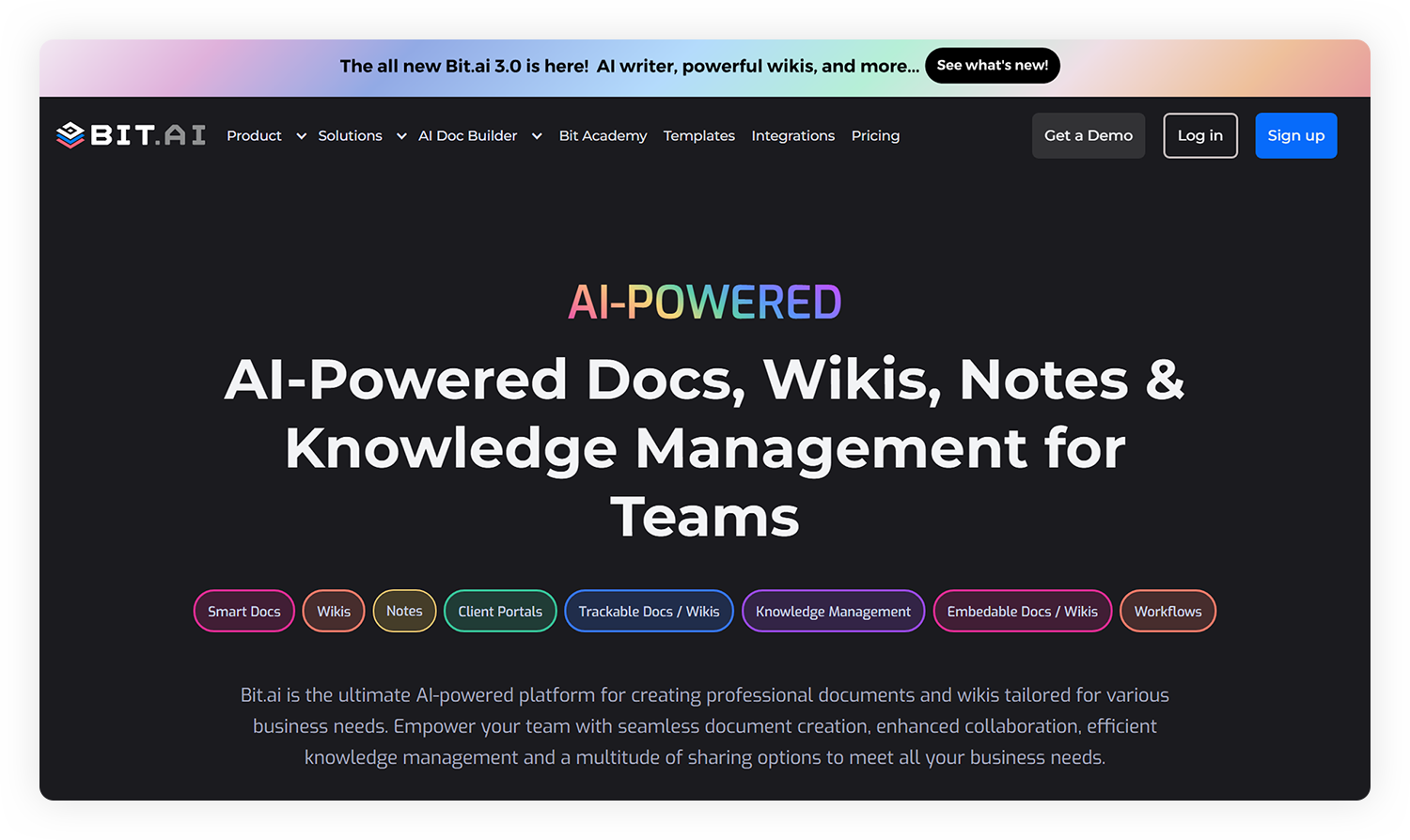
When your organization is undergoing a transition, clarity in communication and documentation is not an option; it is a necessity. With Bit.ai, you can transform the way your team plans, executes, and documents change. Instead of navigating through various files and conversations, you have a single smart platform where all of your change management can occur in harmony.
We detail below how Bit.ai contributes to making this change smoother, smarter, and more successful.
Plan Change with Confidence
Before any change is made, clarity should come first. Bit.ai helps organize the change management plan inside collaborative workspaces. You can map out goals, identify stakeholders, document assigned roles and timelines-all in one place.
It also embeds charts, diagrams, and links from more than 100 tools, such as Google Drive, Figma, or Airtable, using the smart editor from Bit.ai, making your planning documents highly interactive.
Document Every Step of the Process
When in full swing, consistent documentation keeps it all aligned. Create dynamic docs and wikis with Bit.ai, which grow with your team. Rest assured that every single piece of knowledge will be up-to-date, from internal updates to SOPs and training guides, searchable in one place.
If you are working on building structured workflows or procedures, Bit.ai even has ready-to-use Change Management Procedure Prompts to help you outline each of the steps clearly.
And the best part? Every document saves its version history, allowing you to track changes, revert to earlier drafts, and maintain complete transparency.
Communicate & Collaborate in Real Time
When communication breaks down, change can feel chaotic. Bit.ai removes that by making collaboration seamless and easy.
- Co-edit documents with your team in real time.
- Tag stakeholders in comments to receive quick feedback.
- Share updates with trackable links to know when documents are accessed.
It has an intuitive interface that makes sure everyone, from leadership to on-ground teams, is informed, connected, and aligned on everything that impacts key decisions.
Track Progress & Measure Impact
The moment your plan goes live, visibility becomes your biggest asset. Bit.ai lets you monitor engagement with shared documents to understand awareness and adoption across teams.
You can see how your communication and documentation around change are being received. Identify who’s engaging with your strategy materials, and make sure teams have access to the right files.
Manage Organizational Change Holistically
Implementation does not constitute the end of change. It is equally important to maintain processes and behavior. Bit.ai provides a home for lessons learned, best practices, and organizational updates in a knowledge base that will be useful long into the future.
You can set up a centralized organizational change management hub within Bit.ai to manage continuous improvements and onboard new team members with ease.
Why You Will Love Using Bit.ai for Change Management
- Smart workspaces to organize all change initiatives
- Role-based permissions for controlled access
- Dynamic docs & wikis for centralized knowledge
- Use AI Genius Writer to instantly generate policy updates or draft communications
- Trackable links for basic engagement visibility
- Integrate with more than 100 apps out of the box for seamless user adoption
? Quick Fact: Organizations making meaningful progress on key human-capital trends are nearly twice as likely to achieve desired business and human outcomes.
Next up → Let’s uncover how you can build a successful change management strategy with a few actionable tips.
Tips to Choose the Best Change Management Software
Choosing an appropriate software for change management is daunting because there are so many platforms claiming to simplify the process of transformation. Not every tool will suit every team.
To help you make an intelligent choice, here’s how you can assess and find the best fit for your organization’s needs.
1. Identify Your Change Management Goals
Prior to looking for tools, consider these questions:
What are the specific pain areas you would like the tool to address, like communication, documentation, tracking progress, or alignment with stakeholders?
Understanding your goals will help narrow the search and make sure that you are investing in tools that contribute to the process of change management.
2. Ease of Use & Collaboration
Intuitive tools will enable quicker adoption by your team. You want to find a platform that allows real-time collaboration, AI-powered writing and content assistance, and multi-departmental workflows with no technical friction.
Remember that even the most advanced tool fails if your team can’t or won’t use it regularly.
3. Ensure Integration with Existing Systems
Seamless integration is what forms the backbone of any successful change management process. That’s where your new tool will seamlessly integrate with apps like Slack, Microsoft Teams, and Google Workspace, or even your HR and CRM systems, for information to flow across without any barriers.
Imagine introducing a new workflow and having each update immediately displayed on communication channels, task boards, and documentation tools. No redundant manual work, no confusion, no delays.
4. Look for Transparency and Version History
In organizational change, many people can edit documents, update project plans, and share resources all at the same time. Lack of sufficient transparency can result in very rapid chaos: having duplicate files, instructions that are no longer valid, and unclear ownership. Version History and trackable links have come along as revolutionizers: you are now informed about who did what and when.
Being able to roll back to a previous version, track the engagement of documents, and maintain full visibility throughout the change implementation process is also possible. For example, Bit.ai enables permission based on roles. A user can grant permission to view, edit, or even comment-a perfect balance between security and collaboration.
5. Choose Scalable and Secure Platforms
Growth never stops-and neither should your tools. The main features that are being considered should be scalability and security when evaluating change management software. As your organization grows, so does the complexity of managing your people, processes, and data.
The best platforms evolve with you: you can add new users, departments, and integrations without disruption. A well-integrated, transparent, and scalable tool doesn’t just help you manage change; it helps you lead it with confidence.
Wrapping Up: Give Your Team the Confidence to Lead Change
Change is not an occurrence; it is a process.
Each successful change process requires structure, communication, and collaboration. Earlier, you have reflected on how the right change management tools make for a streamlined workplace, support your people, and ease transitions as never before.
Change management is not about directing any outcome; instead, it’s about enabling your team to adapt, learn, and grow together. As you blend the right strategy, technology, and culture, transformation becomes manageable and, more importantly, inspiring.
Bit.ai allows you to plan, document, and support each phase of your change management process—all in one place. With interactive wikis, AI-assisted documentation, version History, and permissioning capabilities, Bit.ai gives your team the tools to change like a pro.
Whether rolling out new projects, changing company workflows, or just introducing new policies, Bit.ai should be your go-to space for clarity, collaboration, and confident documentation.
FAQs
1. Which is the best change management tool to be used?
There is no best change management tool for every business, since every organization has a different objective and work process. Bit.ai is one of the platforms teams use to plan, document, and track every stage of change while ensuring seamless collaboration and clear communication.
2. What is the main purpose of change management tools?
Change management tools ultimately have one primary goal: to make organizational changes more organized, clear, and smooth. The tools enable effective communication, keep the documentation of updates in one place, and track progress so that everyone involved is kept up-to-date during the change management process.
3. What is the difference between change management tools and processes?
The change management process covers a sequence of actions that an organization plans for, implements, and then reinforces on its path towards change. The tools related to change management are, in contrast, digital or online resources that aid one in implementing the outlined steps through automation, better visualization, and keeping teams connected.
4. What are the advantages of using change management software?
Utilizing change management software helps teams stay organized and aligned. It helps improve communication as well as provides clear documentation and tracking updates in real time. All of this structure is intended to help organizations avoid confusion, optimize efficiency, and deliver change implementation more seamlessly.
5. Can Bit.ai be utilized to manage organizational change?
Yes, organizations use Bit.ai to plan, document, communicate, and support every phase in their change process-from defining change strategies to sharing updated information. Bit.ai keeps everyone aligned and confident in the transition