The truth is, nobody has time to read a 10-page brochure anymore. Attention spans are short, and in today’s fast-moving world, you only get a few seconds to make your point. That’s why a fact sheet can be such a powerful tool.
Whether you’re pitching your business to investors, promoting a product, or planning a big event, a well-designed fact sheet delivers the essentials clearly and quickly, your secret weapon for standing out.
But here’s the real question: what makes a fact sheet truly effective? What does a professional fact sheet look like, and where do you even start?
In this guide, we’ll show you the best fact sheet examples for businesses, products, and events, plus practical tips to create your own with impact.
What is a Fact Sheet? (Definition)
A fact sheet is a one-page document that highlights the most important details about a specific topic clearly and concisely. It’s designed to give readers a quick snapshot – whether it’s about you, your organization, an event, a product, or a campaign.
Think of a fact sheet as your quick reference guide: quick to read, hard to forget, and unbelievably powerful! Rather than overwhelming readers with pages of text, a fact sheet brings everything down to one page: who, what, when, where, and why about any company or product.
Want to sum up your company’s milestones over the past ten years, introduce a new product or service, or summarize the key details of an up-and-coming event? A fact sheet helps you communicate that information quickly and efficiently while keeping your reader’s time in mind.
12 Fact Sheet Examples at Glance
Fact sheets are not a “one size fits all” document; the best fact sheets are tailored to the purpose. Whether it’s a product promotion, a short description of important aspects of your business, or event preparation, a good fact sheet supports your efforts in communicating information accurately, efficiently, and simply.
The following layout templates highlight strong examples of how to use fact sheets in each of those different scenarios, with each respective version highlighting its own focus, tone, and layout.
| Fact Sheet Example | Best Used For |
|---|---|
| Company Fact Sheet | Company overviews, media kits, investor presentations |
| Product Fact Sheet | Product launches, sales enablement, customer education |
| Event Fact Sheet | Conferences, workshops, fundraisers, and events |
| Startup Fact Sheet | Investor pitches, fundraising, partnerships |
| Financial Fact Sheet | Shareholder reports and financial summaries |
| Research Fact Sheet | Research findings, studies, and reports |
| Personal Fact Sheet | Freelancers, consultants, and job seekers |
| Data Fact Sheet | Technical specifications and data reporting |
| Nonprofit Fact Sheet | Fundraising and awareness campaigns |
| Marketing Campaign Fact Sheet | Campaign planning and performance reporting |
| Conference Speaker Fact Sheet | Speaker introductions and event programs |
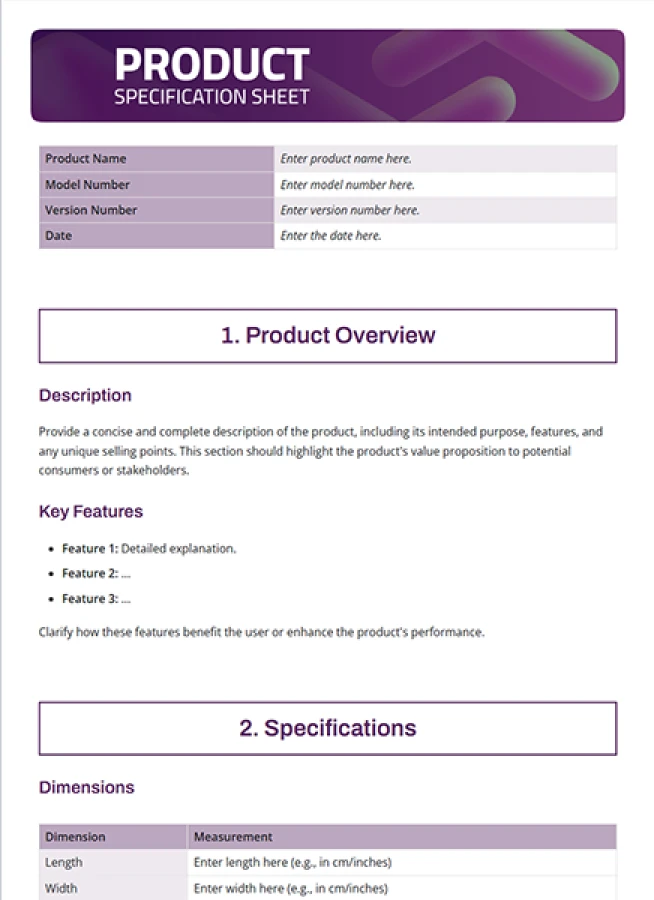
| Product Specification Sheet | Technical products and manufacturing details |
Want to see some face sheet in action? Here are 12 fact sheet examples that inspire. Each of these examples is inspiring for different reasons, such as design, use of data, and excellent presentation of information.
1. Company Fact Sheet
FREE TEMPLATE
The Company Fact Sheet Template Teams Actually Use
Includes company overview, mission, leadership details, key metrics, products, services, and contact information.
✔ Pre-filled sections
✔ Easy to customize
✔ Startups, SMEs & Enterprises
Takes under 1 minute • Trusted by teams at startups & enterprises
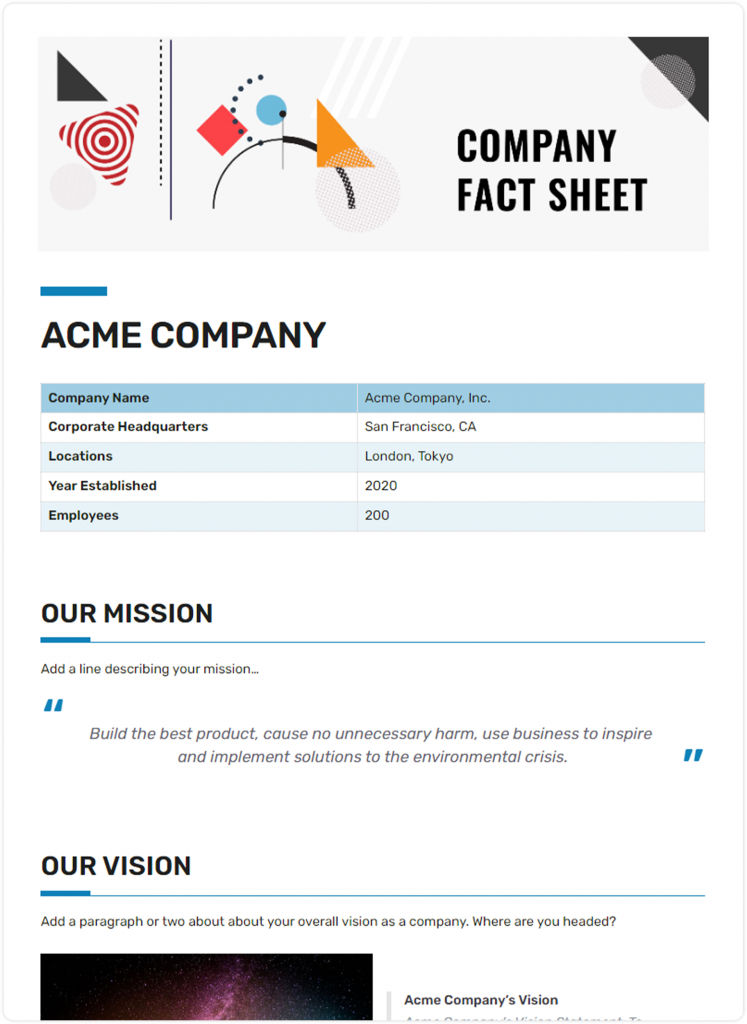
A company’s fact sheet is a classic fact sheet example that has ever existed. The company fact sheet template has a clean and modern design with your logo, company overview, mission, milestones, and contact information. It is the ideal fact sheet for a media kit, investor, or even onboarding a new team member.
Best Used For: Investor meetings, media kits, partnerships, and company introductions.
What It Typically Includes:
- Company overview
- Mission and vision
- Key milestones
- Products or services
- Contact information
Example:
A software company might use a company fact sheet to showcase its founding year, mission, customer base, annual growth, leadership team, and contact details when pitching investors or media outlets.

Want a faster way to turn your company details into a polished fact sheet?
Use Bit.ai’s AI Company Fact Sheet Generator to generate a structured first draft in minutes. →
2. Product Fact Sheet
FREE TEMPLATE
The Product Fact Sheet Template Teams Actually Use
Includes product overview, key features, specifications, benefits, pricing details, and contact information.
✔ Pre-filled sections
✔ Easy to customize
✔ Product, Marketing & Sales Teams
Takes under 1 minute • Trusted by teams at startups & enterprises
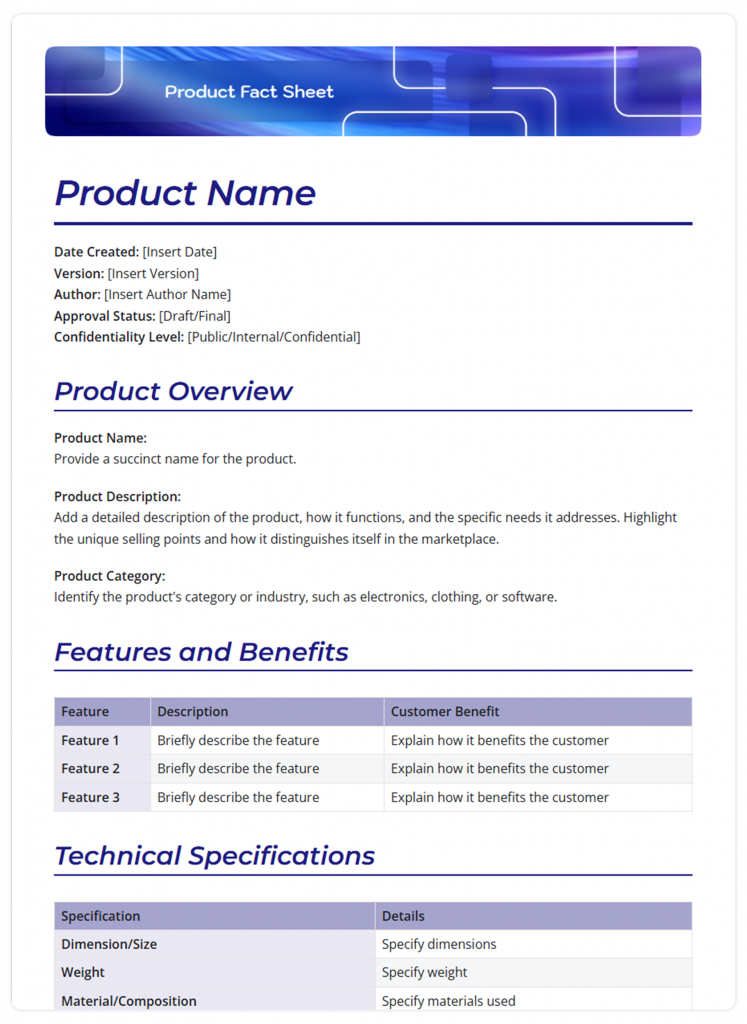
Are you launching a new thing? A product fact sheet provides details of products, features, benefits, packaging details, and images all in one spot. Product fact sheets are a great resource for trade shows, sales teams, or to reply to customer inquiries.
Best Used For: Product launches, sales presentations, trade shows, and customer education.
What It Typically Includes:
- Product description
- Key features
- Benefits
- Pricing information
- Product images
Example:
A smartphone manufacturer could create a fact sheet highlighting product specifications, battery life, pricing, key features, and warranty information for retailers and customers.
3. Event Fact Sheet
FREE TEMPLATE
The Event Fact Sheet Template Teams Actually Use
Includes event overview, agenda, venue details, schedules, speakers, sponsors, and attendee information.
✔ Ready-to-use format
✔ Edit once. Reuse anytime.
✔ Conferences, Workshops & Corporate Events
Takes under 1 minute • Trusted by teams at startups & enterprises
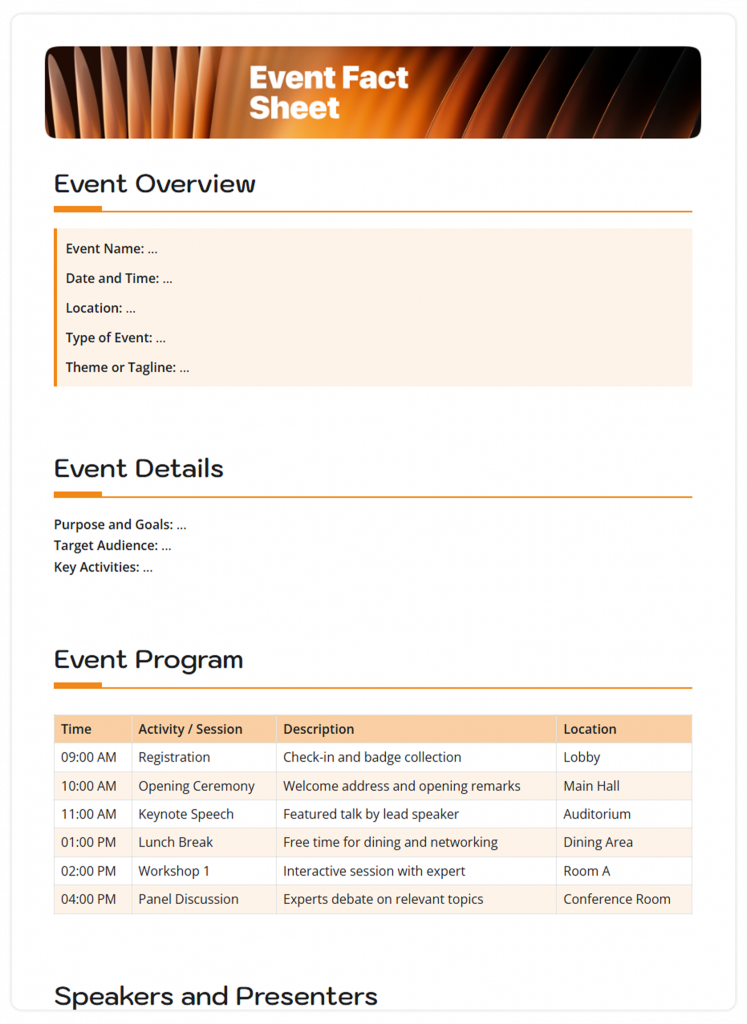
Whether you are hosting a conference, gala, or charity fundraiser, an event fact sheet provides the who, what, when, where, and why, and key agenda items, speakers, and sponsors. This is your event, distilled down, and ready to share with attendees, vendors, or the media.
Best Used For: Conferences, workshops, fundraisers, and corporate events.
What It Typically Includes:
- Event overview
- Date and venue
- Agenda highlights
- Speaker information
- Registration details
Example:
A conference organizer may use a fact sheet to summarize event dates, venue details, keynote speakers, agenda highlights, and registration information.
4. Startup Fact Sheet
FREE TEMPLATE
The Startup Fact Sheet Template Founders Actually Use
Includes company overview, mission, funding details, key metrics, products, target market, and leadership information.
✔ Professional layout included
✔ Saves time on documentation
✔ Perfect for Investors, Partners & Stakeholders
Takes under 1 minute • Trusted by teams at startups & enterprises
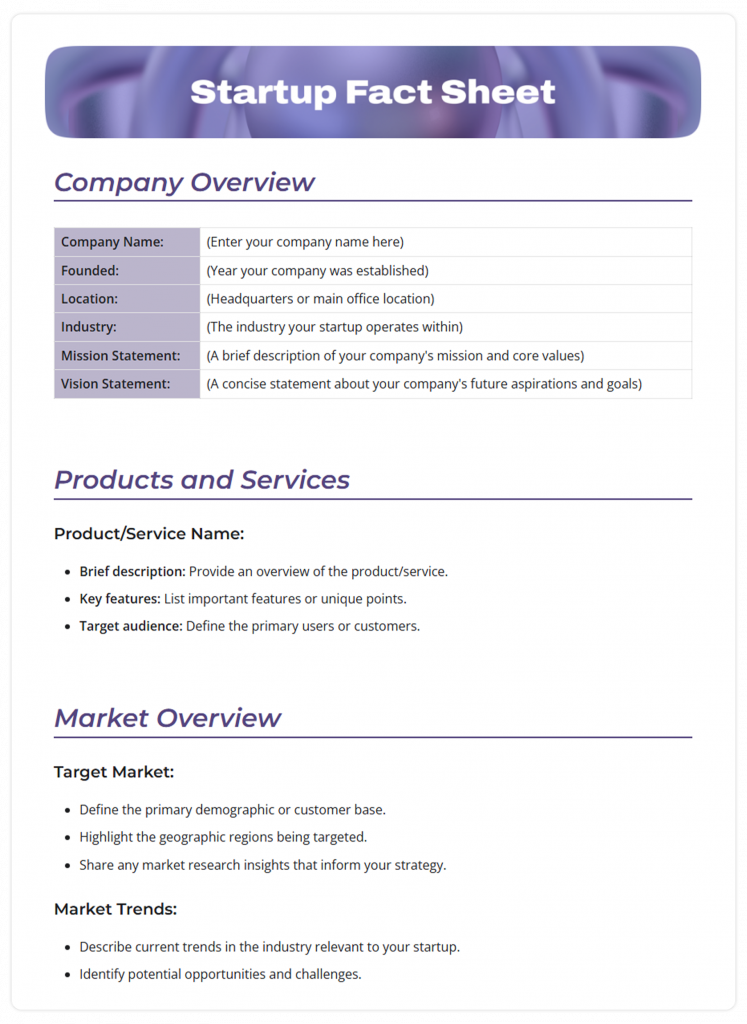
Startups need to make an impression fast. This fact sheet example will have you start with your valuation, stats, and figures of the market, team biographies, financial backing, and other details – all to capture the input of the reader. Now, you will need to grab the attention of your reader with the font, design, and images, as they won’t take long to decide whether they are going to read the content.
Best Used For: Fundraising, investor outreach, and partnership discussions.
What It Typically Includes:
- Startup overview
- Market opportunity
- Funding details
- Leadership team
- Growth metrics
5. Financial Fact Sheet
FREE TEMPLATE
Present Your Financials Clearly with This Financial Fact Sheet Template
Includes key financial data, company highlights, performance metrics, and essential business details.
✔ Pre-filled sections
✔ Makes financial information easy to scan
✔ Perfect for Investors & Business Teams
Takes under 1 minute • Trusted by teams at startups & enterprises
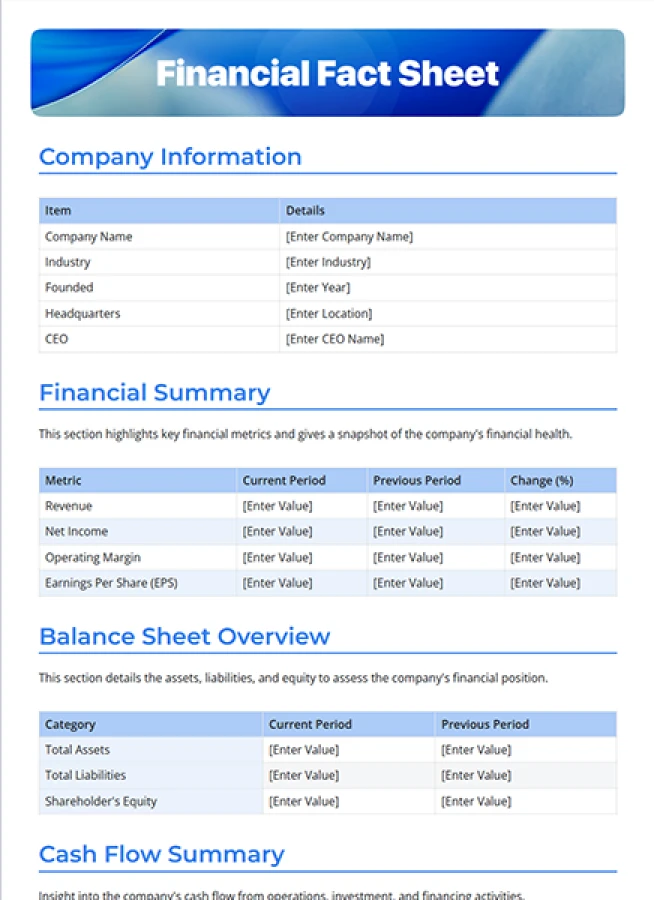
Financial facts do not need to be boring and tedious. A financial fact sheet presents information from numbers in a shortened form by way of charts, graphs, and other ways of displaying information that turn complex information into clearer and digestible information for shareholders, etc.
Best Used For: Shareholder updates, investor reports, and financial presentations.
What It Typically Includes:
- Revenue figures
- Financial highlights
- Growth trends
- Performance metrics
- Key financial ratios
Example:
A listed company may use a financial fact sheet to present annual revenue, profit margins, and key growth metrics in a simple format for investors and shareholders.
6. Research or Case Study Fact Sheet
FREE TEMPLATE
Present Research Findings Clearly with This Research Fact Sheet Template
Includes key findings, research data, insights, sources, and essential study details.
✔ Ready-to-use format
✔ Makes research easy to scan
✔ Perfect for Researchers & Academic Teams
Takes under 1 minute • Trusted by teams at startups & enterprises
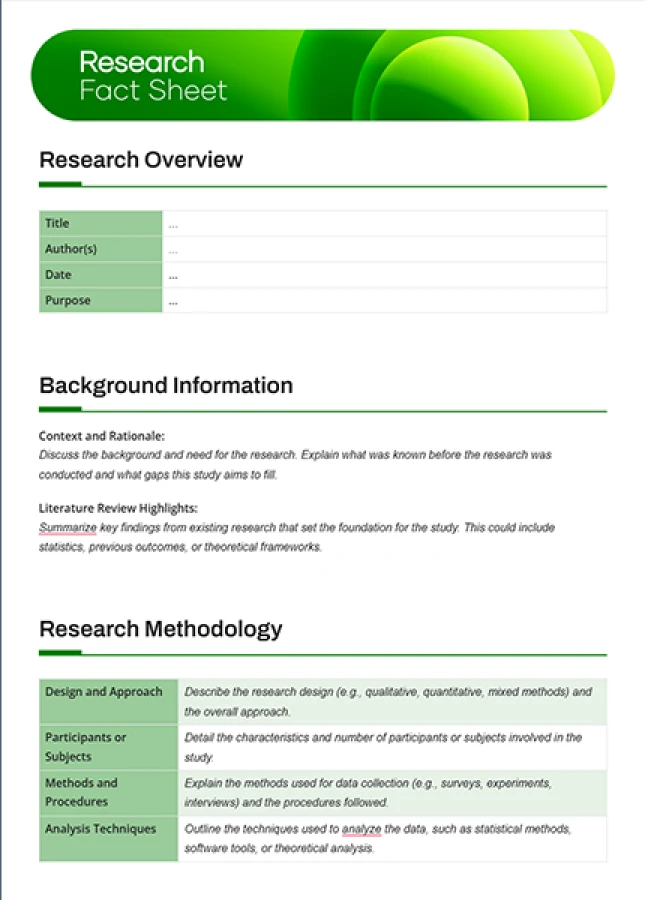
A research or case study fact sheet turns complex findings into something quick and easy to grasp. It should highlight the key results, social impact, and main recommendations – without overwhelming the reader.
Use visuals like charts, infographics, or short bullet points to make data engaging and easy to remember. This format is perfect for sharing insights with clients, partners, or at conferences where you need to communicate important takeaways in a clear, powerful way.
Best Used For: Presenting research findings, survey results, and case study outcomes.
What It Typically Includes:
- Research objective
- Key findings
- Statistics and data
- Recommendations
- Conclusion
Example:
A university research team may create a fact sheet to summarize study results, key data points, and recommendations in a clear, easy-to-read format for publication or stakeholder sharing.
7. Personal Fact Sheet
FREE TEMPLATE
Keep Your Key Details Organized with This Personal Fact Sheet Template
Includes personal information, skills, experience, achievements, and essential details.
✔ Ready-to-use format
✔ Keeps important information easy to scan
✔ Perfect for Personal & Professional Use
Takes under 1 minute • Trusted by teams at startups & enterprises
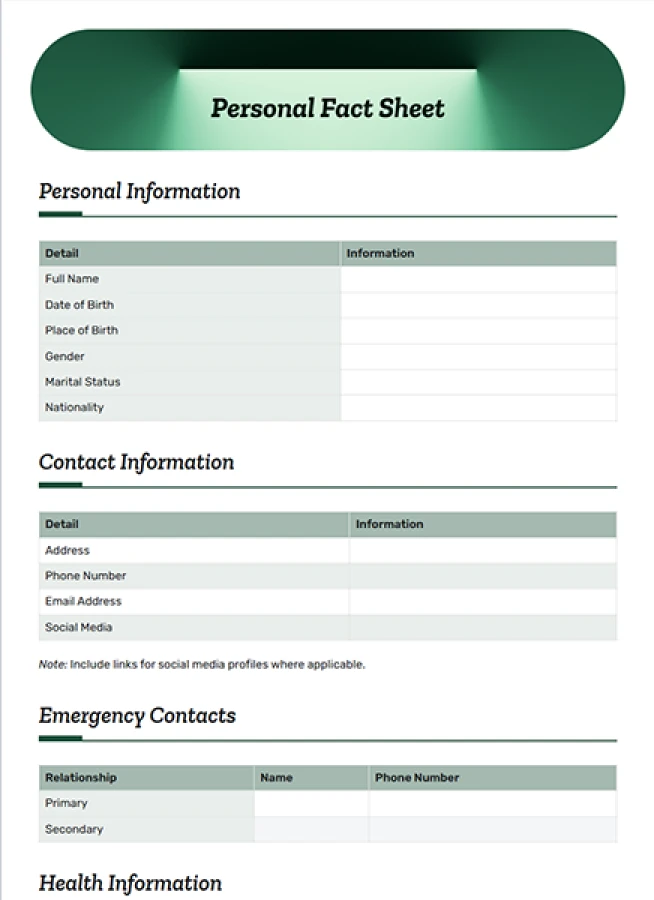
Perfect for freelancers or consultants, you create a quick one-page personalized outline of professional skills, experience, portfolio, and contact info, follow a positive plan, and you are on your way!
Best Used For: Freelancers, consultants, job seekers, and professional networking.
What It Typically Includes:
- Professional summary
- Skills and expertise
- Work experience
- Portfolio links
- Contact details
Example:
A freelance designer might use a personal fact sheet to quickly showcase skills, past projects, work experience, and contact details when applying for gigs or networking.
8. Data Fact Sheet
FREE TEMPLATE
Make Data Easy to Understand with This Data Fact Sheet Template
Includes key data points, statistics, insights, sources, and essential information.
✔ Ready-to-use format
✔ Makes complex data easy to scan
✔ Perfect for Data Reports & Presentations
Takes under 1 minute • Trusted by teams at startups & enterprises
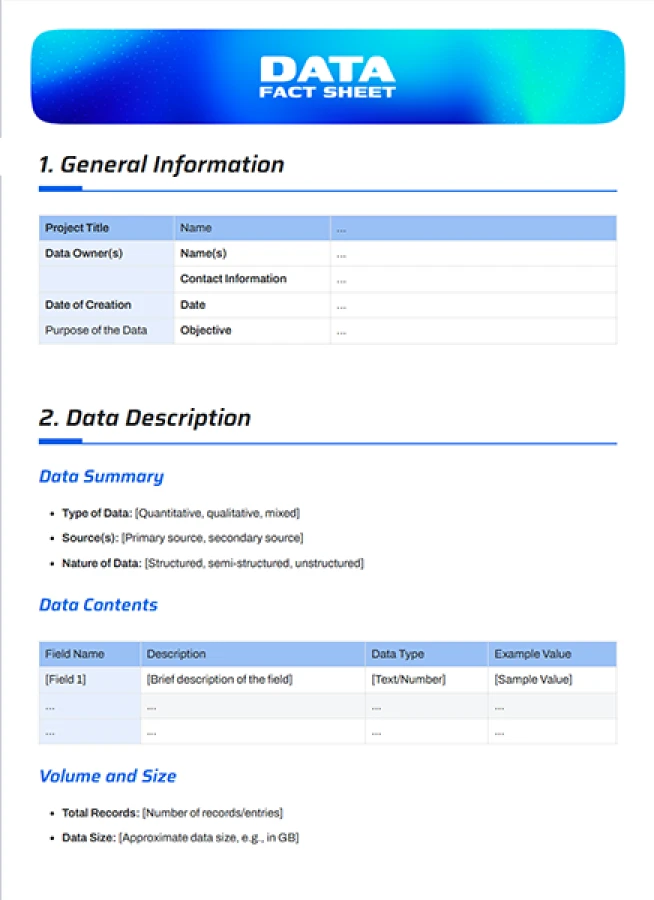
If you need to present product specifications or product technicalities, you can organize the information into a data fact sheet layout, using tables, icons, and infographic formats. You will be able to display great information to the users.
Best Used For: Technical documentation, product specifications, and data reporting.
What It Typically Includes:
- Key datasets
- Technical details
- Charts or tables
- Performance metrics
- Reference information
Example:
A SaaS company may prepare a data fact sheet to present technical specifications, usage statistics, and performance metrics for internal teams or clients.
9. Nonprofit or Cause Fact Sheet
FREE TEMPLATE
Create a Clear Nonprofit Fact Sheet
Organize your nonprofit’s mission, programs, impact, and key information in a professional, easy-to-share format.
✔ Ready-to-use format
✔ Easily edit, customize, and reuse
✔ Ideal for nonprofits, charities, fundraising teams, and organizations
Takes under 1 minute • Trusted by teams at startups & enterprises
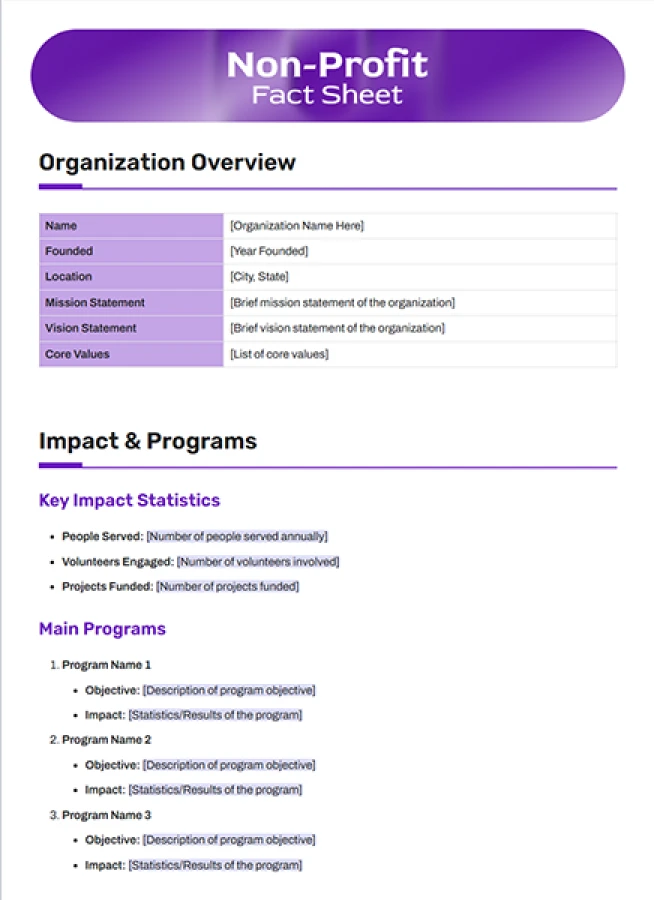
If you want to tell your unique story, demonstrate related statistics and impact related to donation size and amounts, and show ways to get involved, all of this can exist in a fact sheet and go viral through a shareable format. A fact sheet is great for fundraising or advocacy campaigns.
Best Used For: Fundraising campaigns, donor outreach, and awareness initiatives.
What It Typically Includes:
- Organization mission
- Impact statistics
- Program highlights
- Success stories
- Donation information
Example:
A charity organization may use a fact sheet to highlight its mission, impact statistics, donation usage, and ongoing programs to attract donors and volunteers.
10. Marketing Campaign Fact Sheet
FREE TEMPLATE
Plan Better Campaigns with This Marketing Campaign Fact Sheet
Includes campaign goals, audience, messaging, channels, and key metrics.
✔ Pre-filled sections
✔ Keeps campaign details organized
✔ Perfect for Marketing Teams & Campaign Planning
Takes under 1 minute • Trusted by teams at startups & enterprises
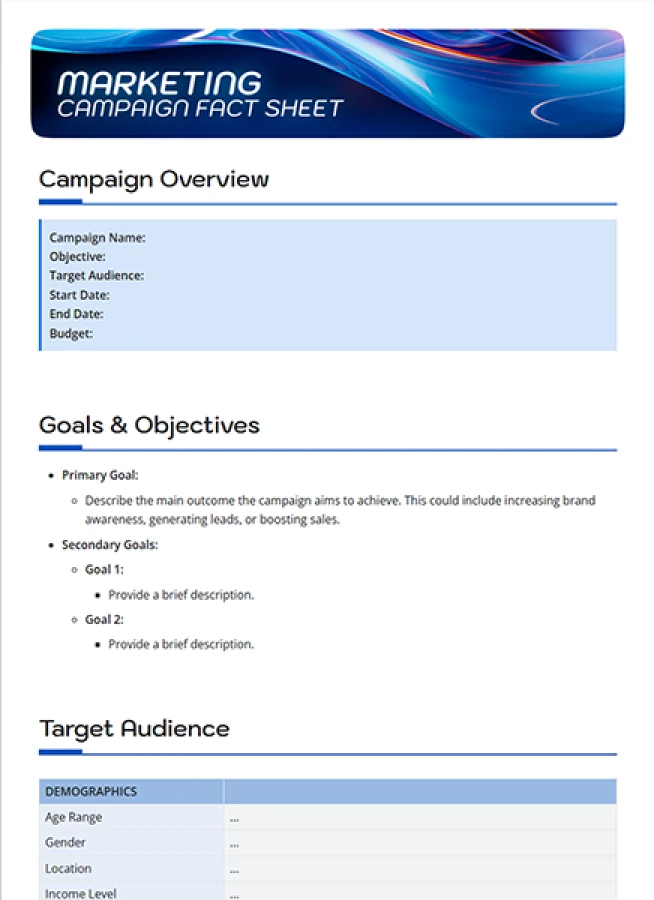
With a marketing campaign fact sheet, you are showing the important project values. When measuring success, what are the target audiences, key messages, and what were the key metrics of success? This succinct framework can be used at stakeholder meetings and keep the project on course.
Best Used For: Stakeholder reporting, campaign planning, and performance reviews.
What It Typically Includes:
- Campaign objectives
- Target audience
- Key messages
- Marketing channels
- Success metrics
Example:
A marketing team may create a fact sheet to summarize campaign objectives, target audience, key channels, and performance results for stakeholder reporting.
11. Conference Speaker Fact Sheet
FREE TEMPLATE
Showcase Speakers with This Conference Speaker Fact Sheet
Includes speaker bios, expertise, session details, achievements, and contact information.
✔ Ready-to-use format
✔ Keeps speaker details organized
✔ Perfect for Event Teams & Conference Organizers
Takes under 1 minute • Trusted by teams at startups & enterprises
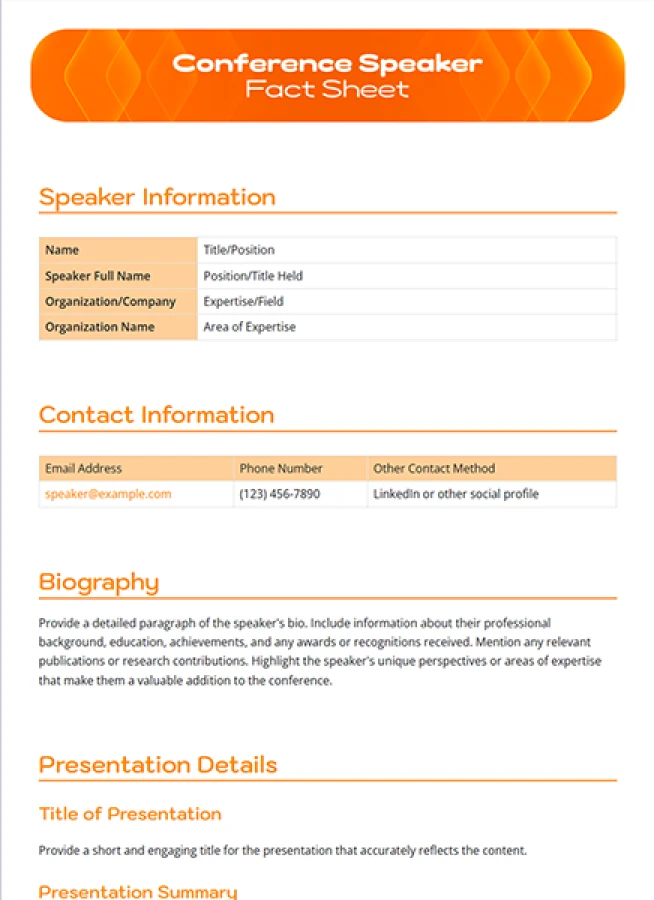
Utilizing the conference speaker fact sheet to offer attendees a short introduction to the keynote speakers, outlining speaker bio, session topic, timeline, and ways to connect with speakers (presentation, social). In this way, the attendees get what they came for and meet people in the networking space.
Best Used For: Conferences, seminars, webinars, and networking events.
What It Typically Includes:
- Speaker biography
- Session details
- Key topics
- Schedule information
- Social media links
Example:
An event organizer may prepare a speaker fact sheet outlining the speaker’s bio, topic, session timing, and key discussion points for attendees.
12. Product Specification Sheet
FREE TEMPLATE
Define Products Clearly with This Product Specification Sheet
Includes product features, technical details, dimensions, materials, and key specifications.
✔ Ready-to-use format
✔ Keeps product details organized
✔ Perfect for Product Teams & Manufacturers
Takes under 1 minute • Trusted by teams at startups & enterprises
This fact sheet format is beneficial for technical products, setting out dimensions, materials, how to use, and safety, so customers have all the information they need.
Best Used For: Manufacturing, eCommerce, technical sales, and product documentation.
What It Typically Includes:
- Product specifications
- Dimensions and materials
- Usage instructions
- Safety information
- Warranty details
Example:
An electronics brand may use a specification sheet to detail product dimensions, materials, technical features, usage instructions, and warranty information.
What Turns a Simple Fact Sheet into a Powerful One?
A good fact sheet? It is clean. It is crisp. It is easy to engage with, and most importantly, it does not overwhelm the reader with long blocks of text. Here are a few essentials to create a fact sheet that will look professional and actually work:
1. Clarity Over Cleverness
A fact sheet’s job isn’t to impress with fancy words; it’s to share information in a quick snapshot. Use easy-to-understand language so readers can quickly grasp the message. When readers don’t have to pause to “figure it out,” they naturally stay engaged.
2. Concise Layout
You don’t need pages of text to make an impact. The best fact sheets share just the essentials – organized, sharp, and to the point. If there’s a lot to say, break it into sections or bullet points.
3. Let Design Do the Talking Too
Good design isn’t decoration; it’s part of the message. A smart layout, clean colors, and enough space can make even complex information feel light and readable. Use headings, icons, and minimal visuals that support what you’re saying. The goal is simple – help the reader understand the facts without feeling tired halfway through.
4. Know Who You’re Talking To
Every audience reads differently. A product fact sheet for everyday customers should feel different from one meant for investors or board members. The tone, detail, and design should match their expectations. When people feel it’s made for them, they’re far more likely to pay attention.
5. Keep It True to Your Brand
From the tone of your words to your color palette, every detail should reflect who you are as a brand. A fact sheet that feels consistent with your brand identity builds trust. It shows that you’re thoughtful and reliable, not just trying to sell something.
The bottom line? A powerful fact sheet doesn’t need to try too hard. It’s simple and useful right from the first glance because, at the end of the day, it’s called a “fact” sheet for a reason.
Now that we understand what makes a fact sheet effective, let’s examine a step-by-step guide to structuring a fact sheet that gets it right.

The Smarter Way to Create and Manage Fact Sheets
Draft, edit, and distribute fact sheets effortlessly with Bit.ai’s collaborative document workspace.
Free to start • Set up in minutes
Now that we know what a fact sheet is, let’s move on to why it is important and what it takes to make a good fact sheet.
How to Structure a Fact Sheet That Actually Works?
Fact sheets are effective because they give people exactly what they need: no more, no less! But getting it “just right” takes more than throwing some facts on a page. A strong fact sheet is deliberate. It follows an organized structure, is visually comfortable, and every content element earns a presence.
Whether you’re creating one for a product, an event, or your company, here’s how to shape the core sections of a fact sheet and make each part work together effectively.
Step 1. Start with a Clear Title
Your title should immediately convey to the reader what the fact sheet is all about. If you are presenting your startup, a title like “Company Fact Sheet – [Your Company Name]” works. If it is about an event, a title like “Quick Facts – [Event Name] 2026” works. Keep it straightforward, and avoid using humorous words. The goal is to help people find the right information fast. When it comes to titles, simple always wins.
Step 2. A Brief Introduction or Purpose Statement
Right under the title should be a line or two that conveys the purpose of the fact sheet, such as a sentence that explains what the fact sheet is all about. Feel free to think of this as your elevator pitch in one or two lines. For a company sheet example, it would read something like, “An at-a-glance overview of who we are, what we do, and where we are going.” Simple. Direct. Helpful!
Step 3. Write a Short Overview
Now, add a brief description that gives a little more context about your product, company, or event. You can think of this overview as a compact “About” section – just one or two short paragraphs that tell readers what the fact sheet is all about, who it’s for, and why it matters.
If it’s a product fact sheet, talk about what the product does and the problem it solves. If it’s an event, share what attendees can expect and why it’s worth being part of.
This section isn’t just about information; it’s about connection. You’re helping people understand the why behind what you do, not just the what.
Step 4. Highlight Key Facts or Stats
This is one of the fact sheet’s most exciting aspects, especially if you know that your audience is short on time. Consider the most essential figures or achievements you want them to see. Examples include the number of consumers served, the amount of capital raised, and the number of countries in which your product is offered.
The main thing is to write facts concisely. Use bold fonts, icons, or small callout boxes to make these stats stand out; don’t hide them inside long paragraphs. Give them space to shine so readers can grasp the impact at a glance.
Step 5. Use Visuals That Add Clarity
An effective, professional-looking fact sheet achieves a good balance of text to design. This does not imply that it is just full of graphics; however, well-placed visuals may significantly improve both the reading and engaging experience for the reader.
Use product images, infographics, timelines, or simple charts to highlight key points. For example, under a “Key Features” section, small icons beside each point can make the layout feel friendlier. When sharing stats, turn them into a quick bar or pie chart so they stand out instantly.
Just make sure that every visual is purposeful. Every image or graphic should help explain something, not just decorate the page. If it doesn’t add clarity, it doesn’t need to be there.
Step 6. A Clear Call to Action (CTA)
The purpose of a fact sheet is not only to inform your audience but also to encourage action and think about the next steps. Once you have given the reader all of this amazing information, make it easy for them to understand what you want them to do next.
Do you want them to visit your website? Sign up for a demo? Contact your team? Whatever the goal, spell it out clearly and make it easy to follow through.
Step 7. Add Contact Details
Don’t forget the basics. Be sure to include your contact information at the end of each fact sheet. This may include your website, email address, phone number (if applicable to your audience), and social media handles, if appropriate. If it is easy for anyone to contact you, they are more likely to do so.
Why Use Bit.ai to Make a Great Fact Sheet?
If you want to create a nice, interactive, and collaborative fact sheet without spending hours formatting, Bit.ai is a good option.

Bit.ai is an AI-powered docs, wikis, and knowledge management platform designed to help teams create, share, and organize information easily. It’s more than a regular document tool- it lets you bring together text, images, videos, links, and embeds from over 100+ apps into one interactive workspace. Whether you are working individually or collaboratively with a team, Bit makes it easy to keep everything neat, organized, and shareable with no design experience.
Bit.ai has a stunningly configured Company Fact Sheet template prepared for you, fully interactive, and also easy to tailor. It can be used internally (e.g., as an onboarding tool for new hires) or provided externally (e.g., to clients, press, partners).
However, there are other features also that make Bit.ai an apt tool to create your fact sheet:
Living Docs and Wikis: With Bit.ai, your documents aren’t static; they’re living docs. That means you can update them anytime, and everyone always sees the latest version. Plus, you can also build smart wikis to organize company knowledge — from brand guidelines and training materials to project docs and client info. Everything stays connected, searchable, and easy to access for your team.
Embed Rich Media: Not only do you add written content to your docs, but you also embed video, charts, PDFs, Google Docs, spreadsheets, and more with 100+ integrations. This allows you to create interactive fact sheets that allow the information to come alive.
Real-Time Collaboration: Need to work with a team? Bit allows you to co-edit, leave comments, and collaborate with the team in real time. No more endless email chains of various versions; everyone is on the same page.
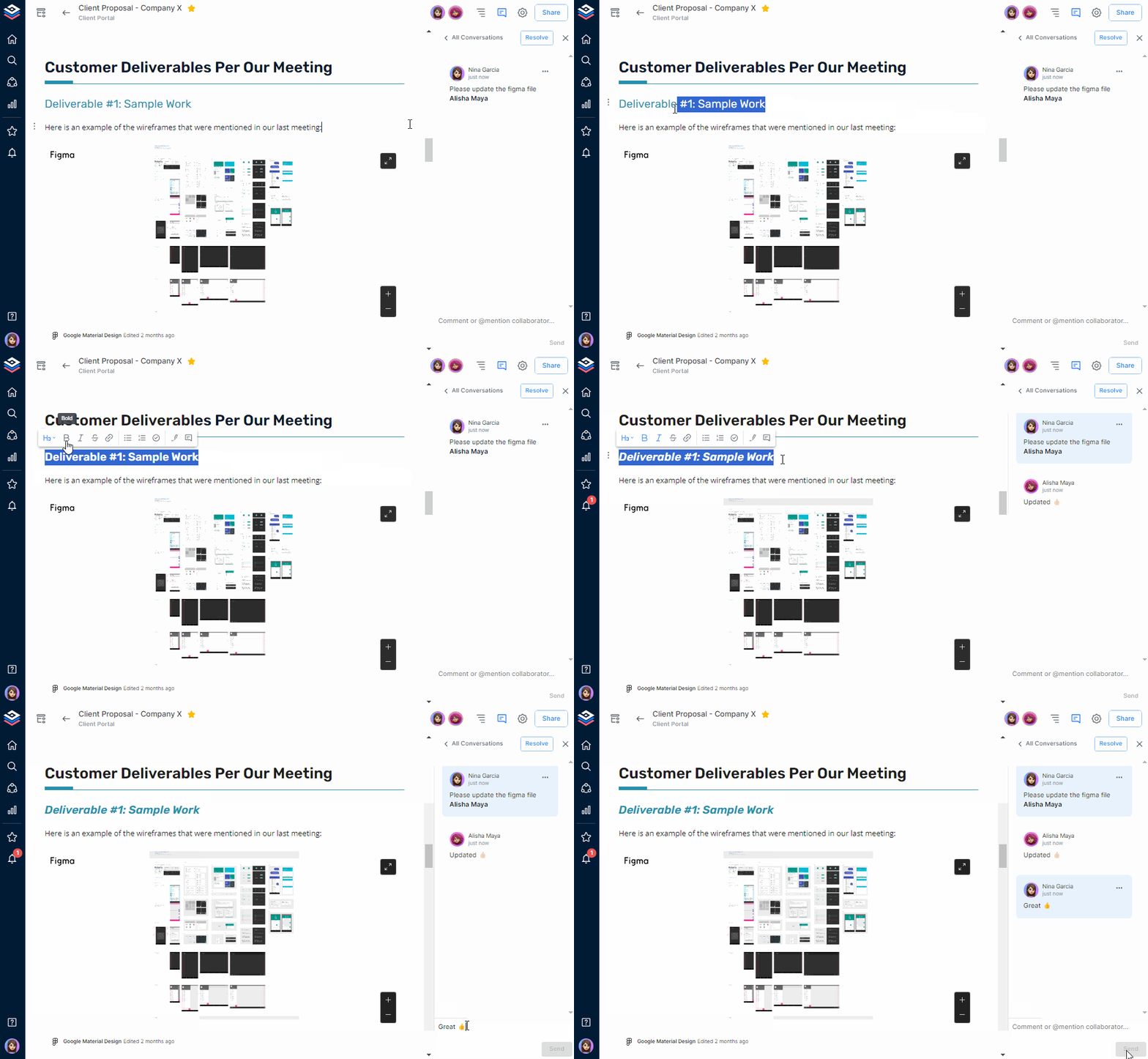
AI Genius Writer: Bit’s AI Genius helps you write smarter and faster. It suggests ideas, improves tone, and can summarize or rewrite your text in seconds. Think of it as your built-in writing partner that helps polish your content anytime.
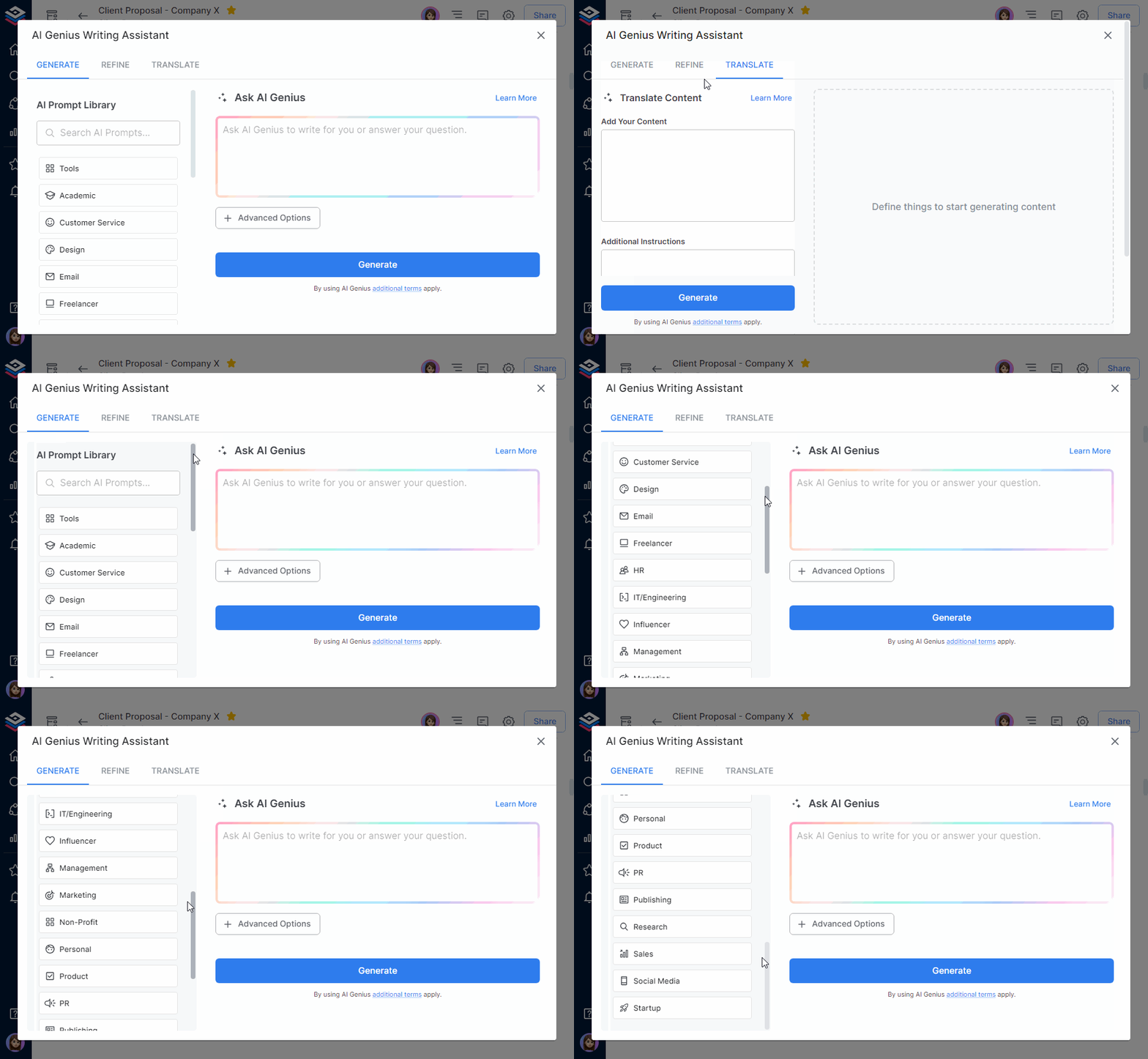
AI Doc Builder: The AI Doc Builder can create full documents just by filling out a short form. Just tell it what you need: a fact sheet, report, or proposal, and it builds a ready-to-edit draft for you. It even takes care of structure and formatting, so you can focus on what matters: the content.
Organized Workspaces: You can set up folders and workspaces for different projects or teams. This makes it easy to find your fact sheets and stay organized, especially if you are planning a number of fact sheets.
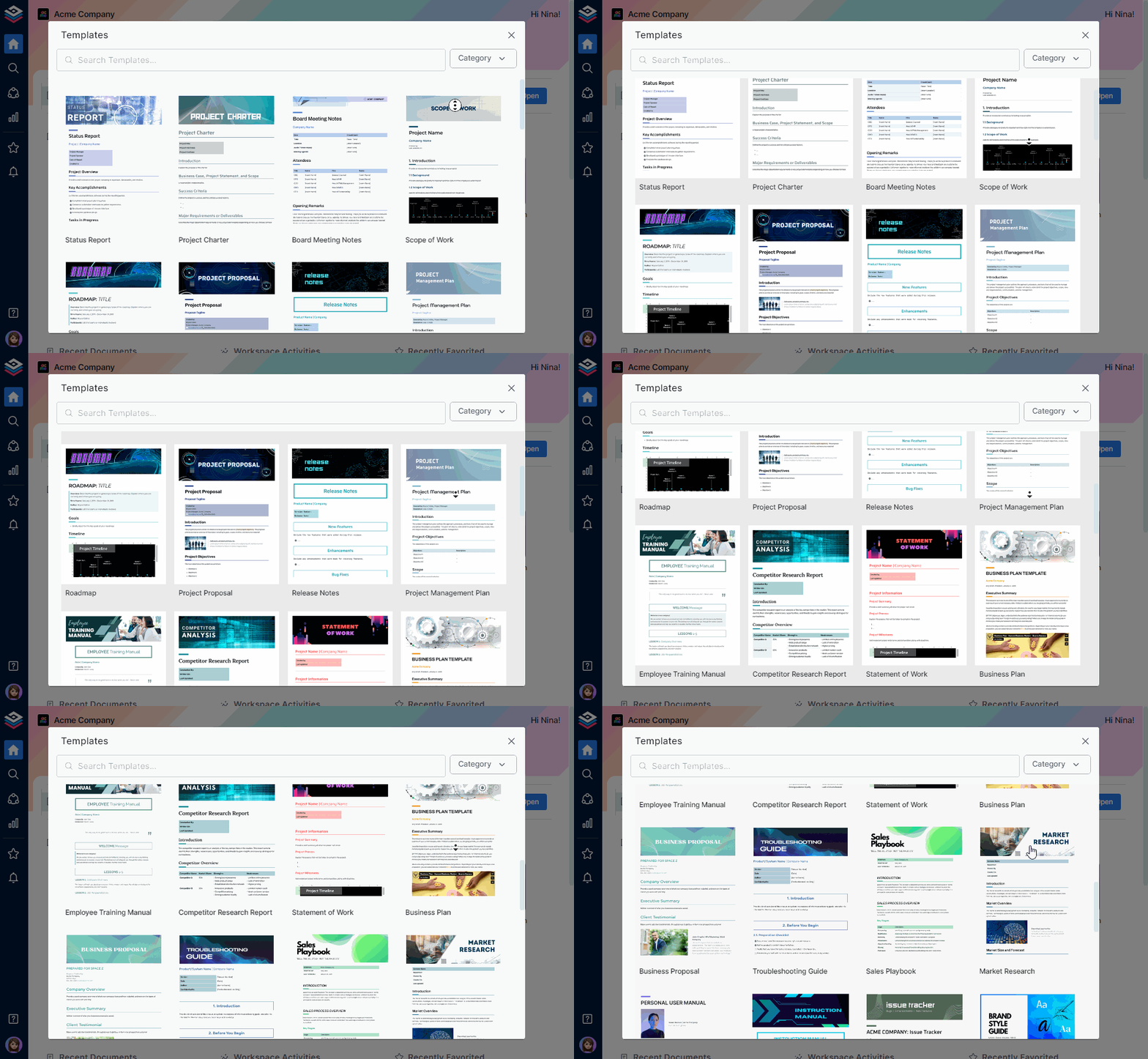
Beautiful Templates: In addition to the company fact sheet format, Bit has a variety of pre-designed templates, including templates for fact sheets. You can start with a format that works and change it to fit your content, and the best part is that no design skills are needed.
Next-Gen Multiple Sharing Options: Bit.ai makes sharing effortless and intelligent. Whether you want to share your documents privately with your team, publicly with a live link, or embed them across platforms, Bit gives you total control. Its intelligent sharing options let you customize permissions, password protection, track engagement, and ensure your content reaches the right people in the right way, instantly.
When you have a good tool and a plan, creating a strong fact sheet has never been easier, so let’s sum things up. Bit.ai makes it easy, but no matter what you use, the goal is the same: clarity, simplicity, and effectiveness.
Wrapping Up
A solid fact sheet does more than just “look good.” It demonstrates value quickly, it establishes you as a professional, and it removes blockers to help others visualize your brand, product, or event.
Whether you’re pitching your startup to venture capitalists, launching that new app, or hosting a worldwide event, a strong fact sheet might be the most underrated weapon in your arsenal of communications.
And now? You saw excellent fact sheet examples and tips for creating a well-crafted one, AND you can now create your own fact sheets using the right tools and structure.
So now go on, create your exciting fact sheet! Your future clients (and the team) will be ever grateful to you…….just don’t forget to share this guide with your team for future fact sheets.
FAQs
Q1: How do you structure a fact sheet?
Start with a title, possibly a short introduction, then break out the facts in bullet points or sections. End with a contact or next steps. Keep headings clear and don’t use too many visuals.
Q2: What should a product fact sheet contain?
A solid product fact sheet should include: the product name, key features, benefits, pricing information, compatibility (if applicable), tips on getting started, and visuals, if space permits.
Q3: How do you position a company fact sheet?
The company fact sheet should include: the mission, date founded, milestones, description of your leaders and founders; funding information (if applicable); description of products or services, and contact information. Tailor it to your audience (investors vs customers).
Q4: How do you enhance the visual appeal of a fact sheet?
Use a program like Bit.ai or Canva; use only 2-3 colors; ensure there is space between sections; images and icons may enhance the message if relevant; avoid too much data/information and too many design elements.
Finally, check out the free fact sheet templates on Bit.ai that make creating your own a snap! Even if you’re not an artist/designer, in just minutes you can create a piecing document!