Have you ever felt like you are juggling too many moving parts at the same time? One project is waiting for approvals, another needs resources, and a third is blocked because someone forgot to update the status. Program management becomes overwhelming when information is scattered and teams move at different speeds.
That is where modern tools change everything. They help you visualize work, organize priorities, and guide multiple projects toward one shared goal. Instead of chasing updates, you stay in control. Instead of relying on memory, you rely on clarity.
AI powered tools make the overall experience even better. They simplify your workflow, automate numerous repetitive tasks, and assist with team alignment regardless of multiple time zones. Program managers can finally spend more time leading and less time untangling information. Now that you are warmed up, let’s break down what program management really means and why it matters.
What is Program Management?
Program management is your ability to guide multiple connected projects toward one unified goal. It helps everyone work together towards one big goal.
This stops confusion and helps the whole group move forward with a plan, instead of getting stuck by problems. When done right, it makes things go smoothly for all teams and helps them finish on time.
Think of program management as the umbrella that connects several projects together. Each project has its own leader and tasks, but the program manager ensures they all align with the bigger objective. It is about direction, consistency, and making sure the final outcome delivers value.
A program manager looks at the bigger picture instead of focusing on one project at a time. They track risks, coordinate decisions, and bring everything together so the final results support the company’s long term vision.
How Program Management Differs from Project Management?
Project management focuses on one project at a time. Program management oversees many projects at once. A project has a clear start and end. A program evolves over time and often lasts longer.
This difference helps organizations grow faster because they can coordinate multiple initiatives without losing alignment.
Programs exist to connect efforts that are too big for a single project. They help teams work in sync, share resources, and support outcomes that require more than one timeline or deliverable.
Why Modern Teams Need Structured Program Oversight?
Teams today work across countries, platforms, and time zones. Without structured program management, miscommunication and delays become common.
A strong team structure will create opportunities to work together effortlessly by providing clarity, minimizing risk, and aligning participants with common goals.
Modern businesses change fast, and coordination becomes harder as teams scale. Program management brings stability to that chaos by offering a single framework that keeps all projects moving in harmony.
Now that the foundation is clear, let’s look at what are some of the significant challenges that program managers experience.
4 Common Challenges in Program Management
Managing a program means juggling priorities, coordinating teams, and keeping information organized across many moving parts.
It is exciting, but it is also demanding. Without the right systems, even the best teams struggle to stay aligned. Let’s look at the challenges that most program managers face every day.
1. Misaligned Goals Across Cross Functional Teams
Different teams often work at different speeds and follow different priorities. This can lead to confusion, missed timelines, and outcomes that do not match the original vision. Program managers spend a lot of time trying to bring everyone back to the same page.
When goals are not aligned, teams duplicate efforts or move in conflicting directions. This slows down progress and makes it difficult to build momentum. Alignment is essential for long term success.
2. Lack of Centralized Documentation and Resources
Data is frequently dispersed throughout spreadsheets, presentations, chat rooms, and emails. People waste time looking for updates and find it difficult to locate the most recent version when documents are stored in multiple locations. Delays and frustration result from this.
A central knowledge hub helps teams stay organized and confident. When everyone knows where to find information, they communicate better and move faster with fewer mistakes.
3. Slow Workflows Caused by Manual Tracking
Many programs still rely on manual processes. This includes updating spreadsheets, tracking progress by hand, and sending reminders to other teams. These steps take time and leave room for human error.
Manual tracking slows down decision making because updates arrive late. It also reduces visibility, making it harder for leaders to understand what is happening across the entire program.
4. Resource Management Issues and Unclear Ownership
Shared resources, such as personnel, funds, or equipment, are frequently used in programs. Teams may have to wait for access or deal with hectic schedules if there is unclear ownership. This creates bottlenecks and delays.
When responsibilities are unclear, tasks fall through the cracks. Strong resource management ensures workloads stay balanced and important deadlines are met without overwhelming the team.

PRO TIP
A structured workspace with shared access helps teams stay aligned and reduces the confusion that often slows down programs.
Now that you understand the challenges, let’s see how modern program management tools solve them.
How Program Management Tools Improve Workflows?
Program management tools bring order to the chaos that naturally forms when multiple projects move at the same time.
Instead of relying on manual updates or scattered communication, these tools help teams work in a synchronized flow. They improve visibility, reduce wasted effort, and make decision making faster and more accurate.
1. Workflow Automation for Repetitive Tasks
Automation removes the repetitive, time consuming steps that slow teams down. This includes status updates, reminders, task assignments, and progress tracking. Tools can automatically send alerts, update dashboards, and trigger workflows based on predefined rules.
With these tasks handled automatically, teams have more time to focus on actual work. You reduce the risk of human error and speed up execution across projects.
2. Clear Visibility Across Multiple Projects
One of the biggest challenges in program management is understanding how everything fits together. Good tools give you a bird’s eye view of all active projects, timelines, and dependencies in one place. You can quickly spot delays, identify risks, and adjust priorities.
Visibility helps leaders make confident decisions. It guarantees that there are fewer surprises as the program progresses and keeps everyone informed.
3. Stronger Coordination and Layered Communication
Communication is at the heart of every program. Tools create a shared space where teams can discuss tasks, share updates, and collaborate without losing information. This helps maintain clarity across departments and keeps workflows on track.
Layered communication also supports structured discussions. You can separate high level conversations from task specific details, making collaboration cleaner and more efficient.
4. Improved Resource Management and Load Balancing
Many programs require people and resources to be stretched between multiple projects or initiatives.
Using a tool to track workloads and distribute resources more fairly will provide visibility into who is overloaded with work, who needs additional assistance, and where potential bottlenecks are developing.
This information allows for better program planning and fewer unexpected delays. A balanced workload will help keep your team productive and reduce the likelihood of burnout during a busy program cycle.

With a clear view of how these tools enhance workflows, you are ready to explore the best options available today.
Tools to Manage Programs with Clarity
1. Jira Work Management

When work spans many teams, schedules, and tasks, you need a tool that keeps everything moving in the right direction. Jira Work Management helps you do exactly that.
It provides a systematic work area to establish the plan, track it and collaborate the work on numerous projects. The clear boards, lists and timelines provide a quick visual way to see who is working on what, when and why.
For program managers, this tool provides the visibility and control needed to align multiple teams without adding confusion.
Key Features
- Personalized Views for Program Visibility
- Monitoring progress and tasks
- Built-in Automation
- Shared workspaces for collaboration
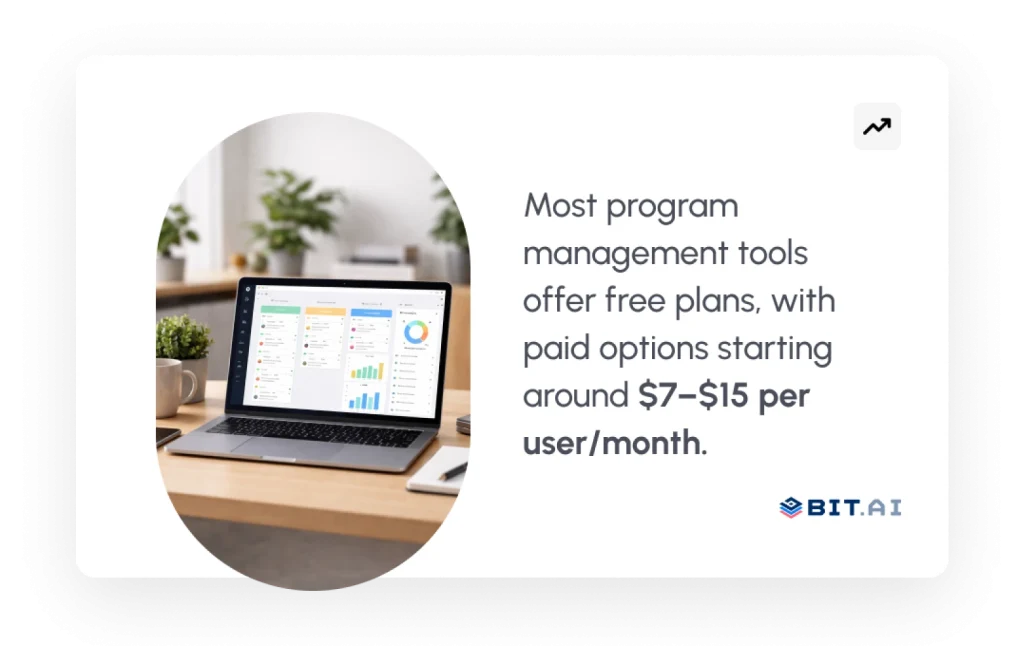
Pricing: It offers a free plan. Paid plans typically begin around $7–$9 per user, per month for standard collaborative features. Larger teams or advanced needs may lead to higher-tier pricing.
2. Monday.com
It’s delightful to start working when your workspace is bright, visual, and simple to understand. Monday.com does this with project management using boards, automation, and timelines which let you easily track how things are going. It turns complex programs into simple, trackable workflows.
Teams love how quickly they can adapt it to new projects. Whether you are planning quarterly programs or coordinating cross functional work, Monday.com gives you structure without making anything feel rigid or complicated.
Key Features
- Visual workflow boards
- Powerful automations
- Shared workdocs and communication tools
- Workload and timeline views
Pricing: Monday.com offers a free tier. Paid plans can typically range from $9-$15/user, depending on your needs and number of users.
3. Wrike

There are certain programs where depth, accuracy, and real-time coordination are required. With detailed charts showing workloads, timelines for different projects, and great tools for communication, Wrike helps you understand big projects with lots of people and moving parts much better.
Leaders get full visibility while teams get a clean space to collaborate. Everything is updated in real-time allowing for easier tracking of missed deadlines along with balancing workloads and staying on track with projects. Wrike is particularly well-suited for teams that desire structured planning and additional oversight.
Key Features
- Real time workload and resource tracking
- Cross-Project Timeline and Gantt View
- Advanced Reporting Dashboards
- Built in approvals and communication
Pricing: Free plan available. Paid plans generally have a starting price range of $9-$12 per user/month, with top-tier options for enterprise customers.
4. Asana

There is something reassuring about a tool that keeps everything organized without feeling overwhelming.
Asana gives program managers that experience with clean layouts, simple workflows, and timelines that make progress easy to understand. It creates a calm rhythm across complex programs by helping teams see what needs to happen next.
The platform is flexible enough for daily task management but strong enough to support multi project coordination.
Asana also simplifies task management with the use of structure, creation of team timelines, establishing dependencies for tasks, and providing teams with a single platform to coordinate their efforts.
Key Features
- Timeline and dependency mapping
- Program and portfolio views
- Task and workflow automation
- Clean, simple collaboration tools
Pricing: Asana offers a free plan. Paid plans usually start around $10–$15 per user per month, with advanced features available in higher tiers.
5. Smartsheet
Some teams need a spreadsheet-like experience but also use the features of modern workflow automation.
Smartsheet fulfills this need by integrating grid-based planning with dashboards, Gantt charts, and automation so that program managers can track a large number of different workstreams at any given time.
It is especially useful for teams who manage resources, budgets, and timelines across large initiatives. The flexibility of the platform lets you model your program in the way that works best for your style while still keeping everything connected and visible.
Key Features
- Spreadsheet inspired program tracking
- Automated workflows and alerts
- Resource and budget management
- Dashboard and Gantt chart views
Pricing: Smartsheet does not offer a traditional free plan. Paid plans typically begin around $7–$12 per user per month, with additional enterprise options for larger teams.
Bonus Tool: Bit.ai (Ultimate Documentation and Collaboration Layer)
Every strong program needs one clear place where information lives.
You need a place where plans are written down, decisions are easy to see, and teams can work together without searching through old files or messages. Bit.ai gives you that place.
AI-powered docs, wikis, and knowledge management platform built for teams that want clear information and organized work.

With Bit.ai, you create one workspace for your program. You can write documents, store files, and work together in real time. You can also use AI to help write summaries, updates, and drafts. This keeps your program information together while other tools handle tasks and schedules.
Why Program Managers Need One Knowledge Space?
Programs struggle when information is hard to find.
Bit.ai helps you keep everything organized in one place. You get shared workspaces and clear documents that your whole team can access. When information is easy to find, teams feel more confident and make fewer mistakes.
How Bit.ai Helps With Program Planning and Coordination?
Bit.ai helps you turn messy notes into clean documents.
You can create SOPs, briefs, plans, and updates using simple documents and AI support. Then you share them with your team in one click. All related information stays connected, so nothing gets lost as the program grows.
Key Features
AI Genius Writer for Document Drafts: AI Genius Writer allows you to draft your documents, including plans, SOPs, updates, briefs, etc. You can also use it to rewrite any documents, expand your notes and improve clarity of your writing. You will always have final control over your content.
One Workspace for All Program Information: Store documents, decisions, files, and guidelines in one place. Your team always gets the latest version.
Real-time Teamwork Inside Documents: You and your teammates can edit documents together, leave comments, and tag teammates. This keeps discussions close to the work.
Ready-made Templates for Repeat Work: Use templates for roadmaps, workflows, planning, and updates. This helps your program follow the same structure every time.
Version History for Clear Changes: See what changed in a document and when it changed. This helps avoid confusion as documents are updated.
Simple and Secure Sharing Controls: Choose who can view, comment, or edit each document. You can safely share work with teammates or external partners.
Pricing
- Bit.ai offers a free plan, with the Pro plan starting at $8/month and the Business plan at $15/month.
Your tools are now clear. Next, let’s help readers understand what features to look for when choosing a program management solution.
What to Look For in a Program Management Solution?
Choosing the right program management tool can make or break your workflows. The best tools give you clarity, automate repetitive work, and help your team stay on the same page. When you know what to look for, selecting the right solution becomes much easier
1. Workflow Automation Capabilities
Automation helps you remove repetitive tasks like status updates, reminders, and approvals. Look for tools that can trigger actions automatically. This keeps your workflows moving without extra effort.
Good automation frees up your team to focus on strategy instead of manual tracking.
2. Resource Allocation and Tracking
Programs often share people, tools, and timelines across multiple projects. Strong resource tracking helps you see workloads clearly. It also prevents burnout and ensures deadlines stay realistic.
When your resources are allocated fairly, your entire program runs smoother.
3. Cross Functional Collaboration Features
Teams work better when communication stays organized. Tools with shared boards, comments, mentions, and real time updates help everyone stay aligned. They remove miscommunication and reduce delays.
Smooth collaboration is essential when several projects depend on one another.
4. Documentation, Dashboards, and Reporting
With the right program management software, you can easily keep records of your procedures, measure performance, and get a clear view of your progress. Dashboards show what’s working and what needs attention. Documentation keeps your team focused.
Together, they build the structure you need to manage complex programs with confidence.
PRO TIP
Create a special “Program Command Center” within Bit.ai to keep all your resources, processes, and updates in one place. This will serve as a single source of truth and the foundation of every program you will be running.
Now that you know what to look for, let’s wrap the article up with a clean ending before moving to FAQs.
Wrapping Up
Program management is easier when you have good tools. These tools help you keep many projects organized, make things work automatically, and share resources without confusion.
With the right software, your team works together well, and it’s easy to see your progress. These tools aren’t just for staying neat and tidy; they help you work better and faster.
Bit.ai adds the missing layer that most tools do not offer. It becomes your program knowledge hub where strategies, decisions, SOPs, and workflows live together.
Using features like AI Genius Writer, real time collaboration, structured templates, and centralized workspaces, Bit.ai helps program managers keep information connected and accessible across every team.
You are now ready to explore the most common questions teams ask about program and workflow management tools.
FAQs
What is the best workflow management tool?
The best tool depends on how your team works. Tools like Monday.com, Wrike, and Jira Work Management help teams organize work, track progress, and stay aligned.
Which program management tools help streamline workflows?
Tools such as Asana, Wrike, Monday.com, Smartsheet, and Jira Work Management help manage many projects at the same time and keep teams working together.
What is the difference between project and program management tools?
Project tools help manage one project. Program tools help manage many related projects together. Program tools focus on alignment, shared resources, and long-term goals.
How do program management tools improve productivity?
They minimize manual work, consolidate all the information in a single place, and enable teams to clearly visualize their progress. This saves time, avoids confusion, and helps work move faster.