Have you ever sent an invoice and then found yourself wondering why the payment took so long to arrive?
Most businesses send invoices regularly, yet delays still happen more often than they should. Sometimes the layout looks different. Other times, important details are missing or hard to find. These little issues might seem to cause no harm at all, but they can delay approvals, confuse clients, and indirectly lower the professional image of your business.
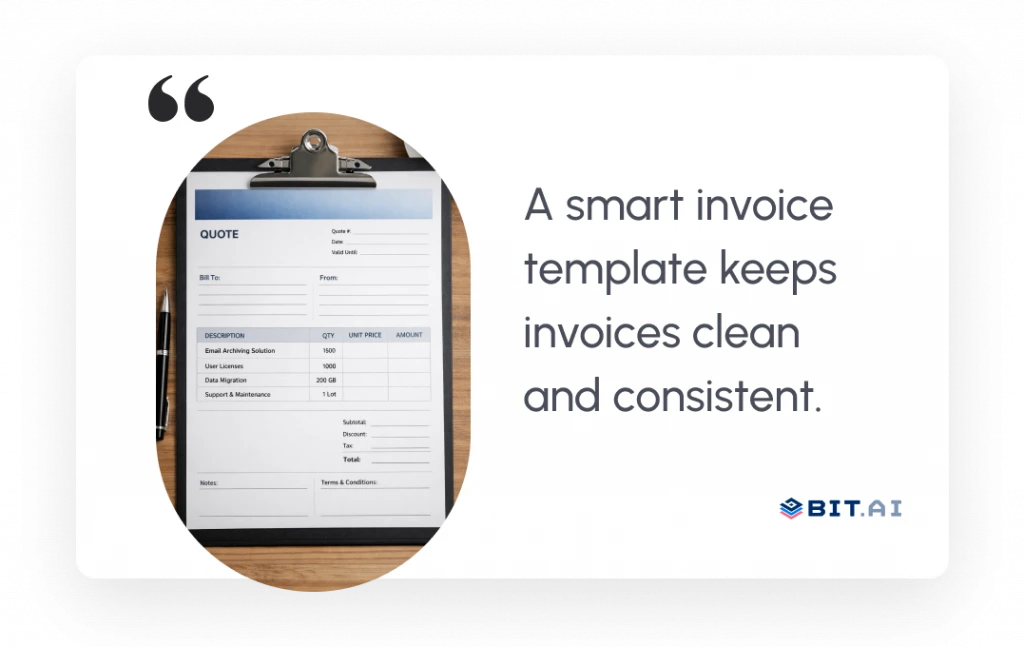
In many cases, the problem isn’t the numbers. It’s an inconsistency. When teams rebuild invoices through manual work or use different formats for each invoice, they spend additional time on detailed corrections, while clients need more time to comprehend their billing statements. The smart invoice template is the solution to this problem, as it uses a neat, well-structured layout that is uniform across all invoices.
One of the benefits of an invoice template is that creating invoices becomes quicker, easier to handle, and more accurate, even with different teams involved. Finance, sales, and operations can work from the same structure, updating information together while keeping client documents aligned.
Now that you’ve seen why consistency matters so much, let’s look at what an invoice template actually is and how it works in everyday business workflows.
What is an Invoice Template?
A smart invoice template is a ready-made framework that helps you create clean, consistent invoices without rebuilding the layout from scratch each time. It provides predefined sections for your business details, client information, and how all your totals line up.
Rather than spending time formatting or fixing misplaced text, you simply fill in the blanks. The structure stays the same, the design stays consistent, and every invoice looks polished. Once you start using it, invoicing becomes faster, smoother, and far less stressful.
One of the best parts is how easily it protects your brand identity. When your team creates invoices using this template, it helps keep the design and structure consistent, making your business look trustworthy.

PRO TIP
Use a template that looks clean and is easy to scan. When people can comprehend something quickly, payments get settled faster.
Now that you know what an invoice template is, let’s explore why a smart invoice template can make your whole workflow feel more organized.
Benefits of a Smart Invoice Template
A smart invoice template does more than organize numbers. It creates a smoother, more predictable way to manage one of the most important parts of running a business: getting paid without unnecessary delays or confusion.
1. Improved Organization and Follow-Up
When every invoice follows the same structure, finding information becomes much easier. Rather than having to sift through numerous invoices with differing layouts or incomplete files, teams can simply review and sort through invoices in seconds, keeping their workflow consistent.
Consistency also streamlines follow-ups. When the format is standardized, it is very easy to identify overdue payments, check the billing history, and get a quick understanding of the patterns, which helps teams to be proactive rather than reactive.
2. Faster Payment Processing
Clear invoices remove friction for clients. Approvals will take less time if clients do not have to ask for clarifications or request corrections, as they can easily scan the details and verify the totals.
This limits the exchange of messages, and the process of payment would run smoothly for all parties.

If this was useful, read this…
Read More: 10 Invoice Approval Tools You Should Try Now →
3. Higher Accuracy, Fewer Errors
Templates act as built-in guides that ensure essential fields are never missed. Totals, taxes, and payment terms appear in the same place every time, which reduces manual mistakes and keeps invoices dependable.
Over time, this consistency strengthens trust with clients because they know exactly what to expect from every invoice they receive.
4. Brand Consistency Every Time
Invoices are probably one of the last things customers interact with once a project has been done. Continued use of design, formatting, and tone consistency after delivery makes your company seem more professional and well-organized.
Even small visual consistency signals reliability, reinforcing your brand without requiring extra effort from your team.
5. Smarter Collaboration Between Teams
In many businesses, invoicing involves more than one department. Sales provides client details, finance manages billing, and operations may verify deliverables. A shared template keeps everyone aligned because each team works within the same structure.
This prevents duplicate work, reduces misunderstandings, and facilitates smoother transitions between teams, especially as the volume of work increases.

DID YOU KNOW?
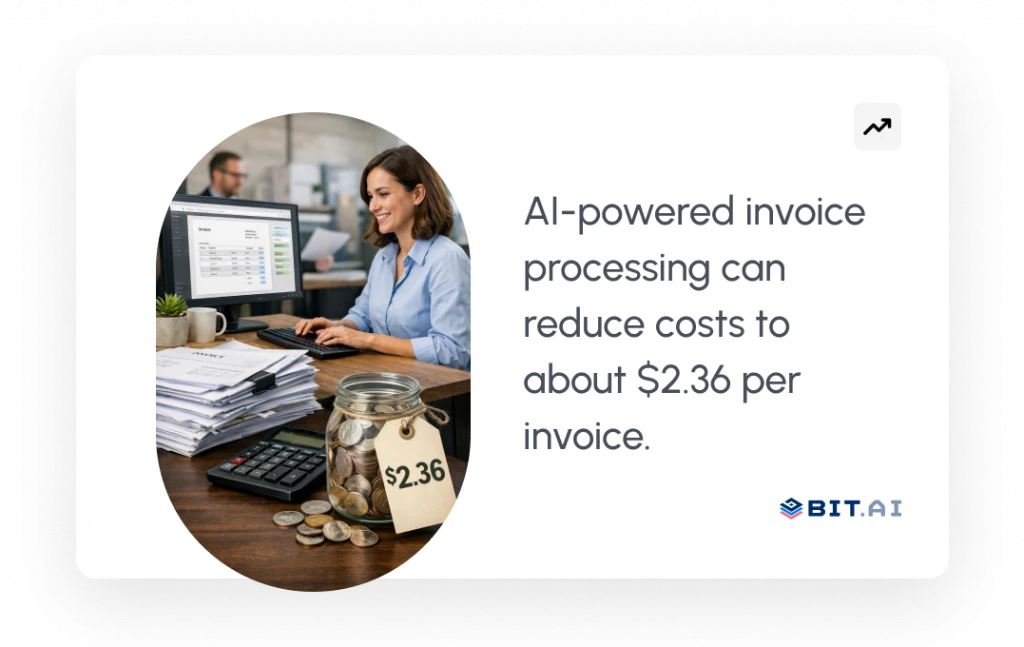
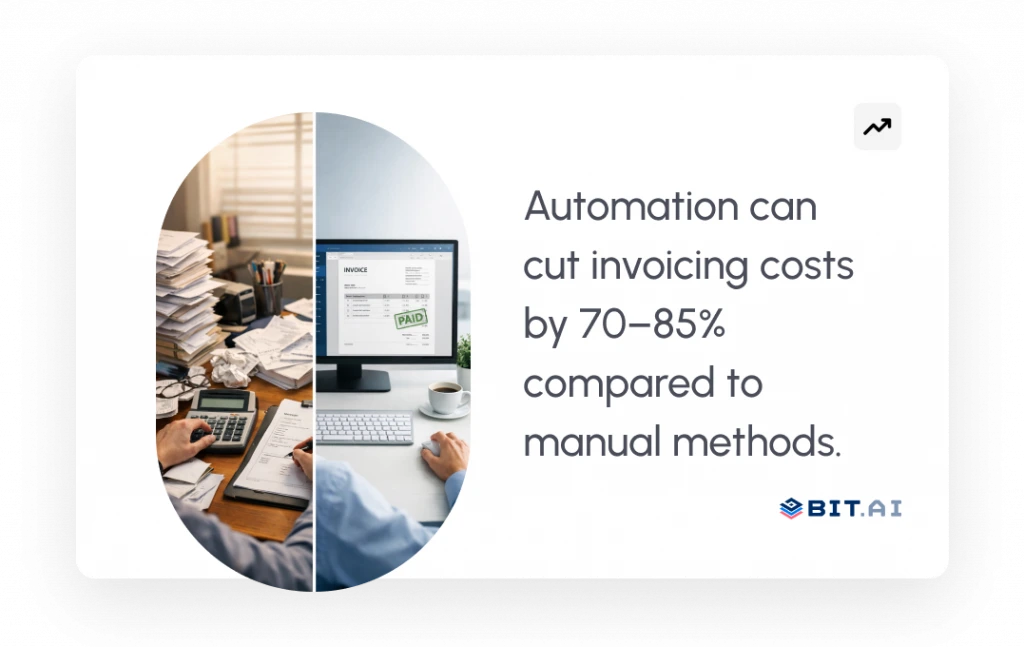
AI‑powered or automated invoice processing can cut that cost to about 2.36 US dollars per invoice, showing savings of roughly 70–85% compared with manual methods.
With these benefits in mind, let’s take a look at the key elements every professional invoice should have.
Key Elements of a Professional Invoice
A professional invoice is more than a request for payment. The document silently shows the level of your business organization and your ability to communicate with clients. When each element appears in the right place, the invoice becomes easy to understand, quick to approve, and reassuringly professional at first glance, from the final total.
Think of an invoice as a guided document. Each part takes the customer on a journey from recognition through understanding and then payment without any obstacles or misunderstandings.
1. Business Details
At the very top, your business information sets the stage. Your company name, address, contact details, and branding should be immediately visible so clients know exactly who the invoice is from. Clear identification builds trust even before they check the figures.
2. Client Information
Next comes the client’s information. It is important for the invoice to have accurate business and contact details that will not only make sure it reaches the right person but also serve as proper documentation for both sides. This basic step reduces all the typical invoice processing delays that result from internal document circulation.
If this was useful, read this…
Know about these: 15 Essential Client Project Documents For Your Business! →
3. Invoice Number and Dates
Every professional invoice needs clear reference points. The combination of an invoice number together with the issue date and due date creates an effective tracking system, which helps clients to understand the timeline without needing additional explanations.
4. Itemized Products or Services
This is where transparency matters most. When a company lists each product or service separately, including quantities and pricing, it helps the clients to easily understand what they are being charged for. Detailed clarifications lessen the inquiries and build trust further.
5. Taxes, Subtotals, and Final Total
Once items are listed, the financial summary serves as a final wrap-up of everything. Subtotals, taxes, and the final amount due should be clear at a glance, so verification takes only a few seconds. A neat summary facilitates faster approvals, especially if it is a big organization.
If this was useful, read this…
Must be helpful: 11 Crucial Financial Documents For Every Organization! →
6. Payment Terms
Now the invoice answers the most important practical question: how and when payment should be made. Clearly stated payment methods, due dates, and any applicable late terms remove uncertainty and keep expectations aligned.
7. Additional Comments or Instructions
Lastly, a small place for notes or a simple thank-you message gives a human touch. A few words of thanks can make a customer feel that the transaction is more personal, and at the same time, the professional level is maintained.
Now that you know what a complete invoice looks like, the next step is understanding how to create and manage these invoices efficiently using the right workspace.
If this was useful, read this…
Check this: 10 Best Online Subscription Billing Software Platforms! →
Create Professional Invoices with Bit.ai
By this point, the structure of a professional invoice is clear. The real challenge now is consistency. Creating one well-designed invoice is easy. Maintaining that same clarity and format across every project, team member, and client is where most businesses begin to struggle.
This is where a dedicated document workspace becomes valuable.
Bit.ai is an AI-powered documentation, wiki, and knowledge management platform that teams use to create, organize, and share business documents in one place.
It provides an organized workspace that enables users to create, modify, and reuse invoice documents without any confusion. It also helps you to handle all invoice processing needs through a centralized & shared environment, which eliminates the need for email and spreadsheets.

This makes it easier for finance, sales, and operations teams to work together, keep invoice formats consistent, and always use the latest version when sending invoices to clients.
With the workspace in place, creating a professional invoice becomes a simple step-by-step process. Now, let’s explore how you can create a professional invoice with Bit.ai.
How to Create a Professional Invoice With Bit.ai
Creating an invoice in Bit.ai does not require design experience or complex formatting. After your template is ready, the whole thing will be so simple that you won’t have to waste any time on layout tweaks and can just concentrate on going over the details carefully.
Step 1: Create a New Document
Create a new account at bit.ai if you don’t have one, then open a new document in your Bit.ai workspace and pick your invoice template. Using a template with an organized layout right from the start not only saves time but also makes sure that every invoice follows the same professional format.
With the foundation ready, you can move on to adding the essential information.
Step 2: Add Business and Client Details
Enter your business name, logo, and client information in their designated sections. Apart from that, don’t forget to include the invoice number and the relevant dates. When these parts are properly documented, the invoice becomes pretty straightforward, and it also prevents small errors that often lead to payment delays.
After all the identification details have been filled in, the invoice begins to take form.
Step 3: Insert Line Items Using Tables
Use tables to list products or services, quantities, pricing, taxes, and totals in a clear, structured format. Well-organized tables make invoices easier for clients to scan and reduce formatting issues commonly found in traditional documents.
At this point, most of the invoice is already complete, and a quick review helps ensure everything is accurate.
Step 4: Collaborate and Review
The team can go through the invoice together, add comments, or even make updates at the same time.
Collaboration at this stage helps identify errors quickly and makes sure all parties agree with the final version before it is released to the outside world. Once reviewed, the invoice is ready for delivery.
Step 5: Share or Export the Invoice
When everything looks correct, share the invoice securely using a link or export it in formats such as PDF or Word. These options will give clients flexibility in how they receive their invoice as well as keep your workspace organized with all invoices in one place.
After going through the process, you quickly realize that the real advantage isn’t just speed, but how smoothly everything works together behind the scenes. Collaboration, structure, and document organization all play a role in keeping invoices consistent. Let’s look at the features of Bit.ai that make this workflow possible.

Key Features that Make Bit.ai Useful for Invoicing
Branded, Customizable Templates
Insert your logo, change the color scheme, and create layouts that are consistent with your brand. After it is set, every invoice your team produces will have the same polished design thanks to your template.
Real-Time Collaboration: The finance team can update totals, sales can enter client details, and managers can review content simultaneously. Since all changes are reflected in real-time, it helps in avoiding miscommunication, and everyone is on the same page.
Custom Tables: Tables let you build clear, well-organized invoices with line items, tax details, totals, and payment terms. This way, your invoices are easy to read and avoid the usual formatting problems you get with regular documents.
Version History and Access Control: Track changes made to invoices, restore older versions if needed, and control who can view or edit sensitive information.
AI Genius Writer for Invoice Content: Create description text, due date reminders, personalized message content, or thank you notes in just seconds with AI Genius Writer, which will keep your overall tone consistent while saving you a lot of time in writing content for yourself.
Pricing
- Bit.ai offers a free plan and has paid plans that start at $8/month more advanced collaboration and advanced features.
Invoice Templates in Bit.ai
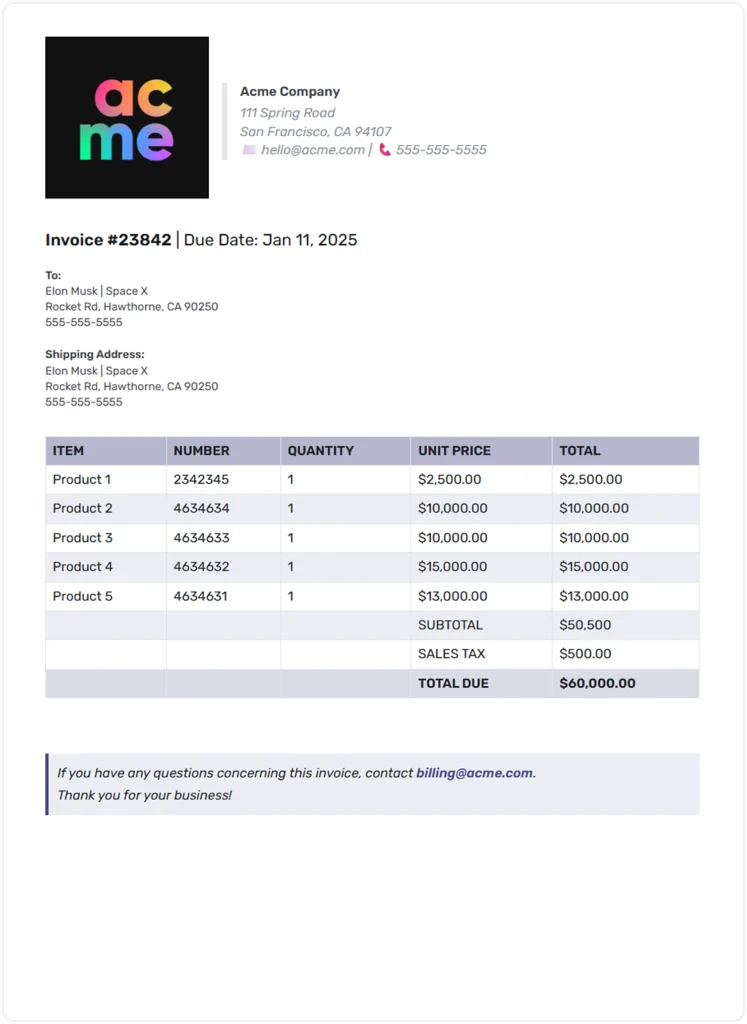
Bit.ai provides a ready-to-use invoice template that teams can customize and reuse. This template helps ensure that every invoice follows the same structure, includes all required details, and looks professional without starting from scratch each time.
Here is a quick preview of how our template looks:

To bring it all together, let’s close out with a simple reminder of why innovative invoice templates matter.

Build Smarter Invoices & Business Documents
Stop starting from scratch. Create polished invoices, winning proposals, and professional reports in minutes with Bit.ai. Use smart templates and real-time collaboration to move faster, stay organized, and close more work.
Free to start • Set up in minutes
Wrapping Up
A professional invoice is more than a request for payment. It reflects that your business is organized and detail-oriented enough to provide a seamless experience to clients. If your invoices remain consistent, clear, and easy to read, you reduce confusion and shorten the payment cycle while earning trust with every interaction. A smart invoice template will get you there.
This removes repetitive work and keeps your branding tight, with a reliable structure for your team to follow every time. Used with collaboration software like Bit.ai, your templates become yet more powerful, as everyone works off the same version, updating instantly.
Whether you are dealing with a few invoices in a month or hundreds, the right template makes your whole workflow smooth and turns invoicing into a task you should never have to sweat over again. With that basis, here is the most common question a team encounters when creating an invoice template.
FAQs
What is the best free invoice template?
The best free invoice template will be clean, easy to customize, and include all of the critical fields like client details, itemized services, totals, and payment terms. Tools like Bit.ai provide free, ready-to-use templates that are polished, branded, and easy for teams to co-edit.
How do I create an invoice template?
Add your business information, branding, and client details to get started. Then also add fields for the invoice number and date, item description, total, and payment terms. Save the structure once complete as a reusable template that your team can fill out in a few seconds every time. Build it inside Bit.ai, and you’ll keep all of it aligned and up to date.
What are the things that a professional invoice should include?
The business information, client details, invoice number, dates, itemized services or products, subtotals, taxes, final total, and clear payment terms are all stock parts of a professional invoice. Adding notes or a small thank-you message also goes a long way to enhancing the client experience.
Can I customize invoice templates inside Bit.ai?
Yes, with Bit.ai. Customize templates with your branding, colors, logo, layout choices, and interactive elements like tables or totals. Co-edit with teammates, update sections anytime, and share securely when ready.
If This Was Useful, Read This…