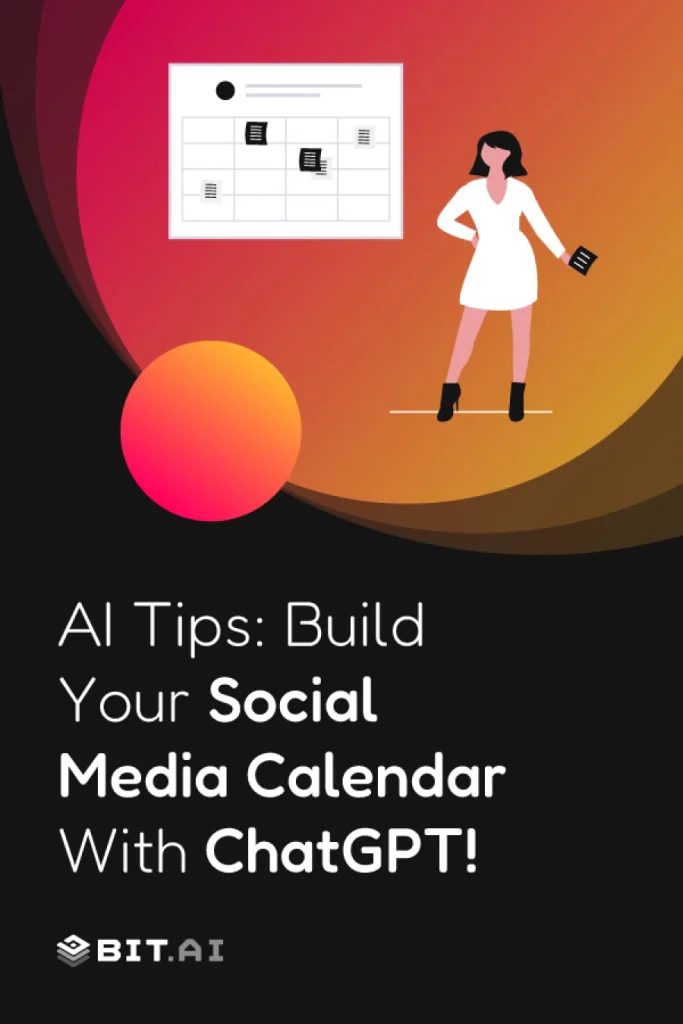
Have you ever had trouble maintaining your social media postings or deciding what to post next? You are not alone! It can sometimes feel like a full-time job to keep up with all your social platforms, create interesting posts, and be consistent! That’s where an AI-powered social media content calendar comes in and saves you!
Today, visibility on the internet is not really about posting regularly, but rather planning in a smarter way. For instance, you may use ChatGPT to boost your brainstorming session. Additionally, you can schedule your posts in advance. Moreover, it can be of a great help in brand consistency when you run out of ideas. These AI planners are not just a tool for posting time, rather, they are really helping to figure out what to post, when, and why.
Imagine digital AI assistants that will trend, recommend captions, and make an entire content calendar using the interests of your fans. That is the power of AI today in social media planning — moving your posting from ambiguous to strategic storytelling.
Now that you know the importance of planning, let’s get into what a social media content calendar is and how it integrates into your overall content strategy. ⏩
What is a Social Media Content Calendar?
So, just what is a social media content calendar, and why does everyone tell me they’re obsessed with it?
A social media content calendar is your blueprint to plan, schedule, and track all the posts you publish on sites such as Instagram, LinkedIn, X (Twitter), TikTok, or Facebook. It’s not merely a schedule of dates and captions; rather, it’s a visual guide that allows you to witness your brand’s story reveal itself over time.
By using a content calendar, you are able to plan out what to post, when to post, and where to post. It maintains your campaigns as regular, keeps your audience interested, and your team is always aware of what’s next. With AI social media calendars, you do this one step higher: With AI, you can get post ideas, timing optimized, and even suggested hashtags or visuals from performance metrics.
Think of it as your content GPS — always guiding your way, preventing last-minute scrambles, and keeping your message aligned with your brand goals.

Pro Tip:
AI tools like ChatGPT or Bit.ai’s AI Doc Builder are great for converting rough ideas into full-fledged content plans in minutes. It’s like having an extra creative strategist on your team — 24/7!
Now that you understand what a social media content calendar is, let’s get into how a social media content calendar can completely change your marketing game. ⏭️
Why You Need a Content Creation Calendar: Key Benefits
Do you ever feel like your content is everywhere and nowhere all at the same time? That is exactly what is happening when you don’t have a clearly defined content creation calendar. A well-constructed calendar isn’t about auto-scheduling posts — it’s about optimizing your entire process so you can concentrate on what really counts: engaging with your audience.
Here’s how a social media planning calendar revolutionizes your workflow:
1. Centralized Planning
A content calendar is a single place for your team to gather every idea, caption, and visual instead of juggling spreadsheets, screenshots, and scattered notes. Campaigns, posts, and timelines can all be viewed together, which makes planning not only less hectic but also more of a strategic function.
Such transparency is a strong barrier against the need to make things up at the last minute and to the risk of forgetting the projects that are hidden among the cracks. Your team, thus, remains on the same page, well-organized, and as a resultant, progressing in the same direction, even under the pressure of heavy launch cycles.

If this was useful, read this…
2. Content Consistency
A steady posting rhythm is one of the biggest advantages you can give your brand. With a calendar, you can plan ahead, batch content, and maintain a consistent publishing schedule without rushing at the last minute.
Consistency builds trust. Think of it as this: being consistent keeps you on your audience’s mind, makes them look forward to what you’re doing, and keeps them interested. The more they can count on you, the better they know and love your brand.
3. Collaboration Made Easy
No more misunderstandings between the design, marketing, and copy teams. All the teams have access to the same deadlines, assets, and updates, which makes the feedback loops faster and the creative decisions consistent.
The elimination of these bottlenecks through shared visibility leads to an increase in the accountabilities. Your campaign will look consistent and your work process will be of a steady flow when every team member is aware of their role and time.
4. AI-Powered Smarter Planning
AI tools such as ChatGPT or Bit.ai’s AI monthly scheduler are very helpful in discovering trendy topics, which you may use to refine your captions as well as choose the best time for posting based on the behavior of the audience. It is similar to having a strategist integrated into your workflow.
Rather than depending on intuition only, AI provides you with insights which facilitate quick decision-making and enable you to plan content that is in line with your objectives. In this way, you are able to work faster, make better adjustments, and publish content with greater trust.
5. Performance Insights
Your content calendar will be more effective if it also serves as a performance tracker. For example, you can keep a tab on the engagement, reach, and impressions all in one place, thus giving you a clear understanding of what delights your audience.
With AI-driven analytics, patterns become easier to spot. You learn what to repeat, what to refine, and what to scale so every campaign grows stronger than the last.
Pro Tip:
Instead of planning from scratch, use this AI content calendar prompt to get a head start.
Now that you know the advantages, let’s get our sleeves rolled up and discover how to make your own social media content calendar in a step-by-step guide! ⏩
How to Create a Social Media Content Calendar (Step-by-Step Guide)
Prepared to transform your confusion about content into a smooth, seamless workflow? Developing a social media content calendar need not be overwhelming. With the right mindsets and tools powered by artificial intelligence, you will plan smarter, maximize your time, and engage your audience across all platforms.
Here’s how to create your AI-powered content calendar in six steps:
Step 1: Define Your Goals and Audience
Before posting, decide your objectives. Do you want to raise brand awareness, drive traffic to your website, or get conversions? A good grasp of demographics and interests will help your audience feel that it is relevant to them. Consequently, being targeted in your posting can help make every post meaningful and trackable.
Step 2: Select Content Topics and Posting Rate
Choose the major subjects or pillars your brand will talk about, and when you will post on each platform. A combination of evergreen, promotional, and trending content keeps the feed lively and helps to avoid content fatigue for your audience.
Step 3: Select Platforms
Not all platforms are suitable for every brand. Select the platforms on which your target community is most active and modify your content format to suit them. Fine-tuning for each channel facilitates a better reach and prevents wasting resources.
Step 4: Generate Ideas with AI Prompts
Utilize ChatGPT prompts for content calendar planning to generate post ideas, captions, and hashtags. AI may be able to recommend content based on your brand voice, browse trending topics, and even propose images, so ideation will be quicker and more strategic.
To speed things up, you can use these simple AI prompts from Bit.ai to generate content ideas instantly.
Step 5: Plan in an AI Content Planner
Put your post ideas, timelines, and assets into an AI content planner such as Bit.ai. There is a single source to work together in one place – tracking your progress and ensuring that nothing falls through the cracks. Automations will save manpower and keep campaigns on track.
Step 6: Monitor, Adapt, and Improve
Once your posts are published, begin monitoring performance metrics. Apply AI analytics to discover insights into what material is valuable to your audience, then plan your next post series based on what resonates with them. This process of continuous improvement advances your content calendar to evolve along with trends and audience behavior.
With your planner in hand, the second step is selecting the optimal tools to make it come alive effectively. Let’s discuss the best AI-based platforms for planning social media content. ⏩
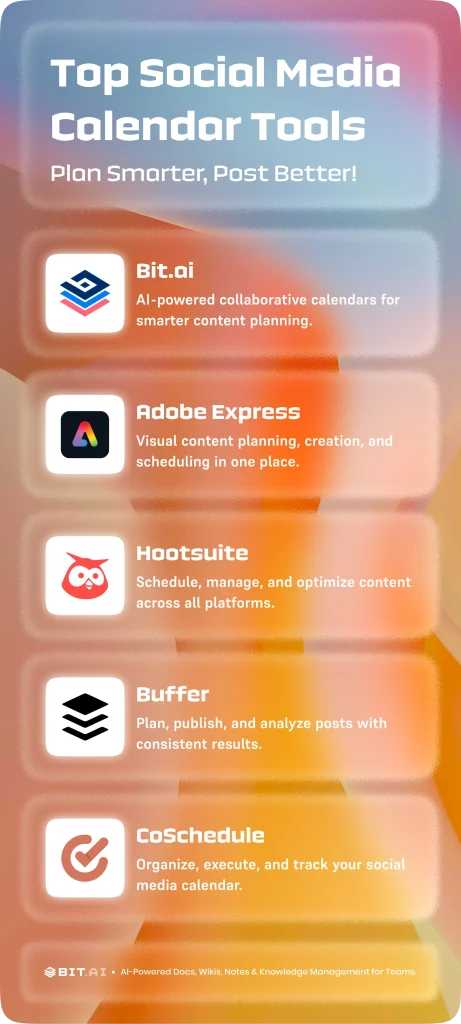
Best Tools to Create a Social Media Planning Calendar
Selecting the appropriate tools can either make or ruin your content planning. With AI-enabled platforms, you can simplify creation, scheduling, and collaboration as well as minimize human error. Let’s see the best tools that enable you to effectively manage your social media content calendar.
1. Bit.ai – Build Smart, Collaborative Social Media Calendars
AI-powered docs, wikis, and a knowledge management platform designed for teams who plan, create, and share smarter. If you want to make a social media content calendar that really works for you, Bit.ai is the ideal partner. Imagine if you had a platform where you could lay out your project ideas, schedule your campaigns, collaborate with your team, and even create content with the help of AI, all in one place.
With Bit.ai’s AI Doc Builder, you can literally go from having just an idea to a full content calendar in a matter of minutes without the need for long and boring hours of work.
With Bit.ai, you can choose from beautifully pre-designed templates that match your brand’s tone, voice, and posting frequency. Your calendar is 100% editable, so your calendar feels like a natural extension of your marketing strategy.
It is possible for you to drag and drop posts, change the order of the ideas, and even schedule campaigns with the greatest possible convenience. Holiday launches, product rollouts, seasonal moments, or trending topics are some of the things that you can find in a layout which makes perfect sense at a glance.
Sharing is also very simple. By using Trackable Links, it is possible for you to share your calendar with people who are not your colleagues. Guest Access allows clients or collaborators to view or comment, and Role-Based Permissions make sure that only the right people have the authority to edit, approve, or access parts of the content.
Whether you are an individual creator or leading a large global marketing team, Bit.ai revolutionizes how you plan, do, and measure your social media strategy.
Key Features:
- AI Genius Writer: Write, rewrite, summarize, or brainstorm text in a matter of minutes with the powerful AI Genius Writer, eliminating hours of laborious writing time.
- Smart Interactive Documents: You insert images, videos, charts, code examples, and web links into your documents for active, multimedia storytelling.
- Version History: You keep a record of every version of your documents and switch back to previous versions at will to have control and accuracy at your fingertips.
- Templates & Control over Formatting: You utilize adjustable templates and auto-formatters to produce consistent, professional-standard documents with ease.
- Real-Time Editing: You and your collaborators are able to comment, edit, and chat inside the same document at the same time, ensuring collaboration is smooth.
- Inline Comments and @mentions: You @mention team members to get their attention and discuss changes right within the context of the document.
- Trackable Links: You distribute documents through trackable links, allowing you to know who opened them and for how long they looked at your content.
- Wikis & Knowledge Bases: You create internal wikis for company policies, training guides, and documentation that can be viewed by anyone on your team.
- Smart Search: You leverage strong filters that allow you to search instantly for files, documents, and assets within your workspace.
- AI Doc Builder: Create full-fledged docs from basic prompts. With AI Doc Builder, you produce professional documents in minutes rather than hours.
Pricing: Free plan available, Pro plan begins at $8/user/month, Business plan at $20/user/month
Pro Tip: Begin with Bit.ai’s pre-built content calendar template and brand it yourself. You can create a whole month’s worth of content in less than an hour, leaving AI to do the heavy work.
2. Adobe Express- Plan, Create & Schedule Content in One Organized Place
Planning social media content feels much easier when you can see everything laid out in one visual calendar. Adobe Express offers a well-structured space for creators and teams to brainstorm and devise campaigns, as well as prepare content for the platform where it will be published. You are able to map out themes, write the times for posting and so on, without having to deal with several different instruments.
Built-in collaboration features and AI-powered assistance help you improve ideas, refine captions, and stay aligned with campaign goals.
Everyone involved gets a clear view of what is planned, what is coming next, and what needs review, making content planning far more structured and less stressful.
Key Features:
- Key Features:
- Visual social media content calendar and scheduler
- AI-assisted content help with Adobe Firefly features
- Create graphics, posts, and marketing assets in the same tool
- Collaboration support with commenting and shared access
- Content planning and organization for campaigns and themes
Pricing: Adobe Express offers a Free plan with core features, while Premium plans start at approximately $9.99/month with advanced tools and scheduling features.
3. Hootsuite – Schedule, Analyze, and Optimize
Managing multiple social channels can get overwhelming, but Hootsuite brings them all into one organized workspace. You can schedule posts across Instagram, LinkedIn, X, Facebook, and TikTok while AI recommends the best times to publish and highlights trending topics worth jumping on. The analytics dashboards provide you with very clear views of the engagement, reach, and overall performance, thus helping you to make smarter, data-driven decisions.
It a also very easy to collaborate. Teams are able to plan content jointly, approve posts, and monitor results without the need of changing tools.
And with Hootsuite’s built-in content library, you always have access to visuals, templates, and past assets that make planning and publishing faster and more efficient.
Key Features:
- Multi-channel planning
- AI-generated content suggestions and time suggestions
- Analytics dashboards to measure analytics
- Team collaboration and approval process
- Content library that contains media and/or templates
Pricing: $49 for Pro plan, $129 for Team plan
4. Buffer – Keep Your Posting Consistent and Effective

Buffer simplifies planning and analyzing social media content so you can maintain a rhythm of posting across all the platforms you use. The AI-based insights suggest the best times to post, optimal post practices, and hashtags. The interface makes it easy to manage collaborative campaigns, schedule content in bulk, and manage multiple accounts in a single dashboard.
Team members can co-work, approve content, and track engagement from a single dashboard.
Buffer enables you to schedule content, measure performance, and optimize your strategy in one location.
Key Features:
- Multi-platform scheduling
- AI-based content suggestions
- Engagement and analytics reports
- Team collaboration features
- Content library to keep media assets
Pricing: Essentials $6/user/month, Team $12/user/month
5. CoSchedule – Execute and Manage Your Content Calendar with Confidence
Once your content plan is ready, execution is where consistency really matters. CoSchedule helps you turn your social media calendar into an actionable schedule by organizing posts, deadlines, and responsibilities in one place. You can clearly see what’s publishing, when it’s going live, and who owns each task.
With built-in scheduling, automation, and performance visibility, your team stays accountable and on track. CoSchedule makes it easier to maintain momentum and ensure your content calendar actually delivers results.
Key Features:
- Unified marketing and social media calendar
- Task assignments and workflow management
- Built-in social media scheduling
- Automation for recurring campaigns
- Performance tracking and insights
Pricing: Free plan available, paid plans start at $29 per user per month

Plan Your Entire Social Media Strategy in One Place
Keep content ideas, calendars, drafts, and campaign assets organized in a collaborative workspace built for modern marketing teams.
Free to start • Set up in minutes
Wrapping Up: Smarter Social Media Planning Starts with AI
Using an AI-driven social media content calendar can completely change the way you plan your posts across various platforms. With the help of a tool like ChatGPT for ideation and Bit.ai for organization and teamwork, one can not only keep a consistent posting schedule but also manage campaigns efficiently.
Through freeing you of the burden of workflow behavior tasks, timeline observance, and engagement checking within the workflow, AI platforms can help you focus on the task of creating effective, high-quality content rather than wasting hours on manually organizing the task.
By utilizing templates, interactive calendars, and real-time collaboration tools, you can grow a content strategy that works for the team no matter where they are located. These features enhance the management of multiple accounts, allow your campaigns to be optimized based on score or performance data, and help deliver your content to a worldwide audience, without the extra stress.
With an organized AI-powered content calendar, your social media planning becomes strategic, streamlined, and scalable for any campaign.
FAQs
Q1. How to create a content calendar using AI?
You may utilize AI tools such as ChatGPT to come up with post ideas, captions, and scheduling. Tools such as Bit.ai enable you to plan these ideas in formatted calendars, delegate tasks, and monitor progress for end-to-end automation.
Q2. How do you plan your social media content?
Begin with the identification of content topics and frequency of posts. Utilize a calendar tool to allocate posts, monitor deadlines, and save media. AI-powered platforms make it easier to see campaigns, handle several accounts, and post frequently.
Q3. What do the tools used to produce social media content assist with?
The best tools are Bit.ai, Hootsuite, and Buffer. These tools provide AI-driven capabilities for content creation, scheduling, collaboration, and analytics to plan, execute, and track campaigns in an efficient manner.
Q4. Why is it important to have a social media content calendar?
A content calendar assists in planning and scheduling posts on various platforms, achieving consistency, enhancing engagement, and monitoring performance. AI integration improves productivity by creating ideas, optimizing timing, and simplifying collaboration for teams of all sizes.