A personal knowledge base gives your mind the space to think instead of just remember.
Have you ever had the experience of your best ideas, notes, and resources spread everywhere across sticky notes, email threads, or random apps? Now imagine you could pull all of those important details together into one powerful hub that truly allows you to get more things done, learn faster, and never lose track of the things that matter.
This can be possible with Personal Knowledge Base, the new age answer for those who want to work smarter, not just harder.
Let’s dive into what a personal knowledge base is, why it’s the secret sauce to beast-level productivity, and how you can create one that mimics your very own personal wiki (but like way cooler and way more useful).
What is Personal Knowledge Base?
A personal knowledge base (PKB) is like your own tailored Wikipedia, but even better because it is only dedicated to you.
A PKB is a digital space where you capture, organize, and link all of your important knowledge: important pointers about books, summaries of meetings, insights while reading an article, how-to guides, tools you use, code snippets, project ideas, reminders, and so on.
A personal knowledge management (PKM) system is designed to help you find and use knowledge, rather than just store it. It is like the contrast between a bunch of hard files shoved in a drawer and a clear and organized library, color-coded, labeled, tagged, or searchable.
No matter if you are a student, solopreneur, designer, marketer, team leader or an individual trying to keep track of a million tasks, a PKB helps you organize knowledge…so your brain can have some breathing room and is free to focus on the important tasks.
Personal Knowledge Base vs. Notes App vs. Personal Wiki
Many people confuse a personal knowledge base with a regular notes app or a personal wiki. While they share similarities, they serve different purposes.
| Personal Knowledge Base | Notes App | Personal Wiki |
|---|---|---|
| Connects ideas together | Stores standalone notes | Organizes knowledge in linked pages |
| Built for long-term learning | Best for quick capture | Best for structured documentation |
| Uses tags, links, and relationships | Usually organized into folders | Often follows a hierarchical structure |
| Helps generate new insights | Helps remember information | Helps document information |
A personal knowledge base often combines the strengths of both a notes app and a personal wiki. Instead of simply storing information, it helps you organize, connect, retrieve, and reuse knowledge whenever you need it.
Now you have an idea about Personal Knowledge Base, let’s see why you need one.

You might also like to read
Why You Need a Personal Knowledge Base
Have you ever had a great idea and thought, “I’ll remember this later”… and then completely forgot it? Or saved something useful but couldn’t find it when you actually needed it? It happens to everyone. Notes end up in different apps, screenshots get buried, and important ideas slowly disappear.
A personal knowledge base fixes this problem. It gives your ideas one safe place to live. Instead of trying to remember everything in your head, you build a system that remembers for you. Your mind stays free to think, create, and focus on what really matters.
Still wondering if it’s worth setting one up? Let’s look at how a personal knowledge base can actually make everyday work easier.
1. Supercharges Your Productivity
If all your stuff is kept in one location, you will be able to invest more time on your work rather than looking for things. No more asking yourself, “Where did I save that?” or scrolling through old folders.
In fact, research from McKinsey found that employees spend nearly 1.8 hours every day searching and gathering information. IDC research also shows that knowledge workers spend around 30% of their workday just searching for information.
So, when your notes and resources live in one place, you find information quickly and move straight into action. Small time savings add up, and your work starts to feel smoother and faster.
2. Enhances Your Learning & Memory
Writing something down helps, but connecting ideas helps even more. A personal knowledge base lets you link new things you learn with ideas you already understand.
Over time, your notes stop feeling random. They start telling a bigger story, which makes learning easier to remember and easier to use later.
3. New Ideas Come More Naturally
Most ideas don’t appear out of nowhere. They come from mixing old thoughts with new ones. When all your knowledge lives together, you begin to notice connections you never saw before.
A note you saved last month might suddenly help solve a problem today. Your knowledge starts working for you.
4. Cleans Your Mental Clutter
Your brain is great at thinking, not storing endless information. When you move notes, reminders, and resources into a trusted system, you stop worrying about forgetting things. This makes it easier to focus and think more clearly.
5. It Grows Along With You
With remote work, side hustles, and ever-evolving industries, navigating the world of knowledge management is a mega win. You are, in a sense, building your very own personal operating system that evolves with your goals.
What Should You Store in a Personal Knowledge Base?
One of the biggest misconceptions about personal knowledge management is that you should save everything. Instead, focus on information you’ll actually reference, improve, or reuse.
A well-organized personal knowledge base typically includes:
| Category | Examples |
|---|---|
| Projects | Plans, documentation, research |
| Meeting Notes | Action items, decisions, follow-ups |
| Learning | Book notes, online courses, certifications |
| Ideas | Business ideas, content ideas, brainstorming |
| Templates | SOPs, checklists, email templates |
| Personal Journal | Daily reflections and goals |
| Resources | Useful websites, tools, articles |
| Reference Material | Processes, guides, FAQs |
Keeping knowledge organized into practical categories makes retrieval much faster as your collection grows.
Now that you know what you can store in a personal knowledge base, let’s walk through how you can build one step by step.
How to Build a Personal Knowledge Base (Step by Step)
Building your own personal knowledge system is not about making something look perfect. It is about creating a system that actually works for you. The first step is choosing a tool you will enjoy using. After that, you focus on how you capture ideas, organize notes, and connect information that matters to you.
The goal is to make it easy to find what you have saved, see the patterns, and produce something useful out of your random thoughts. You are not simply collecting; you are creating a system that helps you think more clearly and increase your productivity. Let’s look at the step-by-step guide to create your Personal Knowledge System:
Step 1: Pick your Knowledge Base Tool
You need a digital home for your knowledge, which is your internal knowledge base. Below are some good options to pick from:
- Bit.ai – An AI-Powered Docs, Wikis, Notes & Knowledge Management that allows you to organize your notes, documents, links, and media in a smart and beautiful manner.
- Obsidian – Markdown-based, is local-first for note nerds serious about backlinking.
- Roam Research – For a networked note-taking app to connect thoughts.
- Tana / Capacities – If you like tagging, forming structure, and thinking in graphs.
Step 2: Define Your Structure (But Be Flexible)
At this stage, avoid trying to design the perfect structure of your knowledge base. In fact, you only need a handful of easy categories to start organizing your knowledge. Typically, one might come up with sections such as Work for projects and tasks, Personal for reflections and daily notes, Learnings for insights from books or courses, and Ideas for thoughts that you want to write down before they vanish.
These general categories provide a definite location for your knowledge without complicating the system.
Remember, your structure does not need to stay fixed. The goal is simply to make information easy to find later. As your knowledge base grows, you can adjust it by adding tags, links, or subfolders based on how you naturally think and work. Start simple, then improve the structure over time as your needs become clearer.
Step 3: Start Capturing Everything
When you read something interesting, learn something new, or come up with an idea, capture it all! This includes:
- Book notes – jot down key takeaways in your own words so you’ll actually remember them.
- Meeting Notes – record decisions, next steps, and insights that you want to remember instead of trusting your memory.
- How-to’s – keep handy guides for recreating tasks you don’t want to learn over and over again.
- Templates – build formats you can use again to save time and effort later.
- Quotes – create an archive for words that inspire or change your perspective.
- Questions you are finding answers for – keep track of curiosities and unresolved problems you want to explore.
Think of your personal knowledge base as a second brain, not another dumping ground. You need to still write the things in your own words, summarize, and link up related ideas.
Step 4: Connect the Dots
At some point, your personal knowledge base is going to start growing. Once that happens, the magic starts to happen! Tags, backlinks, or mentions will provide the opportunity to connect related ideas. Then, you are not just storing notes; you are now developing a knowledge network.
This is where the AI knowledge base tools will shine. It helps with powerful search, organized workspaces, and AI-assisted content creation that makes information easier to manage and find.
Step 5: Review & Refine
Set up a weekly or monthly check-in to review your PKB. Archive content that is no longer useful, identify content that is still helpful, and be open to evolving or changing your structure!
Popular Ways to Organize a Personal Knowledge Base
There isn’t one perfect way to organize your knowledge. The best structure depends on how you think and work. Here are some popular approaches:
PARA Method
The PARA method organizes information into four simple categories:
- Projects – Active work with deadlines
- Areas – Ongoing responsibilities
- Resources – Reference material
- Archives – Completed or inactive information
This approach keeps your knowledge actionable instead of cluttered.
Zettelkasten Method
The Zettelkasten method focuses on creating small, interconnected notes rather than long documents.
Instead of organizing information into folders, each note links to related ideas, making it easier to discover patterns and generate new insights over time.
Folder + Tags
Many people combine traditional folders with tags.
Folders provide broad organization while tags connect related topics across multiple projects.
For most users, this hybrid approach offers the best balance between simplicity and flexibility.
Now let’s see some of the best AI tools in the market to create your Personal Knowledge Base.
Best Tools To Make Personal Knowledge Management Easy
Using the right tools will make personal knowledge management feel easy and effortless. Whether you choose to use a simple notes app, or use something more complicated with backlinks and tags, there is something available that will suit your need. Tools help you quickly capture thoughts, organize them clearly, and connect ideas over time. The most important part is choosing a tool that feels good to you; a tool that facilitates how your brain works. Here are some top tools to develop your PKB:
1. Bit.ai
When you start building a personal knowledge base, one thing becomes clear very quickly. You don’t just need a place to store notes. You need a space where ideas can grow, documents stay organized, and information remains easy to find later. A good tool should help you capture knowledge, connect it, and actually use it during everyday work, not just archive it.
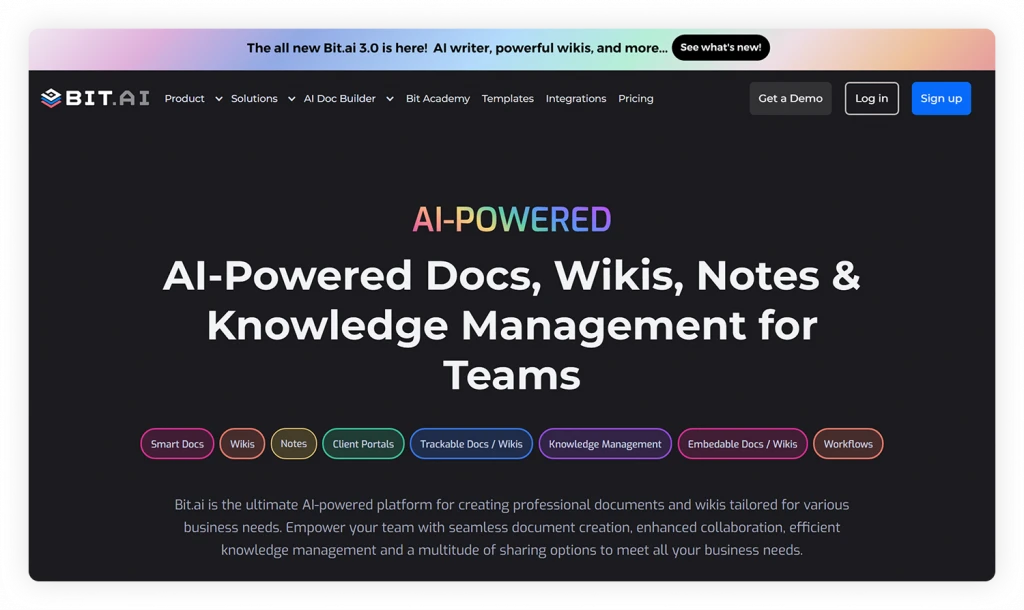
That’s where Bit.ai comes in. Instead of scattered files and disconnected notes, it combines AI-powered writing, organization, collaboration, and knowledge management features inside one workspace.
Bit.ai is an AI-Powered docs, wikis, notes & knowledge management platform designed to help individuals and teams create, organize, and share knowledge in one central place. Rather than acting like a traditional storage system, it combines interactive AI based documents, structured wikis, and collaborative workspaces, making it suitable for building a personal knowledge base, an internal team wiki, or even customer-facing documentation.
Key Features of Bit.ai:
✔️ AI-Powered Document Creation for Smarter Knowledge Management
Bit.ai comes with AI-powered documentation features that help individuals and teams create, organize, refine, and manage knowledge much faster. With AI Genius Writer, you can quickly draft journal entries, research notes, reading summaries, study material, brainstorming ideas, task lists, and personal documentation directly inside your workspace.
✔️ Rich Embeds for Centralized Knowledge & Resources
Bit.ai allows teams to embed rich media and important resources directly inside documents.
You can embed videos, PDFs, spreadsheets, presentations, cloud files, dashboards, forms, websites, images, and hundreds of other tools into one interactive document. Instead of jumping between different apps and endless tabs, everything stays connected inside one organized AI-powered workspace.
✔️ Real-Time Collaboration for Better Knowledge Sharing
Even personal knowledge bases sometimes involve collaboration. Bit.ai allows you to collaborate with mentors, classmates, teammates, or clients in real time using inline comments and live editing.
✔️ AI-Powered Workspaces for Organized Knowledge Management
Bit.ai helps you create organized AI-powered workspaces where your notes, ideas, goals, research, learning resources, meeting notes, templates, and personal projects stay centralized and searchable.
✔️ Multiple Sharing Methods for Easy Access Anywhere
With Bit.ai, you can share or access your documents through live links, PDFs, embeds, trackable links, password-protected files, and link expiry docs.
The platform also supports client collaboration and guest access, allowing clients, teammates, mentors, or collaborators to review documents, leave comments, and share feedback directly inside the document. Rather than managing long email threads and multiple file versions, everyone can stay connected through one live, organized workspace.
Pricing: Free plan available, with paid plans starting at $8 per user per month.
2. Capacities
Capacities is a modern personal knowledge management tool designed around the idea that knowledge should be connected, not stored in isolated pages. Instead of the conventional way of dealing with notes as documents, Capacities treats notes as “objects” like ideas, people, books, or projects, thus helping you to naturally establish connections between all your learnings.
This approach makes it especially useful for building a personal knowledge base because your notes grow into a connected knowledge network over time. Whether you are collecting research, managing ideas, or building long-term learning systems, Capacities helps you see how information relates instead of keeping everything separated.
Key Features:
Object-Based Note Organization
Capacities lets you use interconnected objects to organize information instead of using conventional folders. Hence, you can easily connect thoughts, monitor concepts (when concepts change), and develop a knowledge graph that grows with your efforts.
Daily Notes & Knowledge Timeline
Capture thoughts quickly using daily notes and automatically organize them into your broader knowledge system without needing heavy setup or planning.
Backlinks and Connected Thinking
Link notes together effortlessly and discover relationships between topics. Over time, your PKB becomes a web of connected ideas rather than a collection of isolated notes.
Visual and Distraction-Free Interface
A clean, minimal workspace helps you focus on thinking and writing while still allowing rich media, embeds, and structured content organization.
Pricing: Free Plan available and price starts at $11.99/month
3. Obsidian
Obsidian is a markdown note-taking application that allows users to store their notes locally, which gives them complete control over their own knowledgebase. It is great for researchers, students, and creators as it lets you customize your notes and use backlinks and visualizations in a graph view to connect with other notes.
Obsidian stores everything in your own vault filled with markdown documents, and there are many plugins from the community to level up your workflow.
Key Features:
- See how your notes relate to each other with an interactive web of links. Perfect for uncovering patterns and exploring your knowledge network.
- Easily create links between notes and automatically generate backlinks to help you build a rich, interconnected knowledge base.
- Your workspace can be customized with hundreds of different plugins from task managers to spaced repetition tools and themes to change its appearance.
- Your notes are stored locally by default, meaning you have the ultimate control of your knowledge. Optional secure end-to-end encrypted sync to allow you to access your notes on various devices.
- Instantly transform your notes into a clean, shareable website great for personal wikis, documentation, or blogging.
Pricing: Free for personal use, and paid starts at $4/month
4. Evernote
Evernote is a trusted tool that has developed from a simple note-capturing tool to a complete personal knowledge management tool. Evernote has it all, from handwriting recognition to email-to-note, making it easy for you to organize content in any format you desire.
Evernote is also valuable for many professional reasons, such as incorporating to-dos, calendars, and content to research, to not just retain but also connect content in one central hub.
Key Features:
- Save complete web pages, highlight important information in PDFs, and then forward emails directly into your notebooks to have everything in one place.
- Record voice notes, attach photos and documents, and track things to do with simple to-do lists.
- You can access your notes from your phone or tablet, or desktop, and they stay synced and up to date.
- You will be able to find what you are looking for faster than ever, using intelligent search that understands context and surfaces relevant content.
- Connect your calendar to link notes with meetings, get ready for events, and stay organized around your schedule.
Pricing: Free Plan available and paid starts at $10.83/month
5. OneNote
Sometimes you just need a space where ideas can flow freely without worrying about strict structure or complicated setups. A flexible digital notebook makes it easy to capture thoughts the moment they appear, whether it’s a quick reminder, a lecture note, or a sudden idea you don’t want to forget.
Microsoft OneNote works exactly like that. It acts as an open-form digital notebook where you can capture almost any kind of information, including handwritten notes, typed content, audio recordings, images, drawings, and more. Everything can be organized into notebooks, sections, and pages, allowing you to arrange information in a way that feels natural to you.
If you already use Microsoft tools, OneNote fits seamlessly into your workflow. It integrates smoothly with Word, Outlook, Excel, and Teams, making it easy to connect your notes with your daily tasks.
Key Features:
- Organize your notes on a blank, scrollable page so no size limitations or formats to follow.
- Using a pen/stylus, you can write, draw, or annotate directly into your notes.
- Dictate audio notes and take photos directly into your notebook
- You can access your notebook on Windows, Mac, iOS, Android, or on the web (OneNote has automatic syncing)
- You can easily link and embed content from Word, Outlook, etc.
Pricing:
- OneNote App: Completely free to use on its own, with full note-taking features and cloud sync via OneDrive.
- Microsoft 365 Personal: $9.99/month or $99.99/year. Includes OneNote plus Word, Excel, PowerPoint, Outlook, 1 TB of OneDrive storage, and more for one user.
- Microsoft 365 Family: $12.99/month or $129.99/year. Same benefits as Personal, but shared with up to 6 people.
Read more
Once you’ve got the right tools in place, it’s all about how you use them. Here are a few pro tips to help you get the most out of your personal knowledge system.
Pro Tips and Best Practices: Knowledge Base
Creating a personal knowledge bank is one thing; keeping it valuable is another. The power is in how you utilize and preserve it over time. Developing a few informed tips can help you in a long way. More than just storing information, build a system that will help you develop your thinking, make you work quickly, and allow you to continue to learn without feeling overloaded.
☑️Start small and grow: Just like you wouldn’t start a company in a day, don’t try to build the ultimate knowledge base in one sitting. Start with one project or one area, and build your knowledge management database over time.
☑️Tag like a nerdy superhero: Use tags and links to interlink related notes.
☑️Make it visually appealing: Use images, diagrams, and varied layouts to make your knowledge base easy (and fun) to use.
☑️Automate if you can: Many options exist to connect your knowledge management software with email, cloud storage, and various apps to automate the information capture process.
☑️Review and prune: Periodically review and remove notes that are outdated or irrelevant. A lean knowledge base is a productive knowledge base.
☑️Try experimenting with AI Knowledge Base features: Many of the new knowledge management tools include AI-enabled search, smart suggestions for similar articles or descriptions, as well as summaries of larger documents. These can save you a tremendous amount of time when managing knowledge and supporting team productivity.
☑️Share, when appropriate: If you are working as a team, you may wish to create a knowledge base for shared resources as an internal knowledge base and another for customer-facing info.

Build Your Personal Knowledge Base with Bit.ai
Organize your notes, ideas, documents, and research in one AI-powered workspace. Create a personal knowledge base with Bit.ai and work smarter every day.
Free to start • Set up in minutes
Wrapping up
We are living in a time where the management of your own knowledge is as important as obtaining it. If you are running projects, producing content, learning something new, or simply trying to organize life, a personal knowledge base helps you think clearly, work more efficiently, and concentrate your attention.
When you spend time developing your own personal knowledge management system, you’re not just organizing notes; you’re creating a system for your future self that helps you to be successful.
And by the way, you don’t have to go all-in today. Start where it’s manageable. Find one tool (Bit.ai is a great place to start), and let it grow with your need.
FAQs
What is the best knowledge base?
It depends on your use case. If the knowledge base is for you, you can use tools such as Bit.ai, or Obsidian. If your knowledge base is for a team or to onboard an employee, you may want a more pro-level knowledge management tool such as Confluence or Guru.
How to make your own personal knowledge base?
Choose a platform that feels appropriate for your workflow. Determine high-level categories (work, personal, learning, etc.) and start putting down notes, concepts, and references. Don’t worry too much about structure yet; you can always make adjustments later. Just focus on making your PKB searchable and usable.
How will a knowledge base help enhance productivity?
Your mental load will decrease, and you will spend less time trying to find what you need. With an optimized personal knowledge management system, you can pull up insights, documents, or even the decisions you made, instantly (no more wondering what you decided a year ago), and free up your brain to focus on the activity at hand.
What is the difference between internal and external knowledge bases?
An internal knowledge base is for private use or for team use (SOP, project documents, training material, etc.), whereas an external knowledge base is public-facing (help centers, FAQ, and product documentation that customers can access).
Felt like you just got a brain upgrade yourself? Now go put together that personal knowledge base, and your future self will thank you!
About Our Editorial Team
Our Editorial Team researches, writes, and reviews every article to help ensure it is accurate, practical, and up to date. To learn more about our editorial standards, content review process, and official social media profiles, visit our Editorial Team page.
Why Trust This Article?
The information in this article is based on reputable and authoritative sources. We review our content periodically to keep it accurate and up to date.