Have you ever asked an AI tool a question only to think to yourself, “Hmm… this is not really what I meant”? Well, you are in good company! The truth is that the quality of AI output depends heavily on how clearly you ask your questions. When you ask AI the right questions, the answers stop feeling random. You start getting clear, focused, and useful responses that feel closer to what you wanted.
Imagine an AI answer generator like your virtual assistants. Just as you would not approach a human asking for something vague like “do something,” you cannot expect AI to produce gold when instructed ambiguously. The quality of your question makes all the difference.
And the best part is: learning to ask AI a question the right way doesn’t only save you time but can also get you to come up with new ideas, solve things quicker, and make your work or studies much more productive.
So, before learning how to ask better questions, let’s slow down for a moment and understand what actually happens when you type something into AI.
What Does “Asking AI a Question” Really Mean?
What does “ask questions to AI” make you think of? Maybe typing something into ChatGPT, Bard, or some other tool and then waiting for the response. But here is the thing. You are not just asking questions. You are giving the AI instructions that guide how it responds.

In plain English, when you prompt AI questions, you’re making prompts. A prompt is similar to a directional compass that says to the AI: “Hey, this is what I’m after, this is the background, and this is how I want the response.” When your prompt is clear, the response becomes easier to use right away. This means you spend less time fixing responses later.
And there’s also a huge distinction between asking a random question versus asking with a purpose. For instance:
- “Tell me about marketing.” → Too general, poor response.
- “Can you create a step-by-step marketing strategy for a startup fashion brand looking to attract Gen Z?” → Specific, detailed, quality response.
That’s the true magic in mastering how to ask AI a question: you’re learning to speak clearly.

PRO TIP
Think of your AI prompt like a small task. The clearer the task is, the better the result will be.
Once you understand how prompts guide AI, the next question becomes obvious: why does asking the right way make such a big difference?
Advantages of Asking AI Questions Correctly
You might be wondering why asking your questions correctly even matters. If you have ever rewritten the same prompt three or four times, hoping the answer improves, you have already experienced why this matters.
While you are improving how you use AI, you are also building real-world communication skills that boost productivity, creativity, and confidence. Here’s how it works:
1. More Accurate & Personalized Responses
If you feed AI a general prompt such as “write about fitness,” you’ll be given a general, superficial response. But if you say, “write a 200-word blog introduction on fitness tips for busy college students,” you’ll be given something that reads like it was made specifically to your precise requirement. Properly asking gets your AI-written content more useful, saving you rewrites and edits.

2. Save Time & Boost Productivity
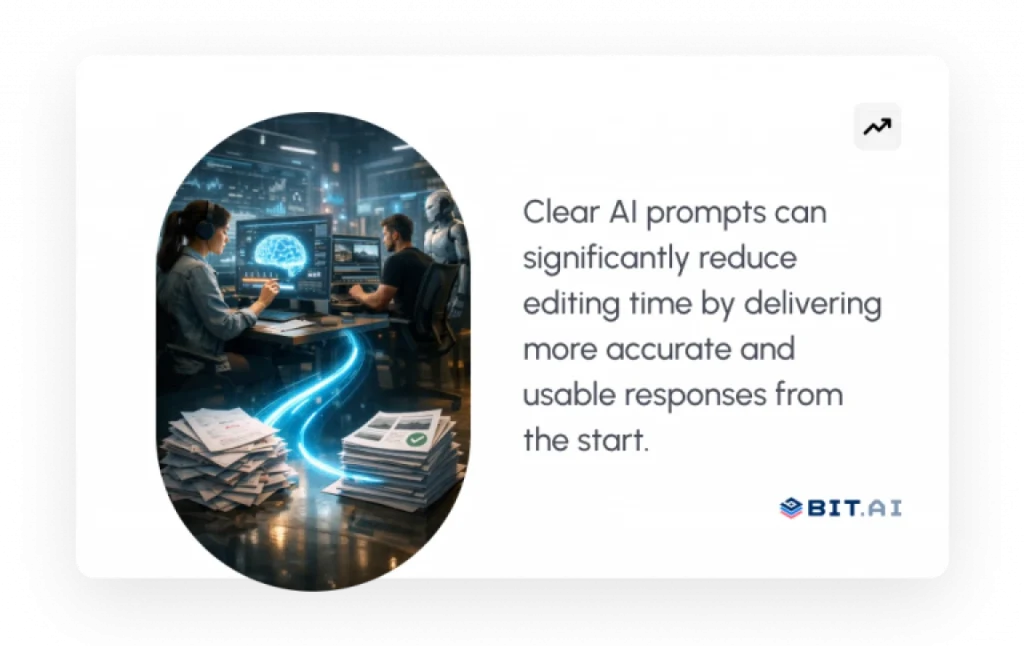
Think of AI as a quick way to get things done. Instead of starting from zero or digging through tons of search results, you can get organized answers right away. If you use good AI prompts, you won’t have to guess as much.
That frees up more time to work on the bigger picture, whether that’s completing assignments, wrapping up client projects, or generating ideas for your business.

If this was useful, read this…
3. Tap Into Creative Potential
Ever stuck with writer’s block? AI can shatter it for you. Ask AI questions like “provide 10 unusual social media post ideas for a coffee house,” and be surprised at the range of insights AI offers. A well-worded prompt gives you ideas you can immediately build on, inspiring you to think outside the box.
4. Make Your Work More Reliable
When you ask clearly, you reduce confusing or irrelevant answers. For instance, when you question “outline the top 3 advantages of renewable energy with examples,” you get verifiable, organized information that you can rely on. You get answers you can actually use instead of rewriting everything from scratch.
5. Take Your Problem-Solving Game to the Next Level
AI is not only for composition, but it’s also an effective problem-solver. Imagine you’re coding and stuck on an exception. If you ask AI for information such as “display how to resolve a NullPointerException in Java while accessing an array,” you’ll receive a definitive, step-by-step solution rather than a broad explanation.
6. Establish Confidence in AI Usage
The more you use it, the more second nature it feels to ask AI. Before long, you’ll be confidently building prompts that give you results in an instant. It’s similar to learning a foreign language; once you become proficient, you can unlock the full potential of any AI response generator.
PRO TIP
Start small, refine one question at a time. Even tiny tweaks can dramatically improve AI’s accuracy.
So if better questions lead to better answers, how do you actually do this when the cursor is blinking, and you are not sure what to type next?
7 Steps to Ask AI a Question for the Most Accurate Results
The key to getting good results from AI is not about how fast you type your question, but rather how well you guide the AI system with clearly defined parameters, such as direction, context, and boundaries, so it can return an exact answer to your question.
Here’s a practical framework you can follow every time you interact with AI.
Step 1: Assign a Role to AI
Most people jump straight into asking questions, but this is where prompts usually go wrong. AI responds very differently depending on who it thinks it is supposed to be.
Instead of asking something general, tell the AI what role to take before answering.
For example:
- “Act as a senior marketing strategist…”
- “Explain this like a college professor teaching beginners…”
- “Respond as a friendly tutor for students…”
Right away, you’ll see shifts in how deep it goes, the way ideas sound, plus what gets explained. Such a tiny tweak can boost outcomes far better than starting over with a new question.

Step 2: Clearly Define the Goal
A common mistake is asking AI for information without deciding what success looks like in reality. If the purpose of your question is not clear, most likely, the answer will be general and not to the point.
Before typing your prompt, think if you want to get ideas, instructions, analysis, or a summary in the end.
Compare:
- “Tell me about SEO.”
- “Explain SEO basics for small business owners in simple language.”
Once the objective is clearly stated, AI will guess less and deliver more of what you really need.
If this was useful, read this…
How to Create a Social Media Content Calendar with AI (ChatGPT)→
Step 3: Add Context That Shapes the Answer
AI works best when it knows the purpose of your question. Just a sentence of background can greatly increase accuracy.
For example, mentioning your audience or purpose changes how the response is written:
- “I am developing content for new users, who have limited experience with technology.”
A simple reference like this allows the AI to properly tailor the answer on multiple levels, such as complexity, tone, and example. Many users overlook this part, but it can typically have the largest impact.
Step 4: Specify the Format You Want
One of the mistakes people make very often is to leave a structure entirely open. If you already know what the answer should be like, tell it at the very beginning.
You can ask for any type of format (bullet points, step-by-step instructions, short summaries, examples or comparison charts).
Example:
- “Give me 5 actionable tips in bullet points with short explanations.”
This makes the response easier to read and immediately usable.
Step 5: Set Boundaries and Constraints
AI tends to give more information than necessary. Adding simple boundaries to the type of response you receive from AI will help you narrow down the results to be more in line with your original expectations. You can define:
- word count
- tone (professional, casual, persuasive)
- audience level
- what to avoid
Example:
- “Keep it under 150 words and avoid technical jargon.”
These small boundaries help AI stay aligned with your expectations.
Step 6: Break Complex Requests Into Smaller Steps
Most people try to fit everything in one prompt, which looks like a very efficient method. However, this often results in answers that are either overloaded or quite inconsistent.
A better approach is to work in stages.
- Start by asking for an outline.
- Then improve individual sections.
- Finally, request refinements or examples.
This step-by-step interaction is similar to how people collaborate, and usually, AI will give better results if it is guided slowly.
Step 7: Refine Using Follow-Up Prompts
Treat AI responses as drafts, not final answers.
You can refine results by saying:
- “Make this simpler.”
- “Add real-world examples.”
- “Rewrite this for beginners.”
Little clarifying instructions can usually make a good answer into a great one.
PRO TIP
If a human would need clarification to complete your request, AI probably does too. Add that clarification directly into your prompt.
Once you start thinking this way, the right tools stop being optional. They become the place where your best prompts live and improve over time.
Top Tools to Ask AI Questions & Generate Better Answers
Now that you are aware of the advantages, let’s discuss the applications that make it simpler to query AI and produce top-notch AI-generated material. Be it collaboration platforms or dedicated AI answer generators, here are some of the top choices to boost productivity.
1. Bit.ai – Your Intelligent AI Knowledge Hub

AI-powered docs, wikis, and a knowledge management platform built for teams that want to structure knowledge, collaborate, and work with AI more effectively.
Bit.ai gives you a structured space to write, refine, and store high-quality AI prompts so you are not starting from scratch every time you interact with an AI tool.
When asking good AI questions becomes part of your daily work, Bit.ai gives you a place to save and organize them. You can write down useful prompt ideas, keep formats that worked well before, and work with your team to improve how everyone uses AI for writing, research, documentation, and planning.

Instead of having notes all over the place or prompts you can’t find later, Bit.ai helps you organize prompts and refine them over time, so your AI interactions become more consistent and easier to reuse.
Key Features
- Smart Documents & Real-Time Collaboration
- Instead of working across scattered files and conversations, you can create interactive documents where your team collaborates in real time. You and your team members can work on the same document at the same time, add inline comments, and use @mentions to keep the discussion directly connected to the work.
- Structured Documents & Wikis
- You can organize information into structured documents and connected wikis, making it easier to keep background context, requirements, and ideas in one place. This means you can reuse what already works instead of starting from zero again.
- AI Doc Builder
- ai’s AI Doc Builder lets you create structured documents from scratch, helping you transition from a mere idea to a fully working document much faster. You can produce outlines, write drafts, and arrange your content with the help of AI right in your workspace.
- AI Genius Writer
- You can use ai’s AI Genius Writer directly inside your documents to draft, rewrite, summarize, or refine content. Guided AI assistance helps you refine ideas faster without switching between tools.
- Version History
- Your documents automatically maintain a version history, which means you can view the changes made at any time or restore the previous version if you need to. This helps protect important work and makes collaboration safer during ongoing revisions.
- Rich Media Embeds & Integrations
- You can embed content from over 100 tools, including Google Drive, YouTube, Loom, and Airtable, directly into your documents. This allows you to keep files, visuals, and live content centralized in one workspace.
- Multiple Sharing Methods
- You can share documents in multiple ways depending on how you want to distribute information. Share secure links, invite collaborators with view or edit permissions, embed documents on websites or portals, or export files for offline sharing when needed.
Pricing: Offers a free plan, withpaid plans starting at $8 per user per month, depending on workspace needs.
2. Jasper – AI for Content Creators

Jasper is an AI writing assistant that helps teams create high-quality content faster without compromising clarity or brand voice. It is capable of supporting a wide range of content, such as blog posts, marketing copy, emails, and social media content, helping teams to go from idea to draft rapidly. With prebuilt templates and customizable workflows, Jasper removes the friction that often slows down content creation.
What sets Jasper apart is its focus on brand consistency and usability for teams. You can define tone, style, and guidelines so the AI writes in a way that feels aligned with your business, not generic. For marketers, writers or other large or growing teams who need speed & control, Jasper acts a trusted creative partner and not merely a writing tool.
It works especially well for structured content workflows, though quick conversational queries may still feel more natural in chat-based tools.
Features:
- 50+ content templates for various use cases
- Brand voice customization for consistency
- Long-form assistant for blogs and reports
- Campaign and marketing workflow support for teams
- Collaboration tools for shared content creation and review
- AI-assisted editing and rewriting for improving drafts
Pricing: Paid plans usually start at $39 per month, with the higher tiers of the plan offering increased collaboration and brand management features.
3. ChatGPT – Conversational AI Assistant

ChatGPT doesn’t feel like a tool. It’s more like talking with someone to help you think. You type in an idea, question, or even a random thought, and it helps turn it into something useful. Whether you are drafting content, exploring an idea, or trying to understand a complex topic, it adapts to the way you communicate.
A better question means a better answer. If people give ChatGPT context, structure, and intent, it gives outputs that are more correct and useful.
Hence, it becomes an excellent partner for anyone who wants to increase their speed without losing depth and focus.
Features:
- Manages casual Q&A, brainstorming, and formal tasks
- Follow-up questions for refining answers
- Integration and plugins (Pro) for experts
- Supports coding assistance, explanations, and debugging workflows
- Content drafting, summarization, and idea generation across topics
- Adaptive conversational responses based on user feedback
Pricing: There is a free version. For more features, you can buy ChatGPT Plus for $20 per month or other premium plans.
The tools can help you ask better questions, but the real difference becomes clear when you see weak and strong prompts side by side.

Your Intelligent Workspace for Docs, Collaboration & Knowledge
Create, collaborate, and manage knowledge effortlessly in one place with Bit.ai— the smarter way to get work done.
Free to start • Set up in minutes
Real Examples of Asking Questions to Artificial Intelligence
You rarely notice the power of a good prompt until you compare it with a weak one. A few small wording changes can turn a vague response into something genuinely useful. Let’s see how that plays out in real examples.
Example 1: Simple Fact-Based Question
- Weak Prompt: “Tell me about space.”
- Strong Prompt: “Describe in easy-to-understand words how black holes are created, with an analogy a 10-year-old can relate to.”
It is clear from the above example that the better prompt gives a more specific and detailed explanation.
Example 2: Brainstorming Creatively
- Weak Prompt: “Give me some ideas for a blog post.”
- Strong Prompt: “Come up with 10 ideas for a blog post on sustainable lifestyle habits for millennials, with interesting titles and brief summaries.”
With precise context, you get AI-created content that is familiar and timely.
Example 3: Hard Multi-Step Task
- Weak Prompt: “Help me with marketing of my product.”
- Strong Prompt: “Develop a 3-step online marketing strategy for a new coffee shop centered on Instagram advertising, influencer marketing, and email marketing.”
The AI no longer gives you general advice but instead provides you with well-structured, concrete steps.
Example 4: School or Work Scenario
- Weak Prompt: “Summarize this.”
- Strong Prompt: “Write an executive summary of this 2,000-word article in 150 words summarizing the strongest 3 arguments in a professional tone.”
Strong prompts provide you with results that you can directly apply in professional or academic environments.
Example 5: Problem-Solving with Code
- Weak Prompt: “Why isn’t my code working?”
- Good Prompt: “I’m receiving a NullPointerException in Java while trying to access an array. How and why does this error occur, and please provide an example of how to correct it?”
In this instance, the AI gives you not only theory, but actual fixes you can implement.
Example 6: Everyday Workplace Task
- Weak Prompt: “Write an email.”
- Strong Prompt: “Write a polite follow-up email to a client after a delayed project update, keeping the tone professional but reassuring.”
This shows how adding context and tone turns a vague request into something you can immediately send.
PRO TIP
Instead of rewriting prompts every time, use ready-to-use AI prompts designed for different tasks like writing, research, and brainstorming.
Now that you’ve seen examples, let’s quickly wrap things up with a short brief.
Wrapping It Up
By this point, you’ve witnessed firsthand how powerful it can be when you learn how to properly ask AI a question. From learning what prompts actually mean to discovering the advantages, tools such as Bit.ai, and real-world applications, you now have all you need to begin obtaining more accurate, imaginative, and trustworthy AI-created content.
Remember, AI is not magic. It works best when you guide it clearly. The better questions you ask AI, the better value you will receive. Whether you’re writing a business plan, generating content ideas, or working through complex challenges, it all begins with how you speak to your AI answer tool.
So, here’s your challenge: next time you use AI, take a moment before hitting enter. Clarify your question, provide context, and see how your results instantly improve.
The difference between average AI results and surprisingly good ones is rarely the tool. It is almost always the question you ask.
Let’s cover some of the most frequent FAQs around asking AI questions and crafting great prompts.
FAQs
Q1. How do you pose a question to AI to get the best possible answer?
To receive correct responses, be specific and precise. Rather than asking something broad like “Tell me about marketing,” instead ask “Develop a 3-step digital marketing strategy for a small clothing company for Gen Z.” Providing context, tone, and word count assists the AI answer generator in providing you with accurate and useful AI-generated content.
Q2. How do you ask the best questions of artificial intelligence?
The best way is to imagine AI as a human assistant. Be clear, throw in some background information, and describe what you want as an outcome. Instead of “Write about AI,” say “Write a 200-word introduction describing how AI assists businesses in saving time.” This makes your posing of questions to AI more pertinent and useful.
Q3. What are the best practices for writing AI prompts?
Some key AI prompt best practices include:
- Make sure your request is precise in terms of topic, tone, and word count.
- Giving context or examples to help direct the content produced by AI.
- To improve the output, use follow-up prompts.
- Divide complicated requests into manageable chunks.
Following these steps improves the accuracy and quality of your results every time.
Q4. How to make AI responses more accurate?
If you want AI responses that are more accurate, be sure to give clarity and context. Use precise prompts like “Summarize this article in 100 words, emphasizing the environmental benefits.” If not perfect, edit down with more prompts. And most importantly, fact-check important information, by fact-checking, you establish trust.
If this was useful, read this…