Have you ever looked at your screen and thought, “Why did that Facebook post provoke comments, shares, and reactions, whereas my posts don’t even seem to exist?” ? In a world where people are scrolling faster than they can think, it is not easy to post something that actually makes someone stop scrolling and engage with.
Whether you are a creator trying to grow your personal brand, a marketer crafting campaigns for global audiences, or a business hoping to connect with customers across countries, you know one thing. Facebook engagement is no longer about posting often; it is about posting smart.
That is exactly where AI steps in. Today, tools like a Facebook post generator help you brainstorm ideas, write compelling captions, suggest hashtags, and adapt your message to different audience segments. Instead of spending hours rewriting one line, you get high-quality posts in seconds, so you can stay consistent without burning out.
Now that you understand the challenge behind engaging Facebook posts, let’s dive into the foundation of it all and explore what a Facebook post generator actually is.
What Is a Facebook Post Generator and Why It Matters Today?
A Facebook post generator is an AI-powered assistant that helps you craft engaging, scroll-stopping posts in seconds. Instead of spending hours writing captions or brainstorming ideas, you get instant suggestions tailored to your tone, audience, and content goals. Whether you want something funny, inspirational, educational, or promotional, the generator adapts to your voice and creates posts that feel human and intentional.
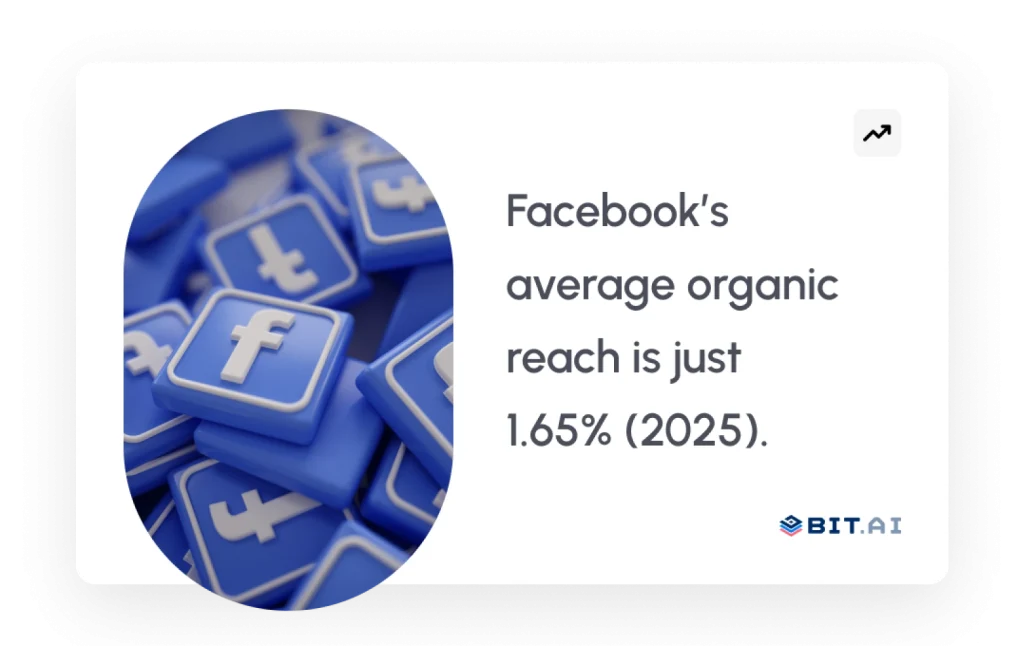
This matters now more than ever because organic visibility on Facebook keeps shrinking. According to Socialinsider’s “Social Media Reach: Statistics for 2025”, Facebook’s average reach rate is only 1.65 % across all posts. Socialinsider With so much competition in the feed, only posts that feel sharp, relevant, and emotionally aligned grab attention. AI helps you consistently create that level of quality without the stress of writing everything from scratch.
A Facebook post generator can really assist you in keeping your posts coming out regularly. People all over the world tend to like it when you post on a consistent schedule, but doing that by yourself can be hard. AI can fix this by giving you tons of different content ideas, variations, and perspectives, so you’ll always have something fresh to talk about.
With the foundation clear, let’s move into why using a Facebook post generator can dramatically boost your engagement.

Want to know what’s really working on your socials?
Check out these 15 metrics that reveal your reach and engagement. →
Why Use a Facebook Post Generator to Boost Engagement?
Picture your post emerging in a busy Facebook feed, where every scroll is a split-second decision. In reality, you have a moment to snag a wandering thumb. That moment is your advantage with a Facebook post generator. It alerts your audience to your content, breaking through the noise and allowing it to land with clarity, confidence, and intention.
AI sharpens your messaging by suggesting better hooks, emotional cues, and formats that resonate with how global audiences consume content today. Instead of debating which caption sounds right, you get data-backed variations that are crafted to spark reactions.
And the numbers prove the difference. SocialPilot reports that posts with strong, curiosity-driven hooks generate up to 48 percent more engagement compared to posts that open weakly.
This shows how much a single opening line can shape your performance.
A Facebook post generator also lets you scale your creativity. You can test multiple tones, rewrite ideas instantly, and adapt content for audiences across regions without starting over. For creators and teams managing global markets, this flexibility helps you stay consistent without sacrificing quality.
It also protects you from the creative burnout that comes with constant posting. AI handles the heavy lifting so you can focus on strategy, storytelling, and connecting with your audience.
With engagement covered, let’s step into how AI strengthens your entire social media strategy.

Pro Tip:
Generate both conversational and direct response versions of your posts. Different tones resonate differently depending on your audience’s mood and intent.
How AI Facebook Post Generators Transform Your Social Media Strategy
Picture your social media strategy as a moving puzzle where every piece affects the next. Your brand voice, posting schedule, audience behavior, creative direction, and performance metrics all shift constantly. In the middle of this fast-changing landscape, an AI Facebook post generator becomes the engine that keeps everything aligned and moving forward.
AI helps you analyze trends, create content faster, and adapt your messaging for different audience segments without losing consistency. Instead of writing every post from scratch, you generate captions, ideas, and variations that match your style and purpose. This lets you focus on strategy while AI handles the repetitive creative load.
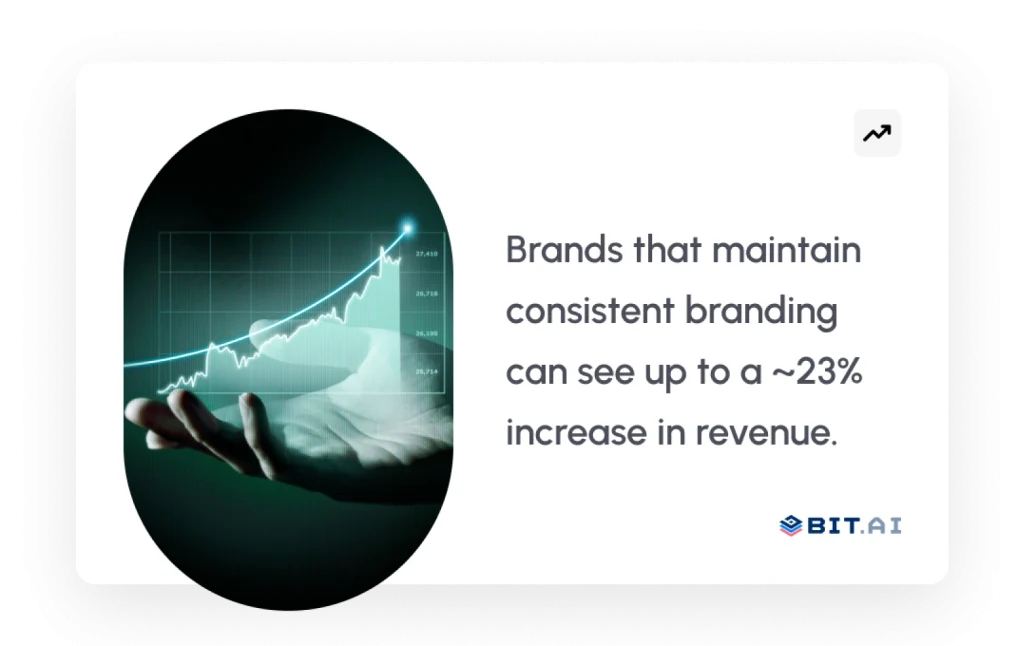
It also helps unify your voice across different regions or markets. Consistent messaging is crucial because brands that maintain a steady voice have seen up to 23 percent higher revenue impact, according to Lucidpress’s Brand Consistency Report.
AI ensures your tone stays recognizable, no matter how many posts or platforms you manage.
For teams, AI improves collaboration by giving everyone a shared content base to work from. Whether you are planning launches, running campaigns, or testing new angles, AI speeds up brainstorming and lets your team move faster with less friction.
Now that your overall strategy is clear, it is time to explore Bit.ai’s Facebook post generator and what makes it stand out.
Introducing Bit.ai’s Facebook Post Generator
Picture this. You have an idea bubbling in your mind, the kind that feels perfect for a Facebook post. You open Bit.ai, and instantly the space feels like a creative studio that lights up the moment you begin typing. Every tool you need is right there, responding to your thoughts and shaping your ideas into something ready for the world.
AI-powered docs, wikis, and knowledge management platform built for teams and creators who want to write smarter, collaborate faster, and deliver content at a global scale. Bit.ai gives you a powerful Facebook Post Generator that transforms scattered ideas into polished posts effortlessly.

Bit helps you create posts that sound sharp, intentional, and aligned with your brand personality. Whether you want something promotional, emotional, playful, or insightful, Bit’s AI adapts to your style and offers multiple angles instantly. Plus, you never lose track of versions, ideas, drafts, or feedback. Everything stays structured inside a workspace designed for content-heavy workflows.
And why does this matter? According to the Content Marketing Institute’s global report, 69 percent of marketers say AI has improved their content quality and workflow efficiency.
Bit.ai gives you that same advantage in real time.

Still Spending Hours Planning Projects and Minutes Managing Them?
Use Bit.ai to create organized project plans, collaborate with your team, and keep every milestone on track—all in one place.
Free to start • Set up in minutes
Bit.ai Facebook Post Generator: Key Features
1. Smart AI Content Creation
Write Facebook posts in seconds with AI that understands context, tone, and audience behavior. Whether you need hooks, captions, storytelling lines, event promotions, or value-driven content, Bit creates suggestions that sound human and feel aligned with global audiences.
2. AI Genius Writer
Bit’s AI Genius Writer is built for long-form and short-form creativity. It assists you in extending ideas, rephrasing posts, clarifying ideas, improving tonality, and adapting content for a varying audience. Great for teams dealing with several countries or types of languages.
3. Multiple Tone and Style Variations.
Easily switch from a conversational tone, a professional tone, a humorous tone, an emotional tone, a sales-driven tone, or a storytelling tone. This helps you adapt posts for different campaigns, cultures, and audience segments without losing brand consistency.
4. Collaboration and Real-Time Editing
Your entire team can brainstorm, edit, comment, suggest, and finalize content together inside a single doc. No juggling multiple tools. No endless file versions. Just clean, real-time document collaboration that moves at the speed of your projects.
5. Version History
The history of everything you edited, created, or rewrote is saved! The Version History function lets you revisit old versions and drafts, restore old versions, compare updates, and see how your content was crafted over time. Great for teams who need transparency and responsibility.
6. Organized Content Hub
Keep your drafts, final posts, captions, variations, and campaign briefs in orderly folders and workspaces. This helps reduce duplication and ensures that your brand voice is consistent across markets.
7. Multiple Ways to Share
Share your Facebook posts with teams or clients instantly using public links, private access, password-protected links, or workspace-based sharing. You determine how public or attached you need your content to be.
Pricing
Bit.ai has a free plan. The price of paid changes based on how much you work together, how much space you need, how much you use AI, and how much content you make. This way, you only pay for what you need.
With the tool now fully explored, let’s walk through how to use Bit.ai’s Facebook Post Generator, step by step.
Pro Tip:
Create a dedicated “Facebook Content Room” inside Bit with sections for hooks, drafts, ideas, and final posts. It keeps your strategy structured and instantly accessible for teams anywhere in the world.
How to Use Bit.ai’s AI Facebook Post Generator: Step-by-Step Guide
Visualize yourself opening a fresh Bit document. The screen is clean, quiet, and ready for your ideas. With a single prompt, the room feels alive as Bit’s AI begins shaping your thoughts into content that is clear, expressive, and built for engagement. Here is how you take that spark and turn it into a high-performing Facebook post.
Step 1: Choose What You Want to Build
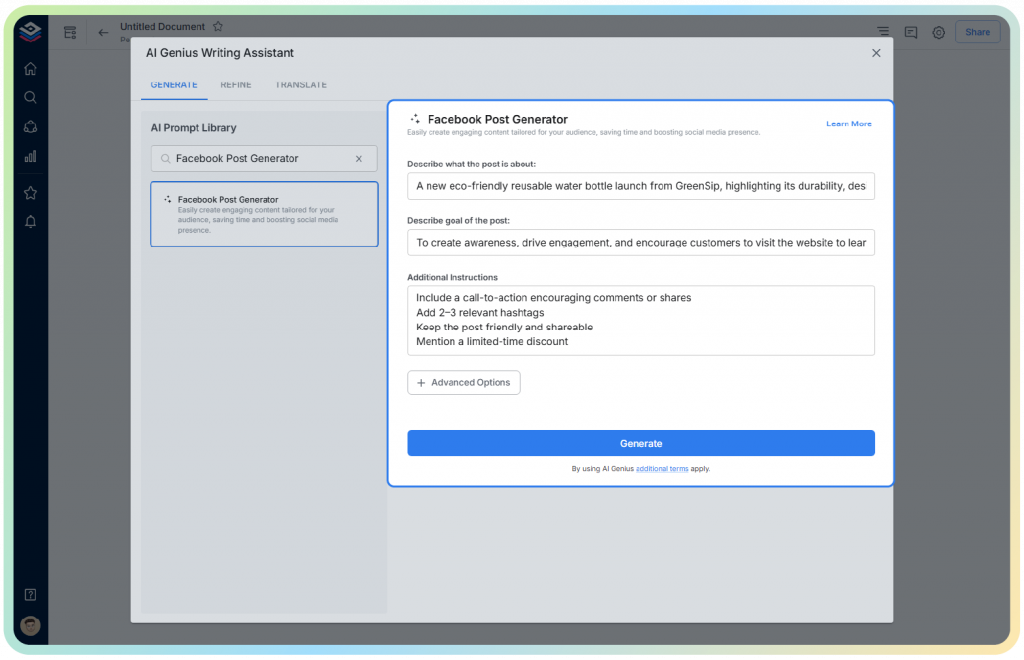
Start by selecting the kind of Facebook post you want to create. It could be an announcement, promotion, launch update, storytelling moment, event reminder, community message, or educational snippet. Quickly enter the information fields of Bit’s AI generator and watch it begin shaping your idea instantly.
Step 2: Generate Your Content Using AI
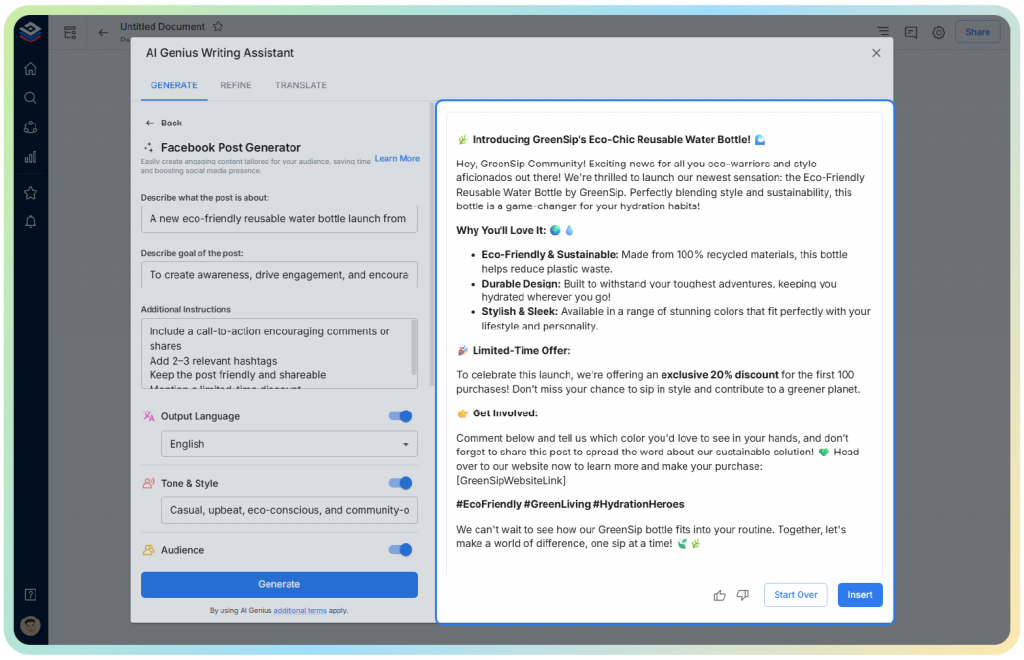
Bit’s AI generates multiple versions of your Facebook post for you. You can experiment with different tones, request rewrites, expand or shorten content, or explore alternative angles. This step helps you quickly test what resonates best with your audience.
Step 3: Customize Your Tone, Length, and Messaging
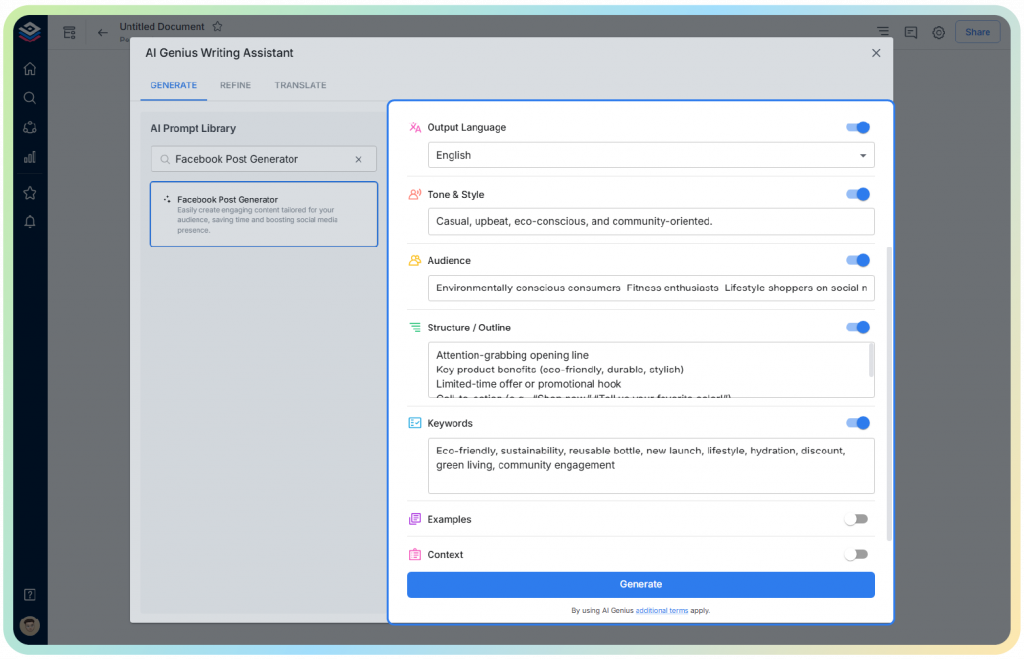
Use Bit’s AI Genius Writer to make your voice more conversational and better. Want something chatty, emotional, convincing, or short? change it in the doc. It will assist in writing content that everyone understands while sticking to your brand.
Step 4: Save, Organize, and Collaborate with Your Team
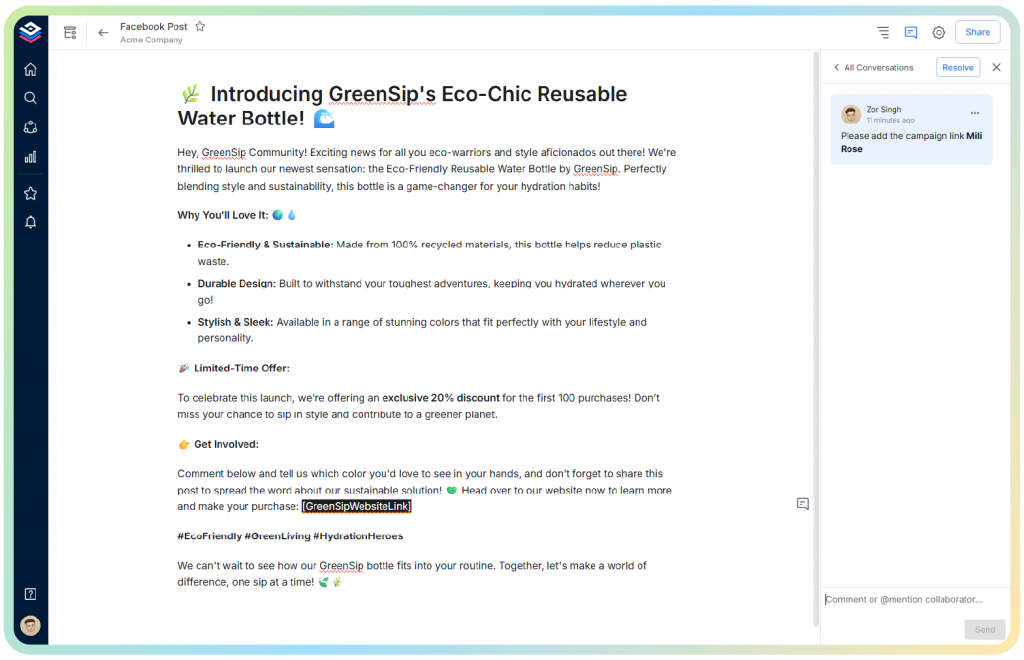
Store your post inside a dedicated collaborative workspace or folder. Add teammates, leave comments, share ideas, track changes, and build your final version together. Bit’s version history keeps every draft safe, so nothing ever gets lost.
Step 5: Share or Export Your Final Facebook Post
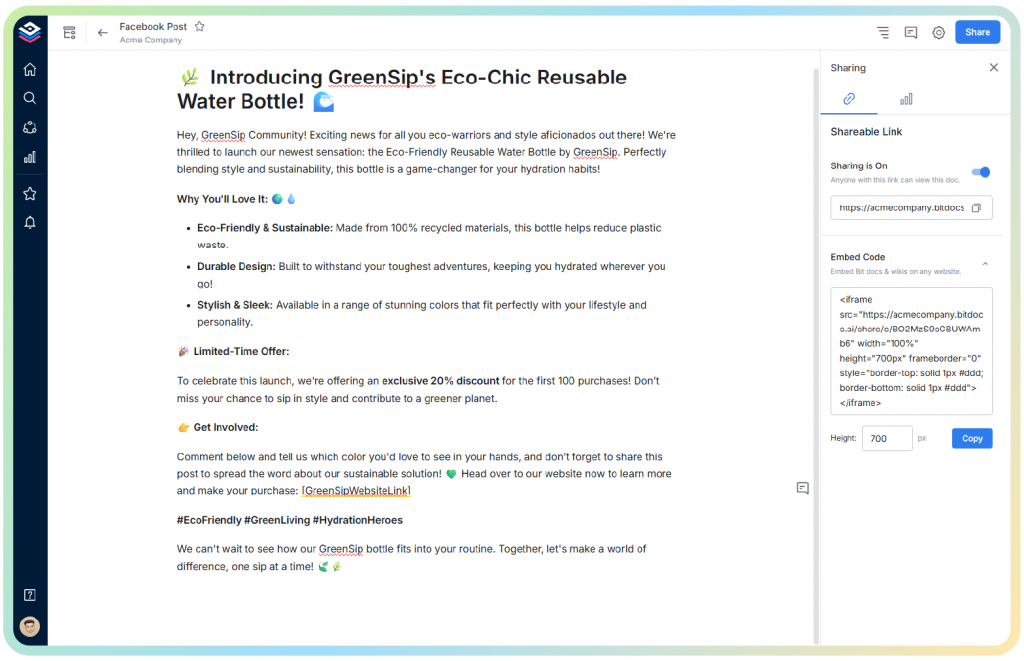
To get feedback or approval on your post, Bit has different ways to share it. You can use public links, links that only work in your workspace, or links with restricted access—it just depends on how much control you want during the review. Once the post is good to go, just copy it and post it straight to Facebook.
Now that you know how to bring your content to life with Bit, let’s wrap it all up and understand why Facebook post generators have become essential now.
Read more:
Discover 13 social media post ideas that make your content more engaging and impossible to scroll past. →
Wrapping Up: Why a Facebook Post Generator Is a Must-Have Now
Picture the digital world you are creating in. The feed is louder, the competition is stronger, and attention moves faster than ever. In this environment, you need more than creativity. You need a system that helps you show up consistently, communicate clearly, and adapt quickly to global audiences. That is exactly what a Facebook post generator helps you achieve.
It becomes your creative partner, giving you fresh angles, powerful hooks, and content variations whenever you need them. Instead of battling creative fatigue or staring at a blank page, you stay in motion. Your content becomes more intentional and more aligned with what people across the world respond to.
And when this power is paired with Bit.ai, the workflow becomes seamless. You brainstorm ideas, generate drafts, collaborate with teammates, refine tone, store versions, and share links all inside one organized workspace. It is the kind of setup that makes your social content feel effortless while still maintaining impact.
AI also helps you stay adaptable. Trends change, audience moods shift, and global conversations evolve daily. With an AI generator by your side, you can pivot faster, test more, experiment more, and show up with posts that feel alive and relevant.
Now that the journey is complete, let’s answer some popular questions readers often ask.
FAQs
1. How to boost engagement on a Facebook post?
Start by focusing on your hook and visual. Your opening line should make people pause, and your image should spark curiosity or emotion. Use clear messaging, add value to your audience, and post at times when your followers are most active. Testing two or three variations of your post also helps you understand what resonates across different regions.
2. What are the benefits of using a Facebook post generator AI?
A Facebook post generator helps you create content faster, stay consistent, and experiment with fresh ideas without burning out. It gives you multiple caption styles, tones, and angles so you can choose what feels most aligned with your brand. It also helps you adapt posts for global audiences with far less effort.
3. How does Bit.ai support my social media strategy?
Bit.ai gives you a complete workspace to ideate, write, refine, organize, and share your Facebook posts. You can generate posts with AI, store different versions, collaborate with teammates, track changes, and manage all content inside one structured hub. It keeps your strategy clean, efficient, and easy to scale across markets.
4. Can I integrate other tools with Bit.ai while creating Facebook posts?
Yes. Bit.ai supports rich embeds, letting you bring in resources from tools like analytics platforms, cloud storage apps, design tools, and project management software. This helps you keep everything you need for your social media planning inside one single, unified space.